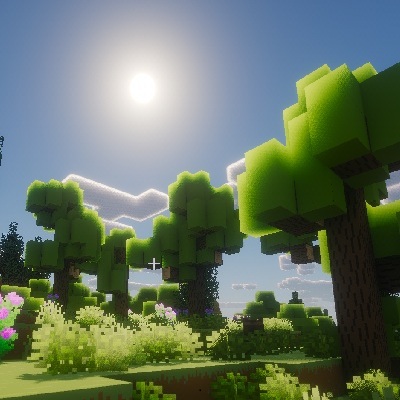
This modpack holds the ORIGINAL VANILLA feeling
Guaranteed not to be complicated or detailed, but to make the game more easy (time saver) & enjoyable
INCLUDES:
- Useful mods that saves time for the player
- More content to the visual and auditory vanilla design (Texturepacks, Shaders, Animations, Environment sounds, more mobs and structures in all worlds)
- Optimizers (to get more FPS for a smoother gameplay)
- A few not overly horror mods for your everyday (such as Herobrine or ugly spiders)
- Fine-tuned control and video settings (Read Controls below)
- Well configured mods (Read Quick Guide below)
- Backported: The Pale Forest, The ability of Classic Sword Blocking
- New worlds called "The Aether" and "The Twighlight Forest"
MY EXPERIENCES:
- I tried to compile this modpack so that it only works with Fabric modloader + Iris & Sodium basic performance mods, but I noticed that I get 10-20 FPS more and stable gameplay with Embeddium + Oculus if I load the mods with Forge & Fabric modloader.
- This modpack was tested on local server using Essentials mod (it's more stable than using Hamachi > Singleplayer > Open LAN)
GOOD TO KNOW:
- If some mods are too annoying, they can be disabled in the mods menu > "Selected mod" > Configuration menu (for example "Cosy Critters & Creepy Crawlies" / "Subtle Effects" mod)
- Move while inventory is opened [InvMove mod]
- Fast Travel by using Waystones (useful to teleport between many waypoints) [Waystones mod]
- Automatically step up one block, no need to jump everytime [Step It Up mod]
- Adds a new slot for the Charm of Undying Totem, so you can always have it active but not see it [Stcep It Up mod]
- Adds a new slot for Elytra, so you can always have it active and have armor at the same time [Elytra Slot mod]
- Items stay inside interactable blocks after closing (for example Workbench, Enchantment table or Anvil) [Visual Workbench mod, Easy Magic mod, Easy Anvil mod]
- If you die, all your items will remain in your corpse, you just have to find them back (and they won't burn in the lava) [Corpse mod]
- If something breaks/runs out of your hand, it will be immediately replaced with a new one from your inventory (if there is any) [Inventory Tweaks – ReFoxed mod]
- Armor skins are now invisible [Invisible Armor Model mod]
- Notifies from a newly picked up item in the right bottom corner and marks a newly added item in the inventory with a star [Pick Up Notifier mod, Item Highlighter mod]
- Marks players positions on the XP bar in the form of a compass [Player Locator Plus mod]
- Villagers are smarter in production & guarding themselfs [Smarter Farmers mod, Sawmill mod, Guard Villagers mod]
- Roads between villages [Countered's Settlement Roads mod]
- There are 4 seasons [Serene Seasons mod]
- Stalkering Herobrine [From The Fog mod]
- There are Illager bases, warships and invasions [Dungeons and Taverns mod, Illager Warship mod, Illager Invasion mod]
QUICK GUIDE FOR THE USEFUL MODS:
New offers:
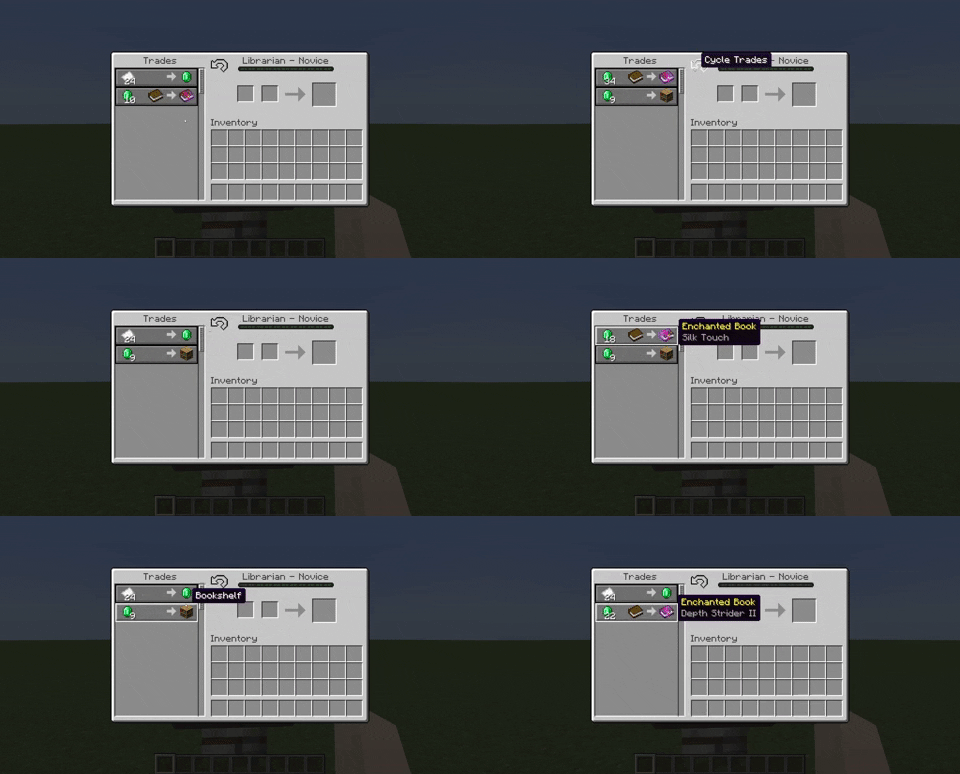
- While trading with villagers you can draw new offers [Trade Cycling mod]
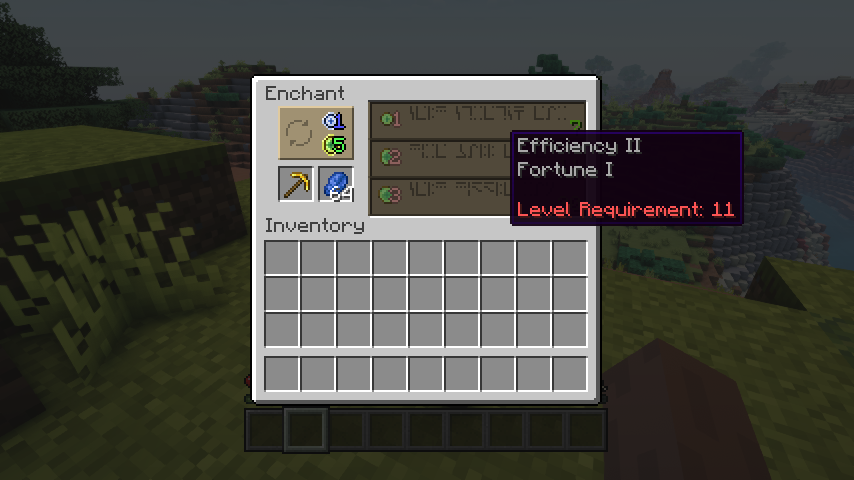
- Reroll currently offered enchantments for the cost of just a bit of lapis and a few experience points (not levels!) [Easy Magic mod]
Enchanting on anvil:
- Combine two similar items to get one combined enchantments [Easy Anvil mod]
- Repair enchanted items with the specific ore + XP [Easy Anvil mod]
- Name items free [Easy Anvil mod]
- Extract enchantments from item to an empty book [Enchantment Transfer mod]

Configure specific enchantments: [Dark Enchanting mod]
- Repair enchanted item for more XP
- Remove specific enchantment (for example cursed enchantments)
- Add / increase level of a specific enchantment for XP

Store XP in book: [XP Tome mod]
- Crouch key ("C") + Right-click to store XP
- Right-click to retrieve XP

Add unique buffs to armors at the Smithing table: [Functional Armor Trim mod]
- Lapis = Increases XP from killing mobs or mining blocks by 10%
- Copper Ingot = Adds 10% swimming speed
- Iron Ingot = Adds 2 armor points
- Redstone= Adds 10% walking speed and increases step height by 1, full set is equivalent to Speed 2 potion
- Gold Ingot = Makes piglins neutral
- Diamond = Adds 2 armor points and 2 armor toughness
- Emerald = Boosts villager reputation by 10% per piece, has no effect if reputation is negative
- Amethyst = Adds 25% night vision, full set is equivalent to night vision effect
- Nether Quartz = Adds one point of thorn damage, requires direct melee contact, but does not damage armor
- Netherite Ingot = Makes item fire proof, reduces fire damage by 25%, and boosts armor and armor toughness by 2 points, full set is equivalent to fire resistance potion
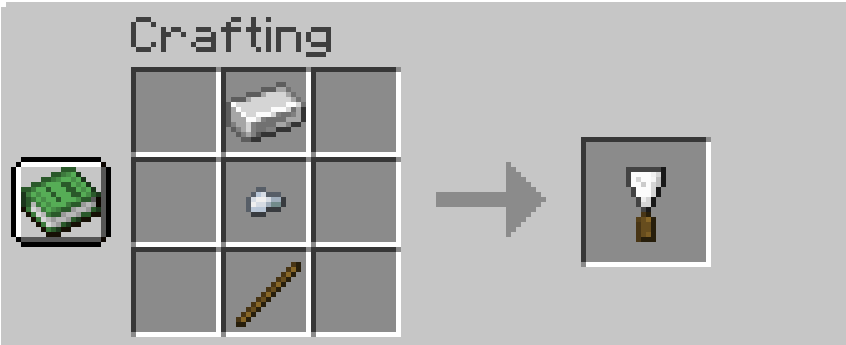
- Applied Trims can be removed from the armor with the help of a spatula (Armor in off hand + Armor Scraper in main hand + X) [Trims Begone! mod]
Repairing item/block:
- Take your damaged item (with the manding enchantment on it) in your main hand and right-click into the air to use your existing XP to repair the item [Better Than Mending mod]
- A damaged anvil can be repaired with an iron block [Easy Anvil mod]

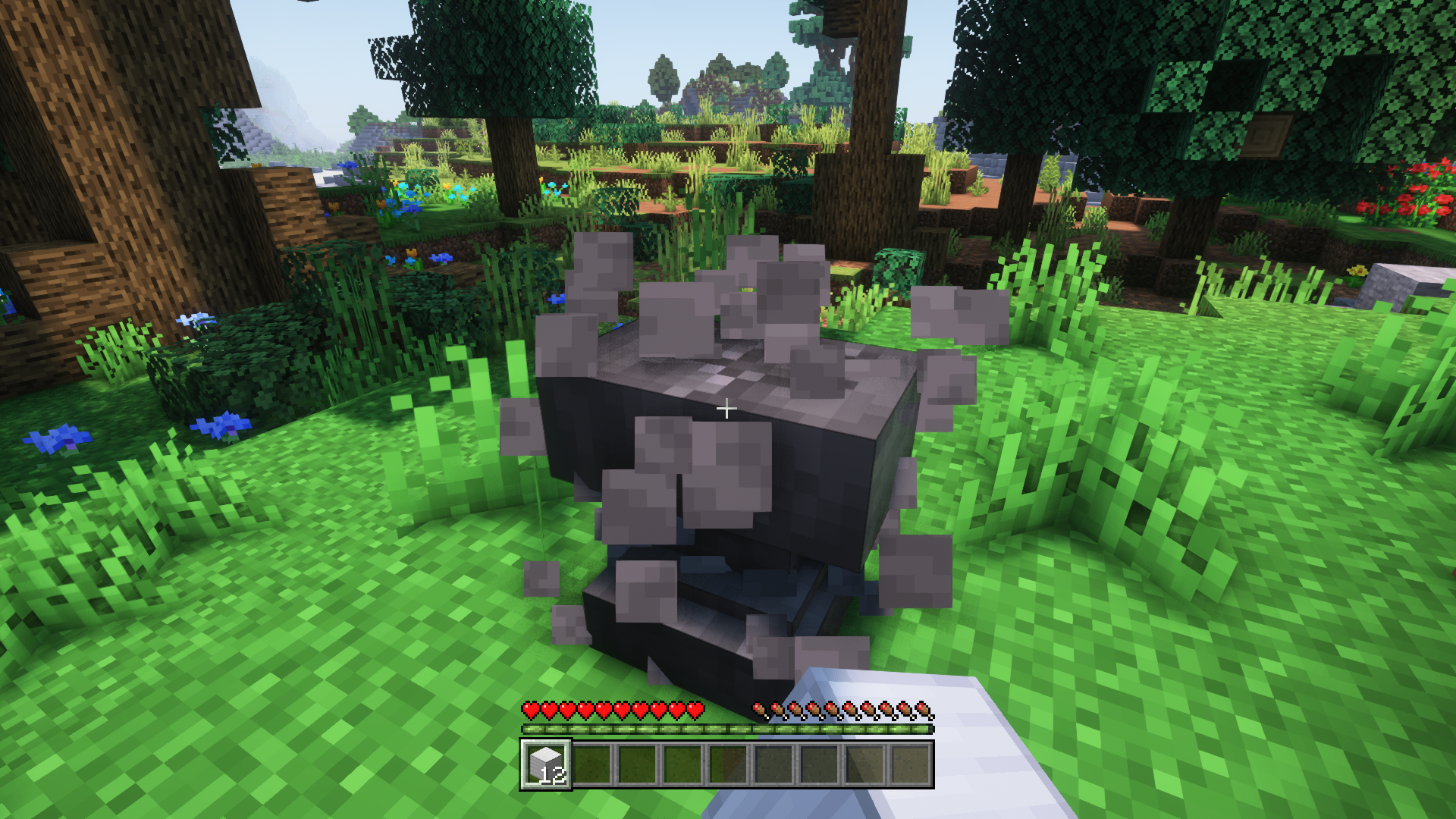
Scoping: [Spyglass Improvements mod]
- Use the scope directly from your inventory by holding down the Scope key ("E"), no need to select it

Harvesting effectively: [Right-Click Harvest mod]
- Use only hand for harverst, just right-click to harvest and plant at the same time
- Enchant your hoe with fortune to get a higher yield

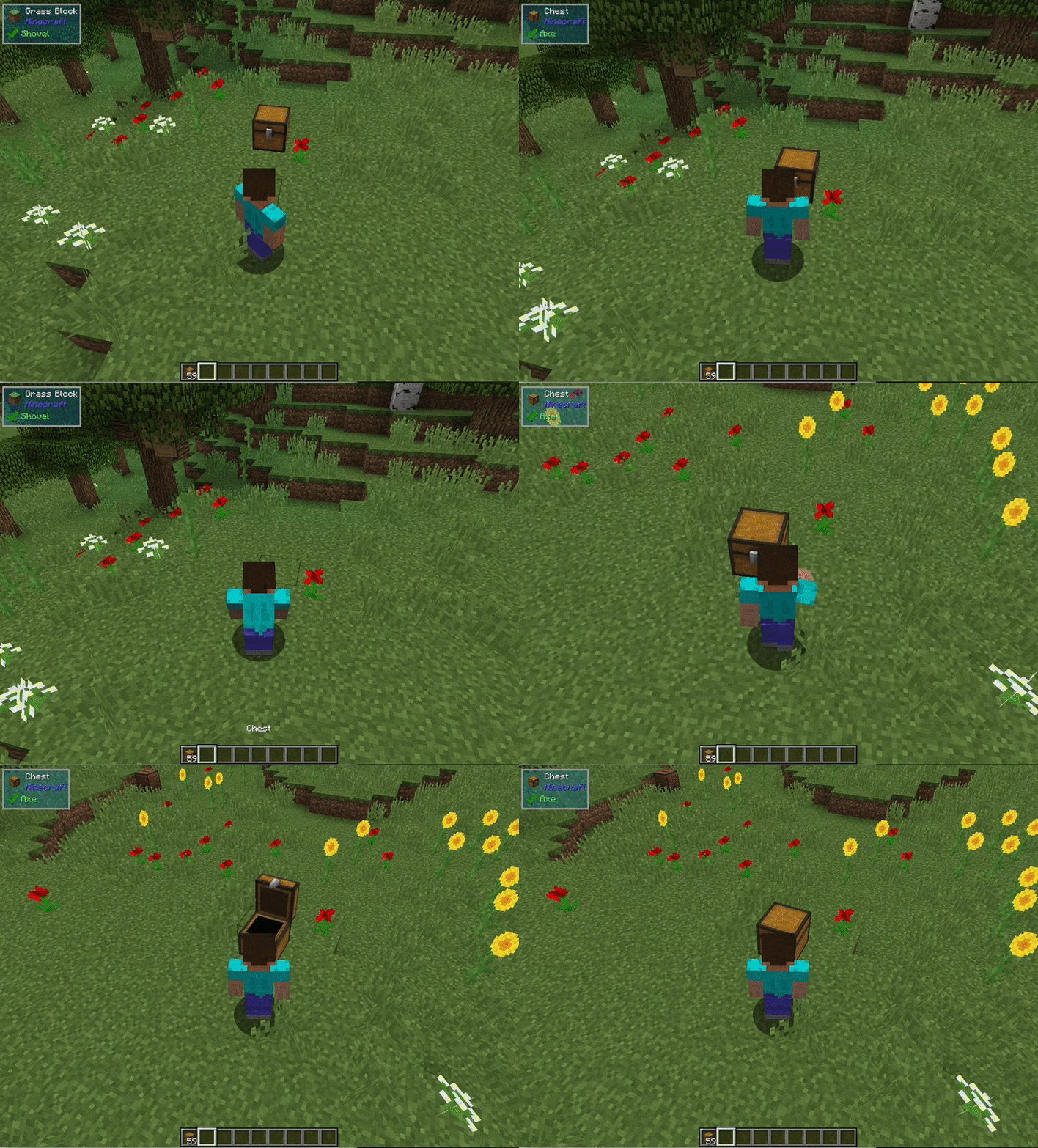
Bring specific blocks to a new position: [Carry mod]
- Use empty hands + (Hold) ALT + right mouse button to carry special blocks (for example a Spawner or a chest full with items)
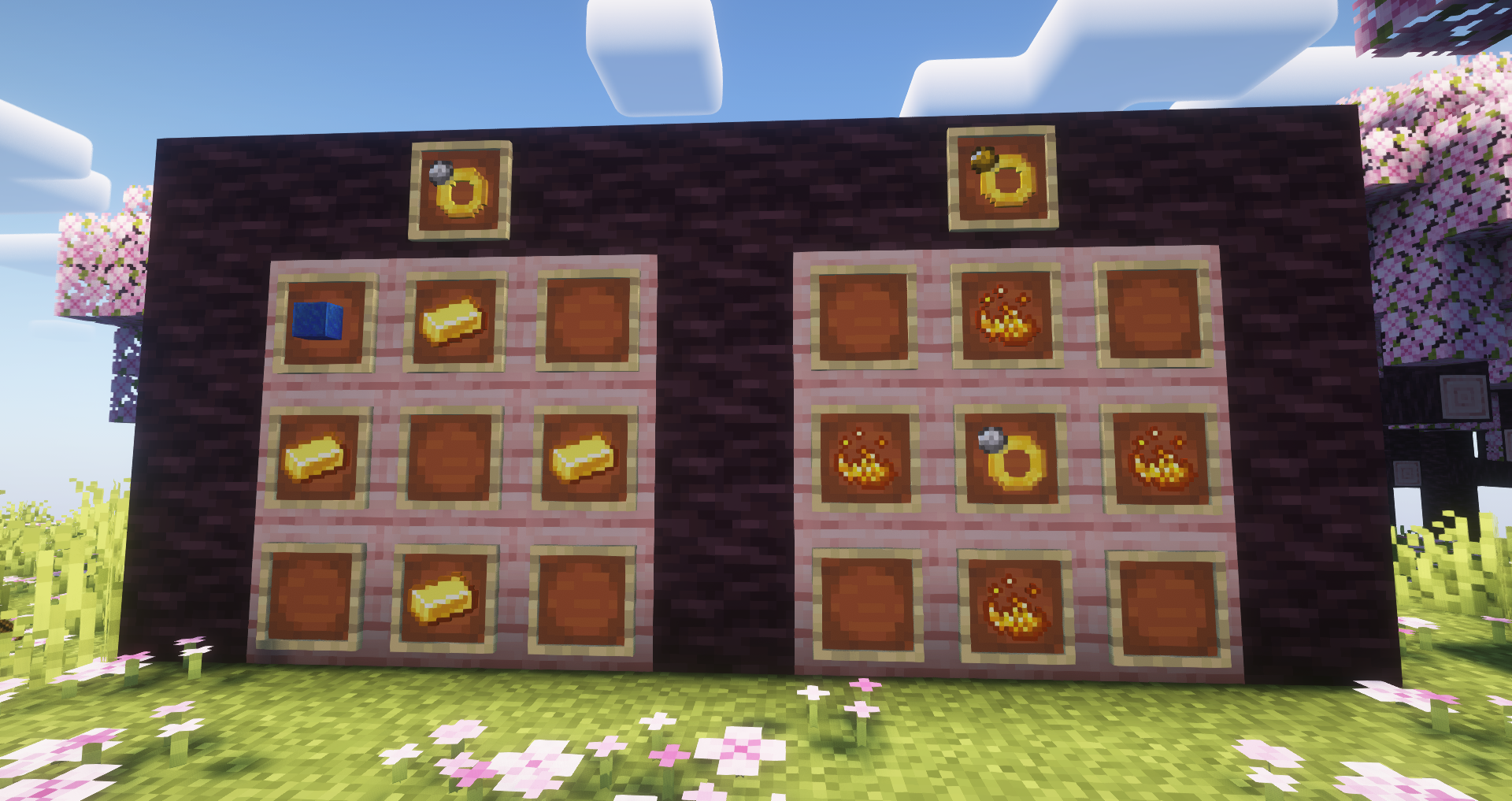
Permanent effects with rings: [Porion Rings mod]
- The problem with potions is that they are time limited, while potion rings are permanent (you can only have a maximum of 2 at a time)
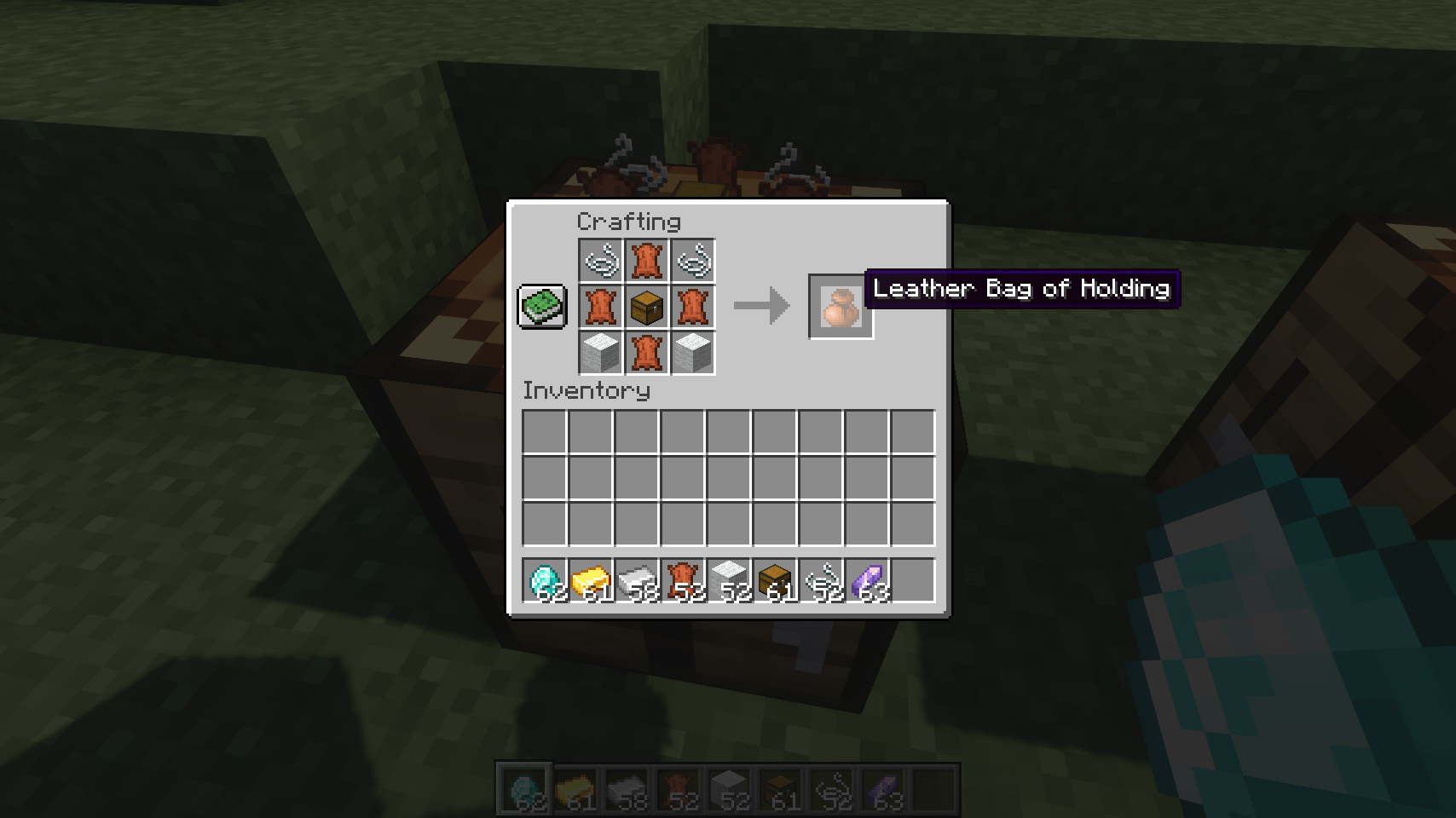
Save storage: [Bag of Holding mod]
- Adds 3 bag types to store items (A leather, an iron and a golden bag)
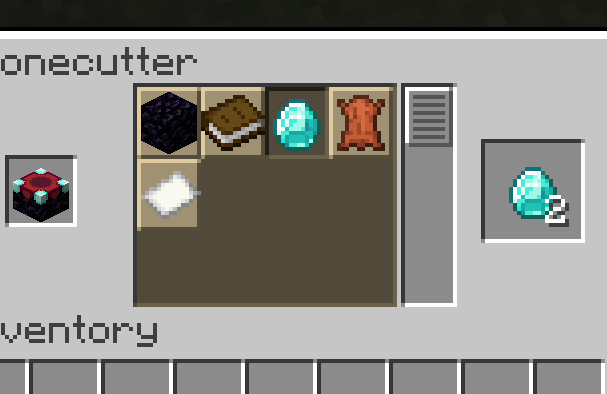
Salvage items: [Stonecutter Salvage mod]
- Use the Stonecutter to recover ingredients to be recycled for other purposes
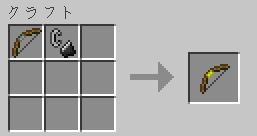
Bow a torch onto a wall: [TorchBowMod]
- Torches can be fired with this bow (Useful for mining)
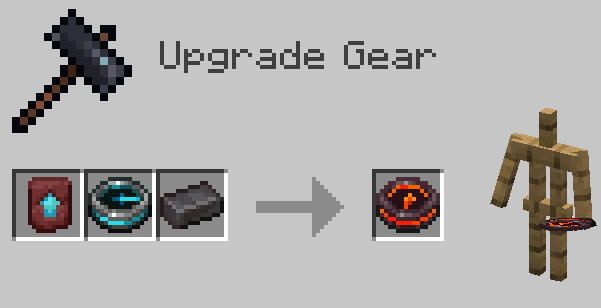
Netherite locater: [Netherite Compass mod]
- Shows you the closest netherite ore
Biome finder: [Nature's Compass mod]
- This compass helps you find the Biome you want

Copy, paste etc. structures: [WorldEdit mod]
- For how to use WorldEdit mod visit website: https://www.curseforge.com/minecraft/mc-mods/worldedit
OTHER SMALL MODS:
- Mining ores / cutting trees by holding down the "Excavation" key ("R") to get all the same block with one action [Ore Excavation mod]
- Prone to take advantage of opportunities in tunnels (for example redstone through holes) [Crawl on Demand mod]
- Feel free to place signs on the chests, you can interact through them with the chests, and you can also edit by crouching and right-clicking on it [ClickThrough Plus mod]
- Change the painting itself by right-clicking on it [Cycle Paintings mod]
- Jump a little with the boat to make transport villagers easier, for example [Jumpy Boats mod]
- Pick up the TNT that is about to explode or throw it right away while holding it and a lighter in your hand [Pick Up TNT mod]
- Place blocks in front of you or under neath you as if you were building a bridge or stairs downward [Bridging Mod]
- Fences and walls can be placed diagonally [Diagonal Fences mod, Diagonal Walls mod]
- Hang chains between fences [Connectible Chains mod]
________________________________________________
CONTROLS (Feel free to overwrite it):
Movement & Do a Barrel Roll mod controls = W, A, S, D
Crouch = (Hold) C
Prone (Toggled) = CRTL
Run (Toggled) = Shift + Movement
Jump = Space (Automatically steps up a block due to a mod)
Attack = Left Mouse Button
Activate/Block = Right Mouse Button
Excavate = (Hold) R + Left Mouse Button
Excavate Shape Cycle = V
Excavate Shape Edit = B
Carry Special Block (Toggled) = (nothing in both hands) + Alt + Right Mouse button
Sample block = H
Put into the off hand = F
Remove Armor Trim = [Armor in off hand + Armor Scraper in main hand] + X
Use scope quick from inventory = E
Drop item = G
Inventory = Q
Inventory sort all items = Middle Mouse Button
Inventory transfer one item per slot = (Hold) Right Mouse Button
Inventory Bulk Drop item per slot = (Hold) Left Mouse Button
Inventory Pin Recepie = N
Chat = T
Emotes = Y
View change = Middle Mouse Button
Voice chat = CapsLock
Voice chat Group = U
Numpad 1 = Zoom (Essential mod)
Numpad 1 = Zoom (Chlorid mod)
Numpad 2 = Show Villager Markers (Marchant Markers)
Numpad 3 = Alex Cave Special Ability
Numpad 4 = Portable Wardrobe
Numpad 5 = Toggle Do a Barrel Roll
Numpad 6 = Toggle Bridging
Numpad 7 = Toggle Invisibility (Aether)
Numpad 8 = Toggle Visual Item Contents
Numpad 9 = Shader reload
________________________________________________
PROHIBITED LIST:
Mods marked as "Not important" or "?" in the prohibited list, may be implemented in later versions.
Fixes & Optimizations mods:
- BetterEnd Crashed Ships Tweaks (Not compatible with "Stellarity Lite" mod)
- Concurrent Chunk Management Engine OLDER VERSION! (Server instability, lagging villagers)
- Cut Through (Annoying, because not letting to push crafted buttons)
- DashLoader (Crashes Forge)
- Dynamic FPS (Crashes Forge if Minecraft placed on system tray)
- Enhanced Block Entities (Due to license + Obsoleted because of Chloride (Embeddium ++) mod)
- Entity Culling (Obsoleted because of Chloride (Embeddium++) mod)
- Krypton / Reforged (Crashes other players, probably it should be installed only on Fabric based project)
- ImmediatelyFast (Incompatible with other mods)
- Improved Sings (Can't use item frames)
- Indium (Needs Distant Horizon mod)
- Invisible Totem Of Undying – Clear View When Held (Obsoleted because of Charm of Undying mod)
- Leaky – Item Lag Fix (?)
- Lithium (Obsoleted because of Embeddium mod)
- Noisium (Archived on CurseForge, it won't let me upload it)
- Nvidium (Obsoleted because of Embeddium mod)
- Particle Core (Crashes Forge, probably because it's compatible only with Sodium)
- Reese's Sodium Options (Obsoleted because of Chloride (Embeddium++) mod)
- Remove Terralith Intro Message (Not important)
- Sodium (Obsoleted because of Embeddium mod)
Useful mods:
- Just Enough Items (Not important)
- Goblin Traders (Not important)
- Small Ships (Not important)
- Falling Tree / Tree Harvester (Obsoleted because of Ore Excavation mod)
- Accurate Block Placement Reborn (Obsoleted because of Pro Placer mod)
- Diggus Maximus (Obsoleted because of Ore Excavation mod)
- Bodies! Bodies! (Obsoleted because of Corpse mod)
- Crawl (Obsoleted because of Crawl on Demand mod)
- Litematica (Portable blueprints) (Obsoleted because of WorldEdit mod)
Statistics:
- Dynamic Crosshair (Annoying)
- Item Despawn Timer (Annoying)
- Just Enough Professions (Not important + needs Just Enough Items mod)
- Journey Map (Performance drops drastically when stepping in- or outside from a building)
- Mob Plaques (Obsoleted because of Jade mod)
- Mod Menu (Not important)
- Status Effect Timer / Effect Timer Plus (Obsoleted because of Stylish Effects mod)
- Show Durability (project-850234) (Obsoleted because of Durability101 mod)
- Xaero's World Map (Obsoleted because of Journey Map mod)
- Xaero's Minimap (Obsoleted because of Journey Map mod)
- YDM's MobHealthBar (Obsoleted because of Jade mod)
Animations:
- Auto HUD (Annoying)
- Better Combat (Incompatible with Not Enough Animations)
- Camera Overhaul Reforged (Annoying + Incompatible with Do a Barrel Roll)
- Fancy Block Particles - Renewed (Computation-Intensive)
- Fresh Player Animation (Incompatible with Not Enough Animations + Better Combat)
- Shulder Surfin Reloaded (Incompatible with Better Third Person)
- SmoothChunks Fade In Gui (Needs Sodium mod)
- Smooth Gui (Not important + Incompatible with another GUI mod)
- Physics Mod (Computation-Intensive + distracts attention from the original concept)
Horror mods:
- Apollyon (It comes non-stop)
- Arthropod Phobia Expansions + Horror Bosses (Spider Moth) (Too much mobs and +items)
- Born in Chaos (Too much)
- ConRad's Scary Spiders (Too Agressive & Unfair)
- Jeff the Knocker (Not important)
- Nyf's Spiders (Performance hangs on 1 FPS near spiders, probably incompatible with another mod)
- Schizophrenia Dweller (Distracts attention from the original concept)
- Siren Head: The Arrival (It comes non-stop)
- The Anomaly (Too much, destroys blocks and distubing)
- The Knocker (It comes non-stop)
- The Silence (It comes non-stop)
- The Root of Fear (It comes non-stop)
- The Man From The Fog (It comes non-stop)
- The End of Herobrine (It's more combat like than From The Fog mod, which is stalker like instead)
Audio/Visual mods:
- AmbientSounds 6 (Annoying)
- Better End (Not compatible with Stellarity Lite mod)
- Burnt Basic (Annoying)
- Camera Overhaul Reforged (Not compatible with Do A Barrel Roll mod)
- Continuity (Crashes CurseForge)
- Critters and Companions (Not important)
- Cut Through (In some sinerious the player can't push a simple placed button)
- Decorative Blocks (Not important)
- Distant Horizons (Needs too much performance + incompatible with some Shaders like Photon)
- Drip Sounds (Not important)
- Dynamic Lights (Obsoleted because of Oculus mod)
- Dynamic Trees (Not important)
- Dynamic Trees - Biomes O' Plenty (Not important)
- Ecologics (Not important)
- Epic Terrain (Distracts attention from the original concept)
- Euphoria Patches (Not important)
- Fancy Block Particles - Renewed (Needs too much performance)
- Fresh Player Animation (Not compatible with Not Enough Animation mod)
- Gardens of the Dead (Not important)
- Hide Armor – See Player Skins Clearly [Resource pack] (Doesn't remove armor trims)
- Hit Feedback (Obsoleted because of CravenCraft's Bloody Bitsmod)
- Invisible Item Frame (Obsoleted because of Fast Item Frames mod)
- Iris (Obsoleted because of Oculus mod)
- Jaden's Nether Expansion (Not important)
- Journey Map (Huge FPS drop for a few seconds when exiting or entering a building)
- L_Ender 's Cataclysm (Not important)
- Mace 3D (Not important)
- Mouse Tweaks (Obsoleted because of Inventory Essentials mod)
- Naturalist (Obsoleted because of Alex's Mobs mod)
- No Cubes (Crashes world load)
- Oh The Biomes We've Gone (Obsoleted because of Biomes O' Plenty mod)
- Physics Mod (Needs too much performance)
- Presence Footsteps (Annoying much high frequency sounds)
- Qraftyfied Structure (Due to license)
- Repurposed Structures (Not important)
- Shulder Surfin Reloaded (Not compatible with Better Third Person mod)
- Smooth Gui (Crashes Forge)
- Smooth Swapping (Crashes Forge)
- Spiders Produce Webs (Annoying)
- Teyokuma's 3D Item Models (Not important)
- Toggle Item Frames (Obsoleted because of Fast Item Frames mod)
- Toni's Immersive Lanterns (Not important)
- Trials Chambers Backport (Not letting upload because of 404 Error on it's website)
- Villager Variety (Incompatible with Fresh Animations)
- Villages & Pillages (Not important)
- Weather And Tornadoes Classic (Can't move if player is in water)
- Xaero's World Map + Mini map (Huge FPS drop for a few seconds when exiting or entering a building)
- YDM's Weapon Master (Too complicated to implement + not important)
- Edition: Minecraft Java
- File type: .jar
- Minecraft version listed: 1.20.1
- How to install: Install the matching mod loader (Forge, Fabric or NeoForge) for your Minecraft version. → Download the .jar. → Put it in the .minecraft/mods folder and launch that loader profile.
- Where to get it: Opens on CurseForge — not every file is mirrored on our own servers.
Install steps are the general flow for this file type — How to install Minecraft Java mods & modpacks walks through it step by step.
BEST Vanilla+ is a free Minecraft Java modpack. Compatible with Minecraft 1.20.1. Downloaded 1,516 times (via CurseForge). Download it and open it directly in the game.