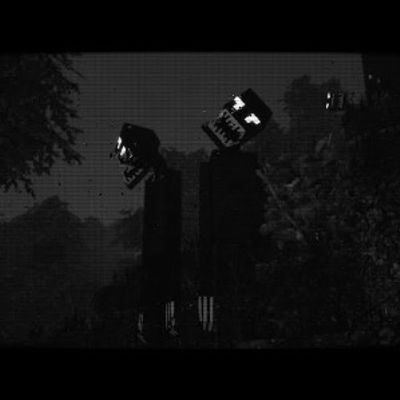
Analog Horror: The Stalking Man
In Analog Horror: The Stalking Man, a massive entity lurks in the shadows, closing in with each mistake. Stay vigilant to escape his chilling pursuit, or…
⬇ Download on CurseForgeAnalog Horror: The Stalking Man
In Analog Horror: The Stalking Man, a heavy silence blankets the air, thick with a sense of dread and unease. As you traverse the twisted landscapes, each step seems to echo louder, amplifying your uncertainty about being truly alone. Just beyond your line of sight, something massive stirs—a hulking figure lurking in the shadows.
This is The Stalking Man, a towering presence cloaked in mystery. You feel him long before you see him. Initially silent, he moves with an unsettling stealth, his heavy footsteps dissolving into the quiet whispers of the forest. But don’t be fooled—if he catches you off guard, he will strike. This giant creature pursues you relentlessly, drawing closer every time you lower your defenses, patiently waiting for the perfect moment to reveal himself.
Venture too deep into this nightmarish world, and you’ll sense his looming presence, your only warning a subtle shift in the air before it's too late. In Analog Horror: The Stalking Man, the boundary between survival and demise is razor-thin. Only those who remain vigilant stand a chance of escape. Can you stay one step ahead, or will you succumb to the shadows?
- Edition: Minecraft Java
- File type: .jar
- Minecraft version listed: 1.19.2
- How to install: Install the matching mod loader (Forge, Fabric or NeoForge) for your Minecraft version. → Download the .jar. → Put it in the .minecraft/mods folder and launch that loader profile.
- Where to get it: Opens on CurseForge — not every file is mirrored on our own servers.
Install steps are the general flow for this file type — How to install Minecraft Java mods & modpacks walks through it step by step.
Analog Horror: The Stalking Man is a free Minecraft Java modpack. Compatible with Minecraft 1.19.2. Downloaded 1,542 times (via CurseForge). Download it and open it directly in the game.