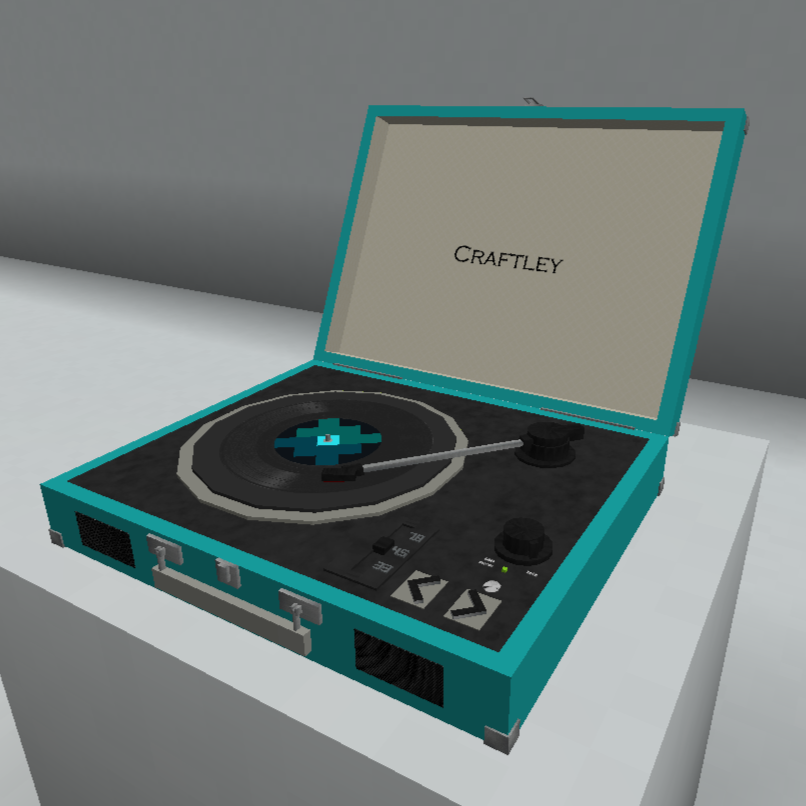
Functioning Record Players - The Minecraft Soundtrack, but analog!
Immerse yourself in the world of Minecraft's incredible soundtrack with the Record Player datapack! Go beyond the standard jukebox and build a true audio setup with craftable, customizable, and fully interactive record players.
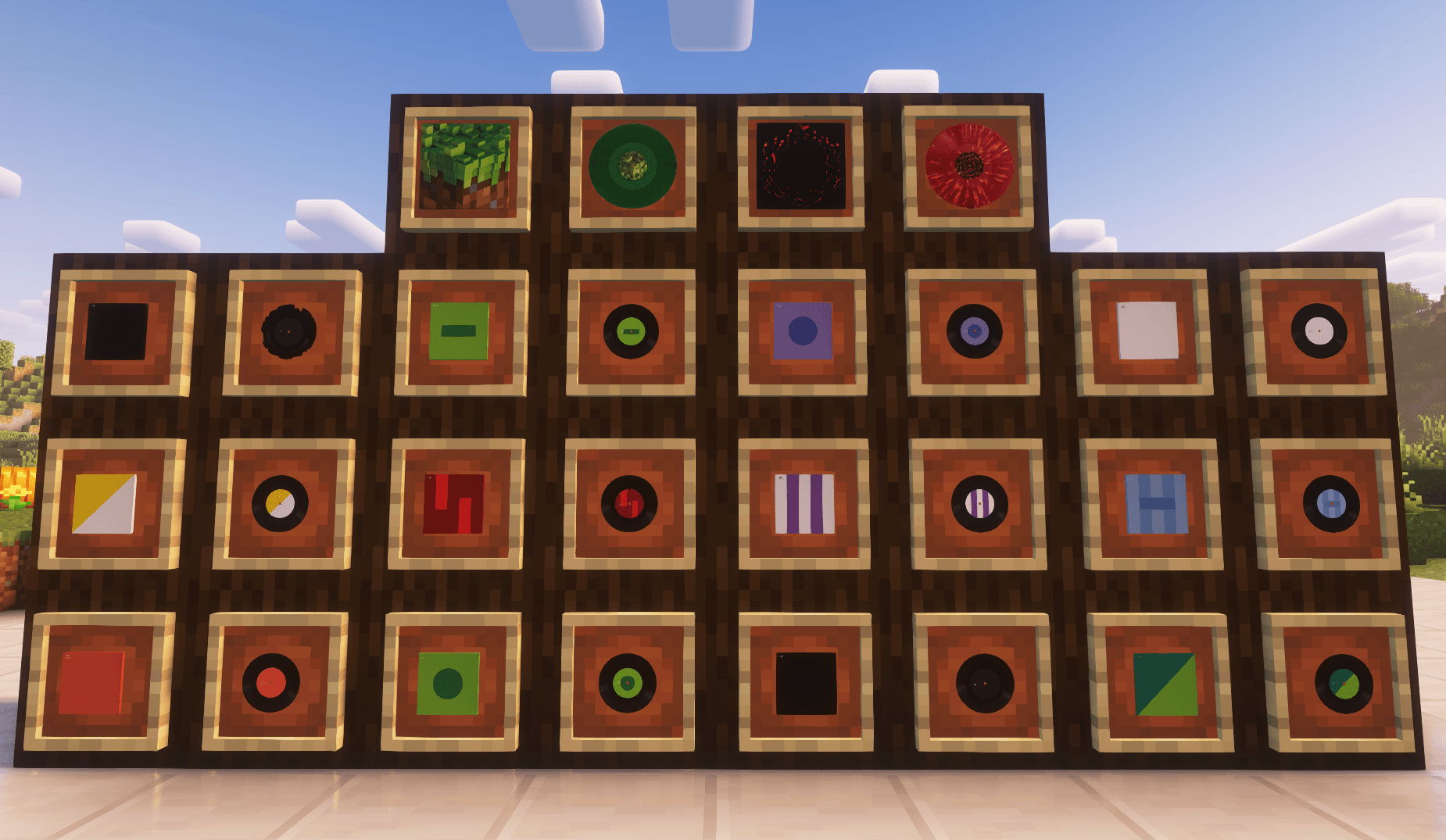
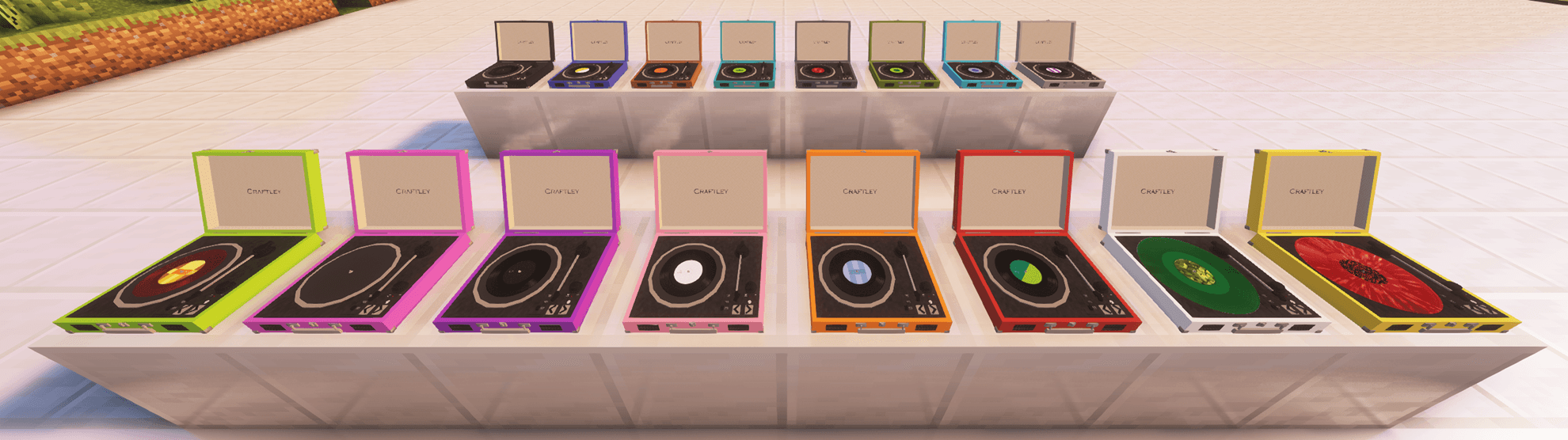
YOU MUST download and use the corresponding resource pack:
Resource Pack Download [1.21.0,1,2,3]
Resource Pack Download [1.21.4-11, 26.x] - Contains new singles!
Installation & Compatibility
-
Install the datapack and place it within your world's datapacks folder.
-
REQUIRED: Install the corresponding resource pack and place it into your
resourcepacksfolder. -
Launch the game, enable the resource pack, and run the command
/reloadonce in your world to finalize the installation. On a server, all players must have the resource pack installed.
- Minecraft Version: Created for and tested on Minecraft versions 1.21 to 26.x. Functionality on other versions is not guaranteed. Bugs may be present, and I will try to work those out as feedback is given.
- Future Support: This datapack is actively being developed, with plans for future updates and version support.
Key Features:
- Fully Interactive Players: Open the lid, place the vinyl, spin the turntable, and gently move the tonearm to start the music.
- Variable RPM Playback: Adjust the turntable speed between 33, 45, and 78 RPM using the dedicated RPM switch. Each record must be played at its designed RPM to sound correct; otherwise, it will be too fast or too slow!
- Interactive Tracklists: Right-click a playing LP to see its full song list in chat. If you are close enough, click any song title to play it instantly.
- Customizable Colors: Craft your record player and then change it from its default white to any of Minecraft's dye colors! Simply right-click the record player with a dye of your choice.
- Album Art & Covers: Each vinyl is crafted with its own unique cover, perfect for collecting.
- Show Off Your Collection: Proudly display your vinyl records and their unique covers in item frames to showcase your musical taste!
- Two Vinyl Formats:
- 7" Singles (45 RPM): Collect and craft a 7" single for every music disc currently in Minecraft!
- 12" LPs (33 RPM): A larger format featuring two sides (A and B) for extended listening, including C418's iconic Volume Alpha and Volume Beta LPs.
- Advanced Playback Controls: Use the navigation buttons to rewind or skip through the music.
- Realistic Mechanics: Songs progress automatically, and when the final song on a record's side finishes, the tonearm automatically moves to the center, and the turntable stops spinning.
- Multiplayer Friendly: Share the listening experience with your friends!
Crafting Recipes
All crafting recipes are attached in the gallery, though they are described here:
- Record Player: Place a jukebox in the center of the crafting table, place any plank on the right and left edges, line the corners with iron ingots, place redstone dust on the bottom edge, and a diamond on the top edge.
- 7" Singles: To craft any of the standard Minecraft singles, place their corresponding music disc into the center of the crafting table and surround it with paper. This will craft the cover that contains the record.
- Minecraft - Volume Alpha LP: Place a Grass Block in the center of the crafting table and surround it with any C418 music disc.
- Minecraft - Volume Beta LP: Place Netherrack in the center of the crafting table and surround it with any C418 music disc.
All vinyls and vinyl covers can also be obtained by using the command:
/function record:give/(cover or record) {id:"[id]"}
Example: /function record:give/record {id:"cat"}
When giving an LP cover or record, make sure the ID has _a or _b at the end to signify which side to give.
Example: /function record:give/record {id:"alpha_a"}
Author sets can be given by using the command:
/function record:give/set {artist:"[artist]"}
Example: /function record:give/set {artist:"C418"}
Record players can be given by using the command:
/function record:give/record_player {color:"[color]"}
Example: /function record:give/record_player {color:"red"}
Handling Your Vinyl & Covers
- Removing a Record from its Cover: To take a vinyl out of its cover, place the covered record in your offhand. The record will move to your inventory.
- Storing a Record in its Cover: To put a vinyl back into its cover, place the empty cover in your offhand while the corresponding record is in your inventory.
- Flipping a record with two sides: To flip between Side A and Side B, simply place the record into your offhand.
Using Your Record Player
-
Open the Lid: Right-click the latch on the front of the record player.
-
Place the Record: While holding an uncovered vinyl record, right-click the record player to place it.
-
Set the Speed: Use the RPM switch to select the correct speed for your vinyl (33 RPM for LPs, 45 RPM for singles).
-
Power On: Right-click the power switch (bottom right) to make the turntable spin.
-
Start the Music: Right-click the tonearm. It will slowly move onto the record, and the music will begin!
-
Select a Specific Song (LPs only): While an LP is playing, right-click the record player to display its tracklist in chat. If you are close enough to the record player, you can click on the play button next to any song title in the chat to play it immediately.
- To remove a record from the turntable, you must first ensure the turntable is not spinning, and the needle is not on the record. Once those conditions are met, left-click the record player to pop it off.
- If you wish to break the record player, left-click it while there are no records on the turntable.
Important Notes:
- Multiplayer Limitations: Though I have now allowed multiple instances of the same record to play at the same time, songs from nearby record players playing the same song may be stopped if stopsound is called by a neighboring player.
Credits
The art for the C418 singles records and covers was created by cpsedmonds. You can find their original Reddit post here. All other singles were designed by me, with heavy inspiration from cpsedmonds's fantastic work.
- Edition: Minecraft Java
- File type: .jar
- Minecraft versions listed: 1.21.8, 1.21.5, 1.21.6
- How to install: Install the matching mod loader (Forge, Fabric or NeoForge) for your Minecraft version. → Download the .jar. → Put it in the .minecraft/mods folder and launch that loader profile.
- Where to get it: Opens on CurseForge — not every file is mirrored on our own servers.
Install steps are the general flow for this file type — see the MC Java Mods guides for the full walkthrough.
Record Players - The Jukebox Reimagined is a free Minecraft Java datapack. Compatible with Minecraft 1.21.8, 1.21.5, 1.21.6, 1.21.7 and newer. Downloaded 627 times (via CurseForge). Download it and open it directly in the game.