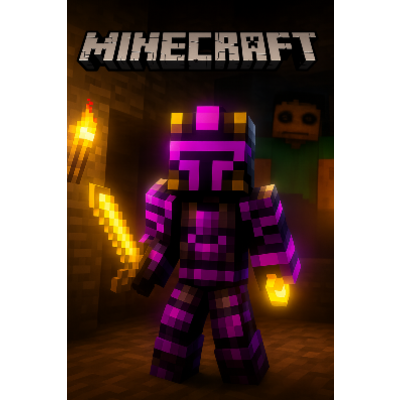
🕶️ VR HORROR EXPERIENCE – A Minecraft VR Quest Modpack
Enter a world where Minecraft becomes a fully immersive VR nightmare. This modpack is built specifically for Meta Quest & PC-VR compatibility, transforming your game into a terrifying survival horror experience with realistic shaders, intense sound design, and relentless enemy AI.
Featuring iconic horror mods such as From The Cave, The Masked, and Can’t Breathe, every step you take is filled with tension. You’ll be hunted in the dark, forced to manage oxygen in tight spaces, and constantly watched by entities that learn how you play. With high-end shaders and optimized visual quality, lighting, fog, and shadows make every environment feel alive—and deadly.
Whether you’re exploring abandoned tunnels, running through pitch-black forests, or hiding in claustrophobic ruins, this modpack is designed to push your fear tolerance to its limit—especially in VR.
🔥 Key Features
-
✅ VR Quest Compatible (Meta Quest + PC-VR Supported)
-
😱 Hardcore Horror Gameplay
-
👺 Includes From The Cave, The Masked, and Can’t Breathe
-
🌫️ Ultra-Realistic Shaders & Lighting
-
🎧 Immersive 3D Audio
-
🫁 Oxygen & claustrophobia survival mechanics
-
🌲 Dark exploration, entity stalking, and chase sequences
-
⚙️ Optimized for both performance & visual quality
⚠️ Warning
This modpack is not for the faint of heart. Jump scares, paranoia, darkness, and constant pressure are core parts of the experience—especially in VR.
- Edition: Minecraft Java
- File type: .jar
- Minecraft version listed: 1.20.1
- How to install: Install the matching mod loader (Forge, Fabric or NeoForge) for your Minecraft version. → Download the .jar. → Put it in the .minecraft/mods folder and launch that loader profile.
- Where to get it: Opens on CurseForge — not every file is mirrored on our own servers.
Install steps are the general flow for this file type — see the MC Java Mods guides for the full walkthrough.
Horror Mod (VR Compatible) is a free Minecraft Java modpack. Compatible with Minecraft 1.20.1. Downloaded 678 times (via CurseForge). Download it and open it directly in the game.