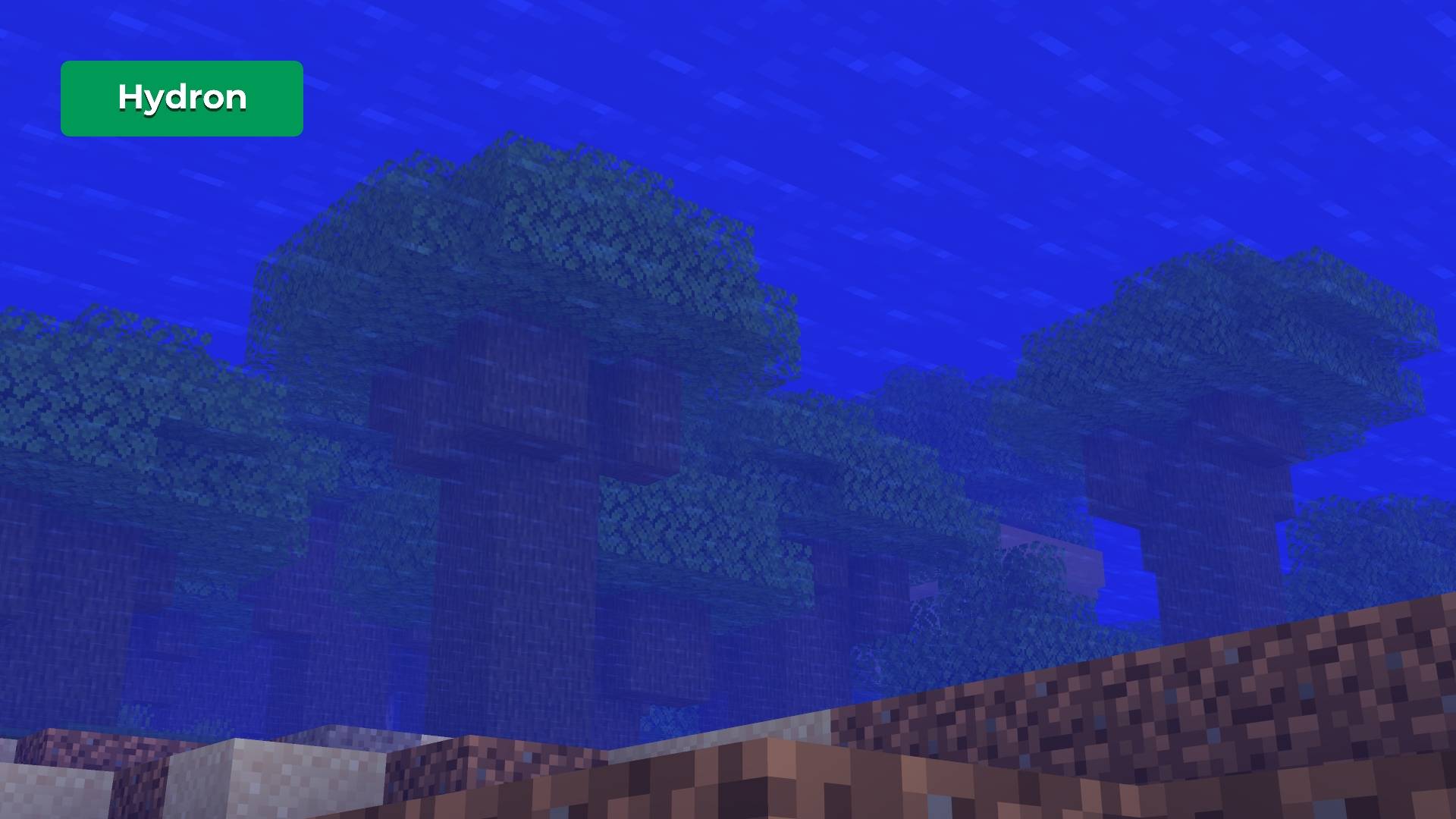
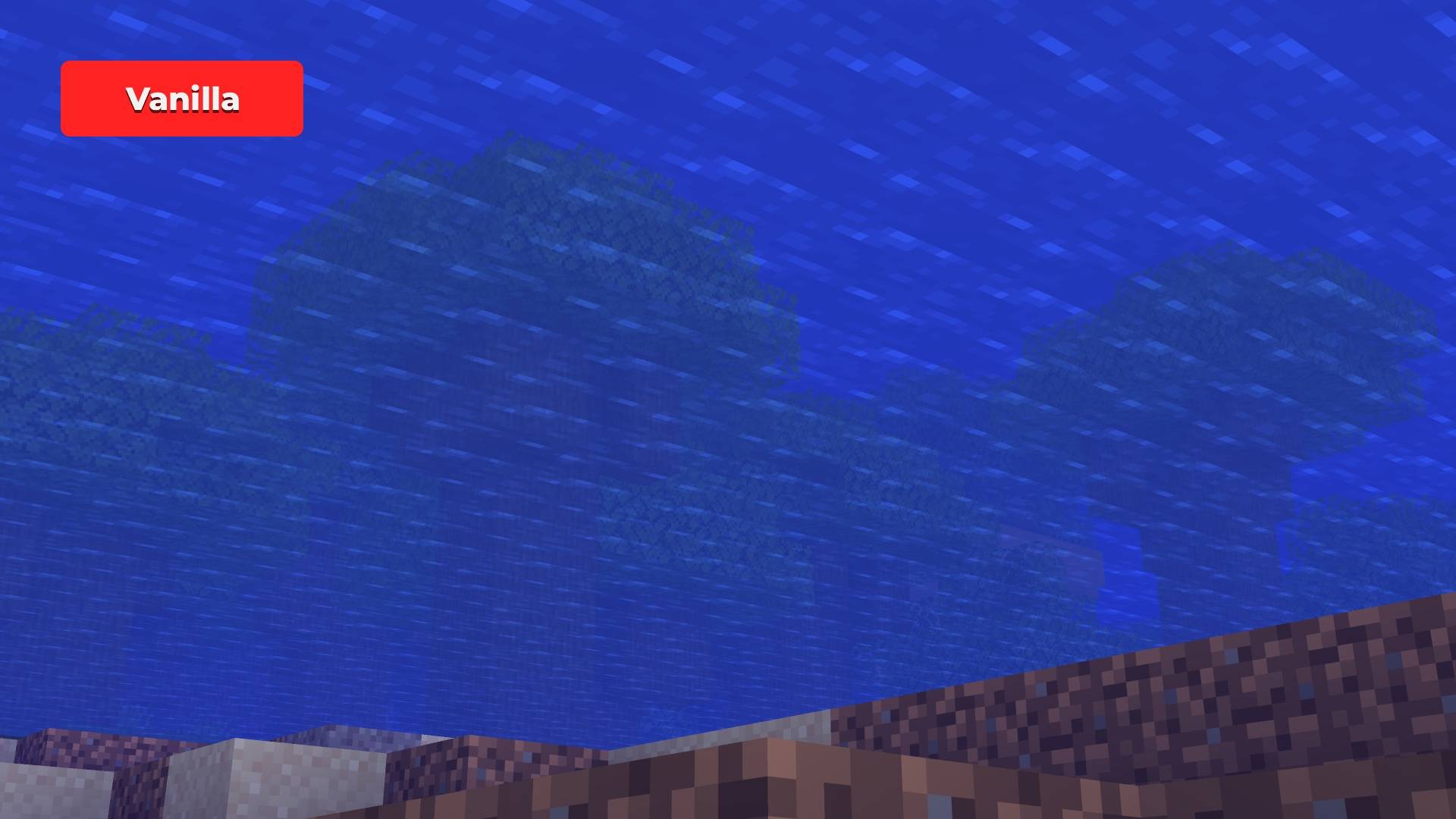

Tired of murky water and terrible underwater visibility?
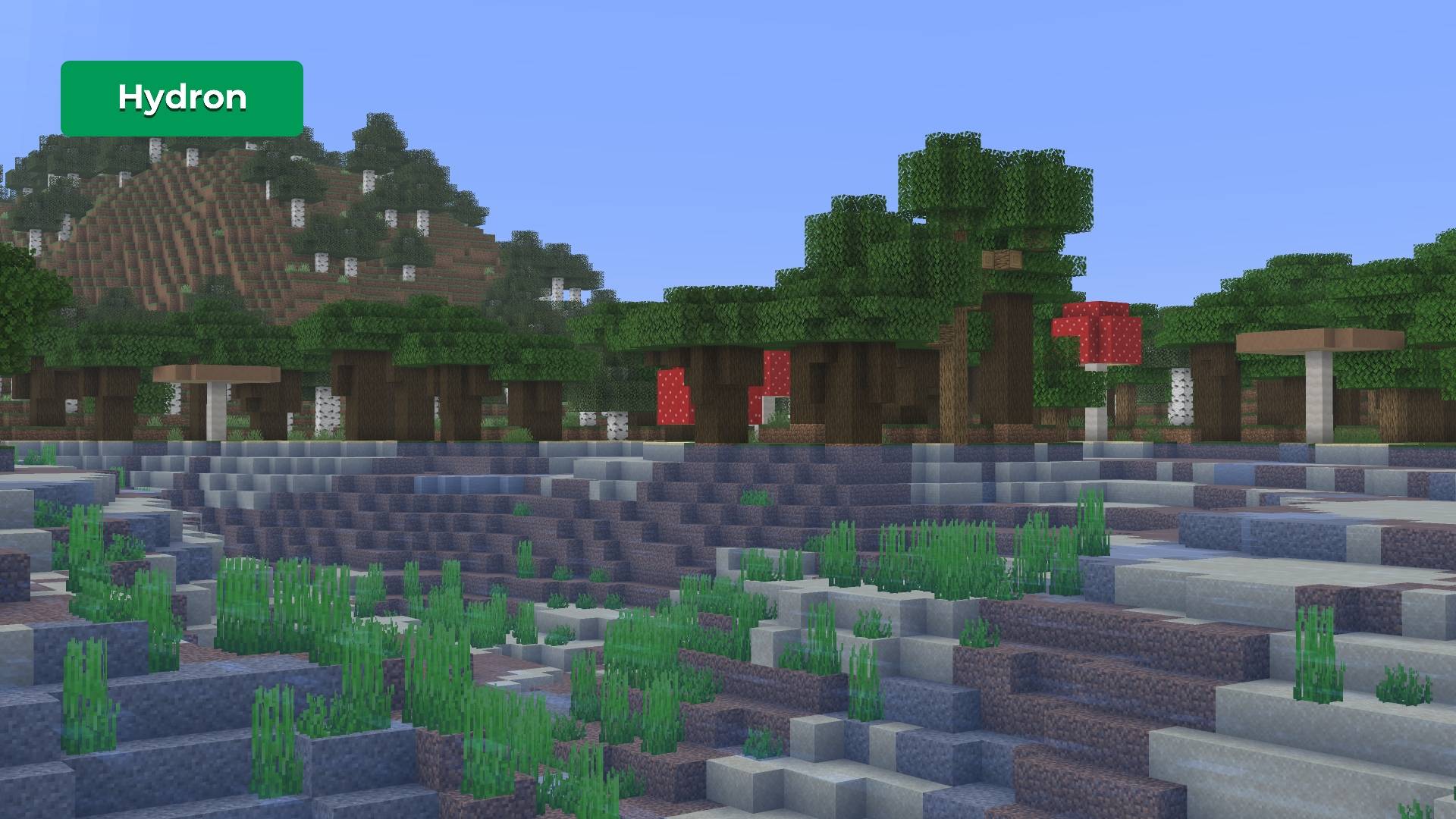
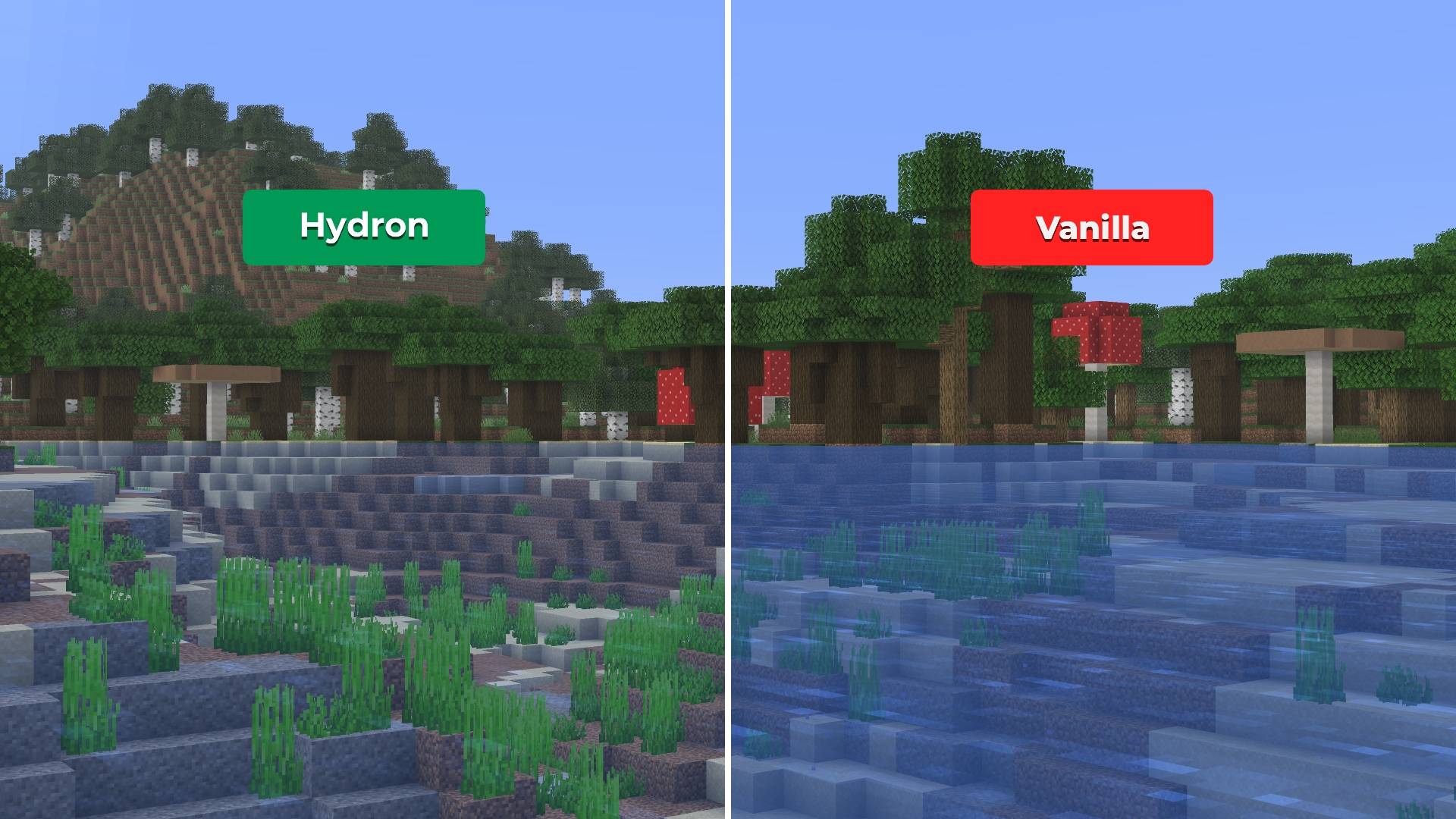
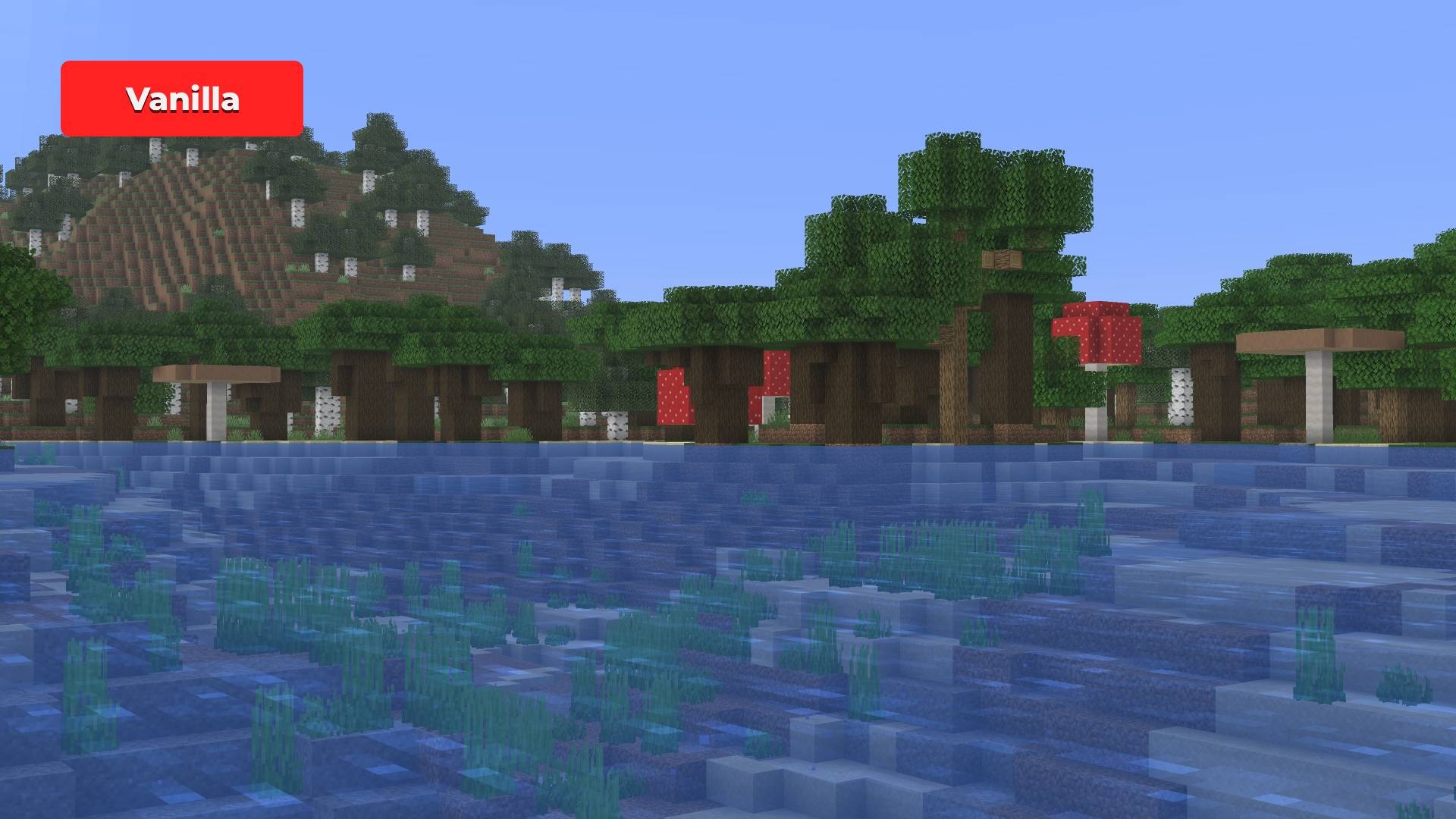
Hydron makes water noticeably clearer — while preserving Minecraft’s vanilla look and feel.






- Clearer underwater visibility
- Reduced blue tint and fog for cleaner oceans, rivers, and caves
- Vanilla-consistent visuals with no FullBright or night-vision behavior
- Fully server-friendly, no gameplay advantages or shaders

Underwater exploration shouldn’t feel like looking through fogged glass. Hydron makes oceans, rivers, and flooded caves easier to navigate while keeping water natural and immersive. Lightweight, subtle, and designed to feel native to vanilla Minecraft.

Screenshots
| Hydron | Vanilla |
|---|---|
 |
 |
| View Full Size | View Full Size |
| Hydron | Vanilla |
|---|---|
 |
 |
| View Full Size | View Full Size |
For a brighter and clearer underwater experience, Hydron can optionally be paired with Photon

Any pack downloaded from PrecisionZero or ChillByte will completely work with all other packs from us. Our texture packs are designed in a way that no pack would clash with each other, ensuring a reliable and seamless experience.
Discover the PrecisionStudios Collection
 |
 |

Installation
- Download the
.zipfile - Open Minecraft → Options → Resource Packs → Open Pack Folder
- Paste the
.zipfile into the folder - Close and re-open the Resource Packs menu
- Enable Hydron from the list
Compatibility
- Works with all vanilla-based gameplay
- Compatible with everything as long as Hydron is above every other pack
- Resource pack only, no mods required
Contact
For any concerns regarding Hydron, contact me at: precisionzero.creator@gmail.com

Licensed as All Rights Reserved (ARR) under PrecisionZero
- Edition: Minecraft Java
- File type: .zip (resource pack)
- Minecraft versions listed: 1.21.11, 1.16.3, 1.17.1
- How to install: Download the .zip resource pack — do not unzip it. → Put it in .minecraft/resourcepacks. → Enable it in Options → Resource Packs.
- Where to get it: Opens on CurseForge — not every file is mirrored on our own servers.
Install steps are the general flow for this file type — How to install Minecraft Java resource packs walks through it step by step.
- Downloads as Hydron-2.0-(26.1-pre-1).zip
- Download size: 45 KB
- Download link checked 28 Aug 2026 — working
These come from our own check of the pack file, not from the source page.