Overview
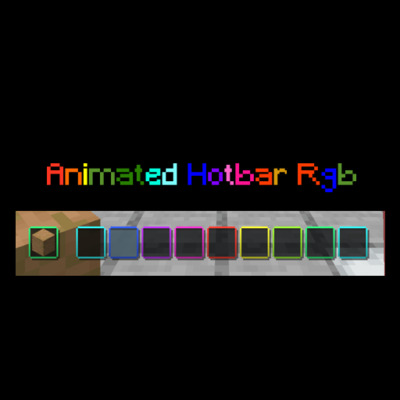
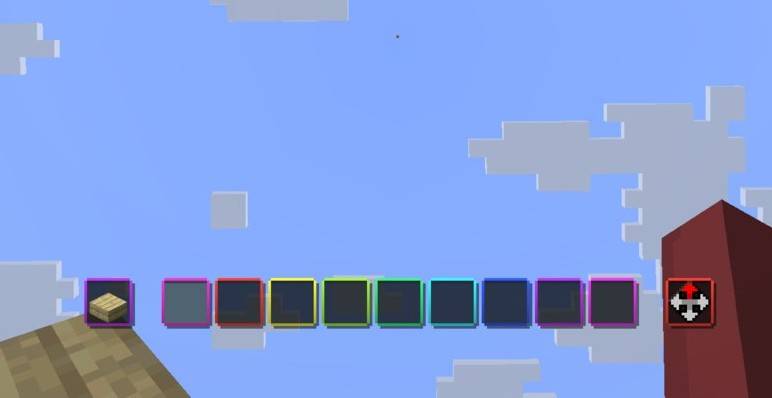
Transform your Minecraft UI with a sleek, vibrant, and smoothly animated RGB effect! Animated Hotbar RGB adds a dynamic color-cycling border to every single slot of your hotbar, giving your game a modern "gamer" aesthetic that perfectly matches your RGB setup.
Screenshot
Features
- ✨ Fluid Animation: High-quality color transitions for a smooth visual experience.
- 🌈 Vibrant RGB: Each hotbar slot features its own independent animated border.
- 🚀 Performance Friendly: Optimized textures and code to ensure zero impact on your FPS.
- 🎨 Sleek Design: Enhances the default UI without being distracting during intense gameplay.
Compatibility
This resource pack is designed to be highly compatible with various versions of Minecraft:
- Version Range: Optimized for Minecraft 1.21 and newer versions.
How to Install
-
-
Download the Animated Hotbar RGB
.zipfile. -
Open Minecraft and navigate to Options > Resource Packs.
-
Click Open Pack Folder.
-
Drag and drop the downloaded
.zipfile into the folder. -
Select the pack in the "Available" column to move it to "Selected".
-
Click Done and enjoy your new RGB hotbar!
-
- Edition: Minecraft Java
- File type: .zip (resource pack)
- Minecraft versions listed: 1.21, 1.21.8, 1.21.5
- How to install: Download the .zip resource pack — do not unzip it. → Put it in .minecraft/resourcepacks. → Enable it in Options → Resource Packs.
- Where to get it: Opens on CurseForge — not every file is mirrored on our own servers.
Install steps are the general flow for this file type — How to install Minecraft Java resource packs walks through it step by step.
Animated Hotbar RGB is a free Minecraft Java resourcepack. Compatible with Minecraft 1.21, 1.21.8, 1.21.5, 1.21.4 and newer. Downloaded 75,067 times (via CurseForge). Download it and open it directly in the game.