HomeBedrockAddonsWorldEdit Addon for Minecraft
WorldEdit Addon for Minecraft
AddonsBedrock

WorldEdit Addon for Minecraft

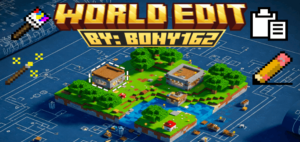
Ready to take control of your Minecraft experience? This powerful WorldEdit addon brings a whole new level of depth to your gameplay. Cre: BONY162…

⬇ DownloadOpen in MCModsHubGet it on Google Play →

Ready to take control of your Minecraft experience? This powerful WorldEdit addon brings a whole new level of depth to your gameplay.

Cre: BONY162 (Youtube)

WorldEdit

💡 Pro Tip: Start by using Creative Mode to explore all the new mechanics and items.

Getting Started: Access tools via commands (e.g., /give @s bn:selection_wand) or creative inventory. Sneak Use often reveals more options!

Settings Tool (bn:bwe_settings): Your hub for addon customization. Adjust world settings (particles, undo limit, brush size) and player settings (creative flight speed, Auto Spectator).

Selection & Basic Operations:

  1. Selection Wand (bn:selection_wand): Define a 3D area (Pos A & Pos B) for editing. Sneak Use to expand/contract, view info, or clear.

2. Clipboard Tools:

3. History Tools:

Understanding Material Input: Specify blocks as a single ID (e.g., stone) or a Weighted Block Mix (e.g., stone:5,dirt:1) for randomized, natural-looking placements.

4. The Edit Tool (bn:edit): Opens a menu for various selection-based operations:

Creative Building & Landscaping:

Brush Tools “Paint” blocks into the world. Sneak Use any brush to change its settings (shape, size, material source – Manual, Active Palette, Saved Palette).

1. Regular Brush (bn:brush): Places blocks in various shapes (Sphere, Cube, Cylinder, etc.). Can be hollow or have soft/feathered edges.

2. Paint Brush (bn:paint_brush): Replaces existing non-air blocks. Can use a mask to only paint over specific block types.

Mask Picker Tool (bn:mask_picker): Quickly add/remove blocks to the Paint Brush mask.

3. Height Brush (bn:height_brush): Raises or lowers terrain within the brush shape.

4. Foliage Brush (bn:foliage_brush): Scatters plants using presets or custom lists.

Detailing & Construction: Line & Path Tools

1. Line Tool (bn:line_tool): Draws a 1-block thick line between two set points using chosen materials.

2. Path Tool (bn:path_tool): Create paths by connecting multiple points. Sneak Use to finish path, set material, choose shape (Linear, Smooth, Bezier, Arc), adjust width, and manage points.

WorldEdit Advanced Features

1. Terrain Generation (via Edit Tool): Procedurally generate landscapes within your selection using noise algorithms (Simplex, FBM, Worley). Customize base/surface materials, height, scale, seed, and advanced parameters like FBM octaves or Domain Warp for natural effects

2. Palette System: Create and reuse collections of blocks (with weights).

Player Convenience

Auto Spectator (via Settings Tool): If enabled in Creative flying, automatically switches you to Spectator mode when flying into walls to prevent getting stuck.

Experiment and use Undo/Redo freely! For an in-depth explanation of all features and settings, please consult the full in-addon guide book or the detailed video tutorial linked with this addon. Happy building!

Downloads

MCPE Download

↪ WorldEdit Addon v1.7

More cool Minecraft Addons

Verified by MCModsHub

These come from our own check of the pack file, not from the source page.

Explore more