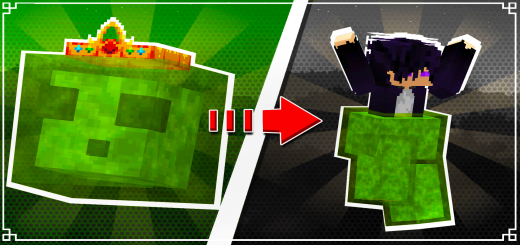
King of Slimes 1.1 Add-on
Bedrock add-on listed for Minecraft 1.20–1.21 (behavior pack only). File opened and checked on 4 Oct 2026; installs from the MC Bedrock Mods app on Android.
⬇ DownloadHow Does It Work? 🛠️
Now, when you install the addon in the Behavior Pack section, you can choose between three difficulty levels:
Easy: Structures spawn more frequently — perfect for those who love exploring.
Normal: Balanced structure generation — ideal for a natural survival experience.
Hard: Rare structure spawns — suited for players who prefer a cleaner and more challenging world.


Discover the Floating Island:
Explore your world to find naturally generated floating islands.
These islands are home to the King of Slimes, ready to test your skills!
Structure - Attention:
To summon the Slime King, break the block!
Battle and Reward:
Gear up and prepare for an epic fight against the King of Slimes.
Defeat him to earn a Special Slime Pants, a unique item with incredible abilities.
The Special Slime Pants 🎽
Exclusive Benefits:
Long Jumps: Enables you to leap great distances without taking fall damage.
Animated Design: Features a beautiful slime-themed animation for added style.
Why Should You Get This Item? 🎯
Enhanced Exploration: Jump higher and reach hard-to-access areas with ease.
Improved Mobility: Perfect for navigating terrain, escaping dangers, or exploring.
Unique Gear: A rare item that combines functionality with a stunning design.
Compatibility 🌍
To avoid conflicts with other addons, place the King of Slimes
addon at the top of your behavior and resource pack lists.
To remove the message in the top right corner:
Simply download it from the website using my creator link in the downloads section.
- Edition: Minecraft Bedrock
- File type: .mcpack or .mcaddon
- Minecraft versions listed: 1.21.70, 1.21.50, 1.21.41
- How to install: Download the .mcpack or .mcaddon file. → Open it — Minecraft imports it. → In your world: Behavior Packs → Available → Activate, then the same under Resource Packs.
- Where to get it: In MCModsHub, or directly above on this page.
Install steps are the general flow for this file type — How to install Minecraft Bedrock addons & mods walks through it step by step.
- Save it as 24439.mcpack before opening — it downloads as .mcaddon, but it is a .mcpack pack
- Manifest requires Minecraft 1.20.0 or newer
- Complete pack — everything it depends on is inside the file
- Download size: 66 KB
- Download link checked 3 Aug 2026 — working
- Mirrored on our own servers — the download does not depend on the original host
These come from our own check of the pack file, not from the source page.