





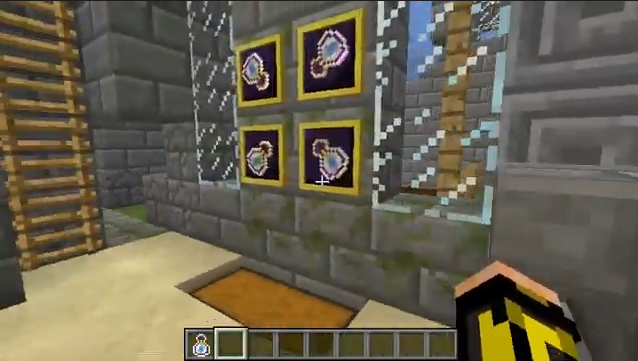
On certain servers, maps are an important part of the survival journey. And sometimes viewing the data on the map icon when the map is in an inventory slot is important. If you have played on a server and experienced trouble with map data not loading properly, Client Maps Mod is here to make things better. With this mod installed, map data from the servers you play on will be stored on your client side as well. The next time you play, if the game is unable to fetch proper map data from the server side, the copy on your client side will be used as a placeholder until the server updates the error.
Features:
- Saves a copy of map data on the client side.
- If map data from the server side has errors, client side map data will be used as a placeholder until the server updates.
Screenshots:
Client Maps Mod Download Links
- Edition: Minecraft Java
- File type: .jar
- Minecraft version listed: 1.20.1
- How to install: Install the matching mod loader (Forge, Fabric or NeoForge) for your Minecraft version. → Download the .jar. → Put it in the .minecraft/mods folder and launch that loader profile.
- Where to get it: In MC Java Mods, or directly above on this page.
Install steps are the general flow for this file type — How to install Minecraft Java mods & modpacks walks through it step by step.
- Downloads as 25372.mcaddon
- Download size: 18 KB
- Download link checked 25 Sept 2026 — working
- Mirrored on our own servers — the download does not depend on the original host
These come from our own check of the pack file, not from the source page.