





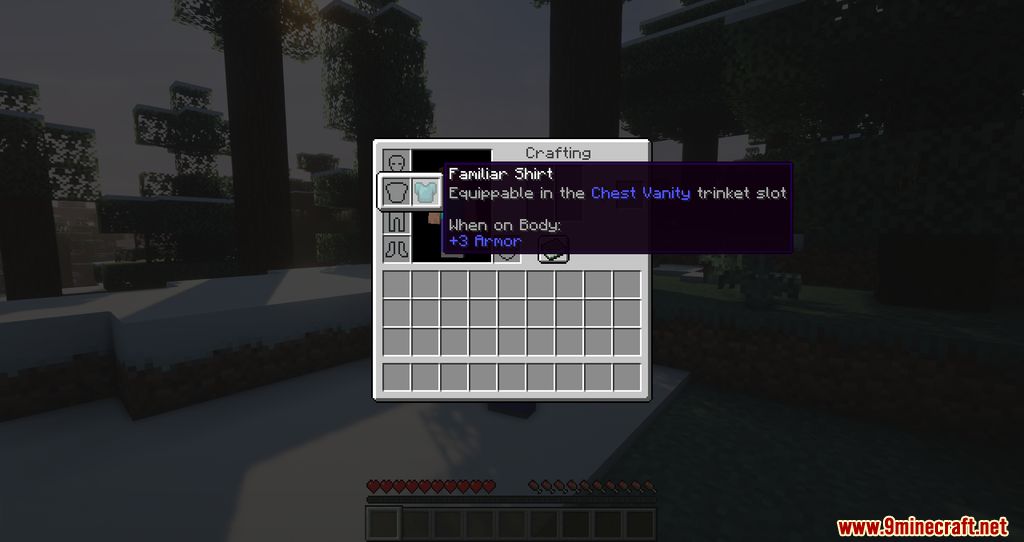


Found a beautiful armor set, but unfortunately, its protection is poor? To solve this problem, VanitySlots Mod adds additional slots that serve a purely cosmetic function-armor placed in these slots will be visible on the character but will not provide protection. Additionally, the mod introduces a new chestplate that allows players to hide all worn armor when placed in the cosmetic slot.
Features:
- 4 Extra Armor Slots: These slots render the armor visually but do not provide protection, letting players wear stylish gear while keeping their best armor equipped.
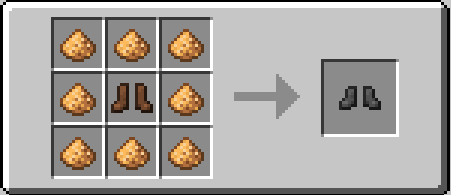
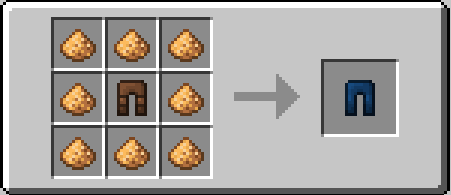
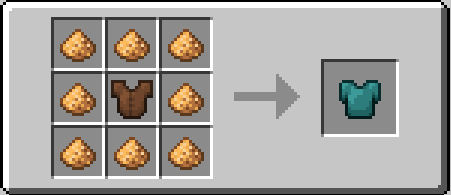
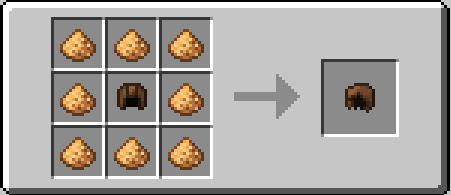
- Vanity Armor Pieces: Special armor items that hide the armor you’re wearing, crafted by surrounding leather armor with glowstone dust.
- Piglin Behavior Adjustment: If enabled, Piglins will react to the armor in vanity slots rather than the actual armor worn.
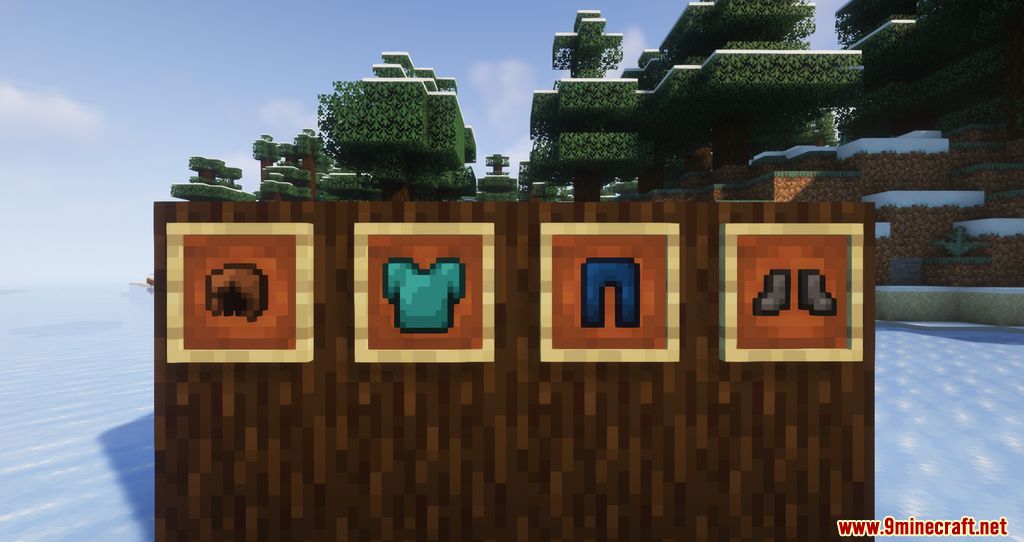
Screenshots:

Crafting Recipes:
VanitySlots Mod Download Links
Quick facts
- Edition: Minecraft Java
- File type: .jar
- Minecraft version listed: 1.20.1
- How to install: Install the matching mod loader (Forge, Fabric or NeoForge) for your Minecraft version. → Download the .jar. → Put it in the .minecraft/mods folder and launch that loader profile.
- Where to get it: In MC Java Mods, or directly above on this page.
Install steps are the general flow for this file type — How to install Minecraft Java mods & modpacks walks through it step by step.
Verified by MCModsHub
- Downloads as 25487.mcaddon
- Download size: 46 KB
- Download link checked 24 Sept 2026 — working
- Mirrored on our own servers — the download does not depend on the original host
These come from our own check of the pack file, not from the source page.