
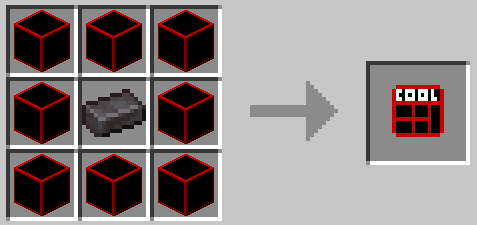
c00lgui
Adds a way to evade things such as fights or find caves easier (or you could just use it as an elevator)
Modes
c00lgui has 4 modes that are not too hard to master
Normal:
Normal teleports the player randomly around a 100 block radius with about 5 seconds of a delay
Inverse:
Inverse saves the location you teleported from and brings you back to said location
Up:
As the name suggests this mode teleports you up, However it needs a block directly above you to teleport above, may or may not be fixed in the future
Down:
Like the previous mode except it teleports you Down instead of Up.
How to use
To use c00lgui simply look anywhere and right click, To change modes use sneak + right click
pretty simple, yes?
- Edition: Minecraft Java
- File type: .jar
- Minecraft version listed: 1.20.1
- How to install: Install the matching mod loader (Forge, Fabric or NeoForge) for your Minecraft version. → Download the .jar. → Put it in the .minecraft/mods folder and launch that loader profile.
- Where to get it: Opens on Modrinth — not every file is mirrored on our own servers.
Install steps are the general flow for this file type — How to install Minecraft Java mods & modpacks walks through it step by step.
- Ships as c00lgui-0.5-1.20.1.jar — drop this file into the mods folder
- Download size: 1.6 MB
- Download link checked 20 Sept 2026 — working
These come from our own check of the pack file, not from the source page.