Higher Chat
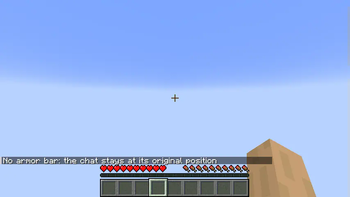
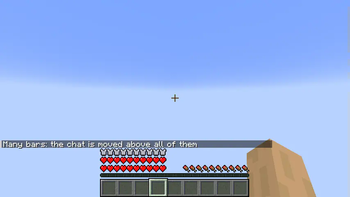
This mod moves the chat above the armor bar.
Q&A
Will it move the chat even if my screen is wide enough for the chat and armor bar not to collide?
No. This mod automatically detects what bars appear on the same abscissa as the chat, and only takes those bars into account when computing the new position of the chat.
What is the difference between this mod and [some other mod that does the same thing]?
Most similar mods only move the chat by a fixed amount, whereas this one decides on an optimal amount depending on your window width and how many bars are displayed.
Is it compatible with mods that add other bars?
Probably not. Only vanilla bars are taken into account when computing how high the chat should be displayed.
Quick facts
- Edition: Minecraft Java
- File type: .jar
- Minecraft version listed: 1.21.11
- How to install: Install the matching mod loader (Forge, Fabric or NeoForge) for your Minecraft version. → Download the .jar. → Put it in the .minecraft/mods folder and launch that loader profile.
- Where to get it: Opens on Modrinth — not every file is mirrored on our own servers.
Install steps are the general flow for this file type — How to install Minecraft Java mods & modpacks walks through it step by step.
Verified by MCModsHub
- Ships as higher-chat-1.8.jar — drop this file into the mods folder
- Download size: 10 KB
- Download link checked 20 Sept 2026 — working
These come from our own check of the pack file, not from the source page.