
ModsJava
LuckyCobble
I don't know my version or loader
Open the Minecraft launcher and look at the profile you play on — it names both, like fabric-loader-1.21.4. The version also shows in the bottom-right corner of the game's main menu.
No loader in the profile name? Then it's plain Minecraft, and these mods won't run — you need Fabric or NeoForge installed first.
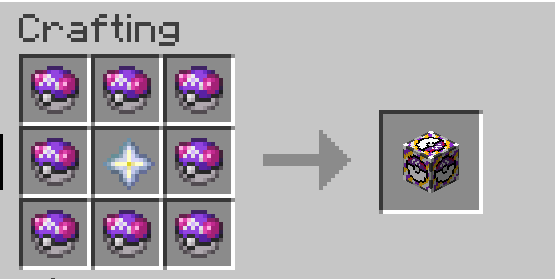
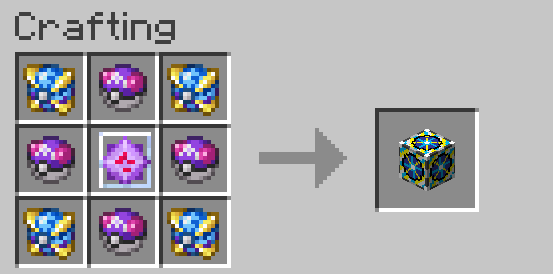
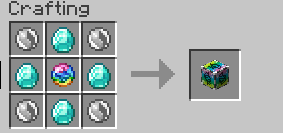
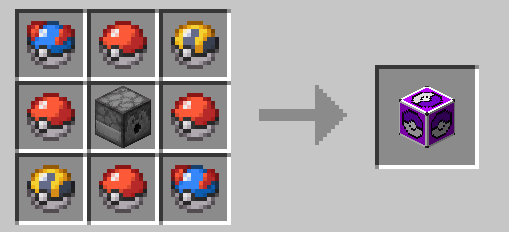
WHAT LUCKYCOBBLE DOES ?
LuckyCobble Adds LuckyBlocks that contain random pokemon
WHAT ARE POKEMON LEVELS?
OLDS VERSION: depending on the version they can be level 1 or 100, soon we will try to make the level also random
NEW VERSIONS: The Level of the pokemon is completely random
HOW THE MOD WORK?
- When you break one of these Lucky Blocks or right click on them a random pokemon will appear

HOW I GET A LUCKY BLOCK?
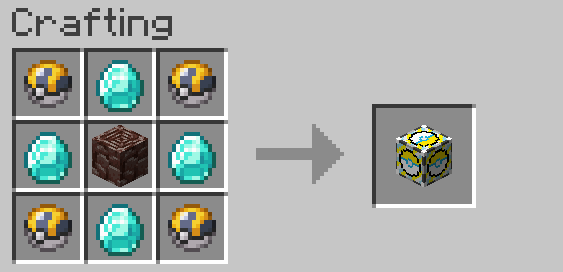
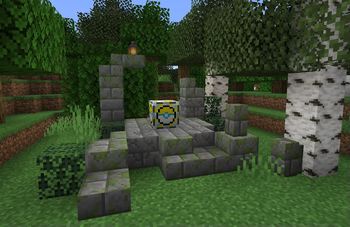
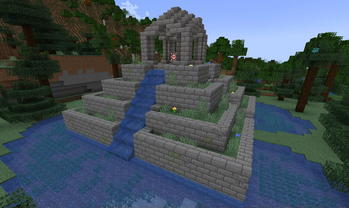
- You can get these LuckyBlocks by crafting them or finding it on structures (only normal and item luckycobble)
WHAT TYPES OR LUCKYBLOCKS ARE?
- LuckyCobble: summon a random pokemon
- LuckyCobble Item: drop a random item
- Legendary LuckyCobble: summon a random legendary
- Ultrabeast LuckyCobble: summon a random ultra beast
- Mega LuckyCobble: summon a random megapokemon with it held item (megastone)
WHAT MODS I NEED?
- This mod is an addition for cobblemon so you will need to have the mod to use it
CREDITS
I want to thank all the addon creators who have allowed me to use their models and made the mod process easier for me.
- MissingMons
- CobbleCats
- CavsCobblemon
- Overgrown's Cobblemon: Darkrai
- The Jewel Pokémon
- Pokemans
- AshiMons
- Hydro Reanimodel Pack
- Synthetic Pokemon Pack
- MysticMons
Also i want to thank all the modders who have allowed me to use their mods to add new luckys
Quick facts
- Edition: Minecraft Java
- File type: .jar
- Minecraft versions listed: 1.21.1, 26.1, 26.1.1
- How to install: Install the matching mod loader (Forge, Fabric or NeoForge) for your Minecraft version. → Download the .jar. → Put it in the .minecraft/mods folder and launch that loader profile.
- Where to get it: Opens on Modrinth — not every file is mirrored on our own servers.
Install steps are the general flow for this file type — How to install Minecraft Java mods & modpacks walks through it step by step.
Verified by MCModsHub
- Ships as luckycobble-9.0.0-neoforge.jar — drop this file into the mods folder
- Download size: 12.1 MB
- Download link checked 30 Aug 2026 — working
These come from our own check of the pack file, not from the source page.