
Ping Counter
I don't know my version or loader

My attempt at a HUD ping display mod.
Appearance settings can be accessed via the button on the top left of the escape menu (only on 1.8.9), by the keybind (by default -), and by the command /pingcounter (1.21.x+).
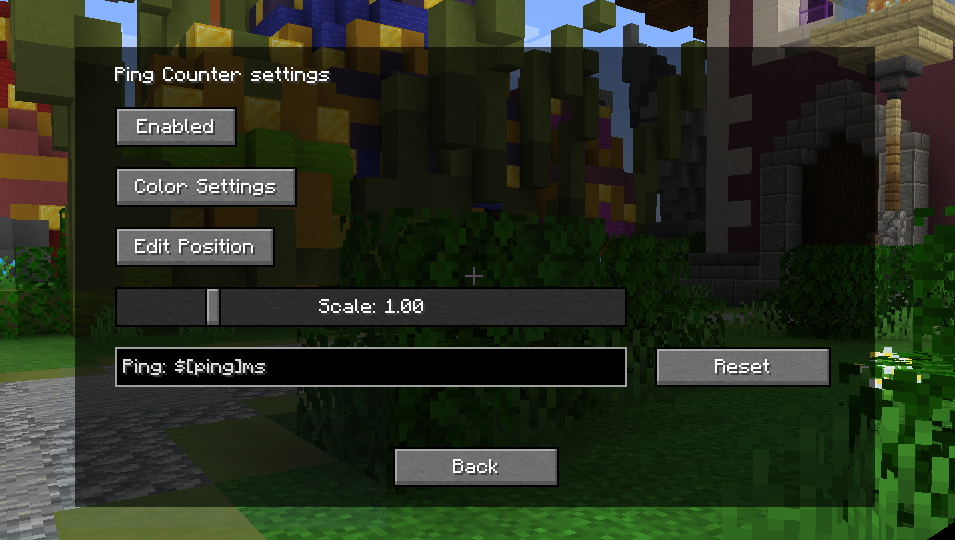
In case the settings button (only on 1.8.9) overlaps with other mods, it is possible to turn it off by setting "hideSettingsButton", in the config file, to true.
In the displayed text, $[ping] is replaced with the ping to the server. Leaving the text box empty will revert it to default.
Configs may change after updates.
GitHub: https://github.com/EverTech1/PingCounter
Report issues here: https://github.com/EverTech1/PingCounter/issues
Contact email: evertech1mc@gmail.com
- Edition: Minecraft Java
- File type: .jar
- Minecraft versions listed: 1.21.9, 1.21.10
- How to install: Install the matching mod loader (Forge, Fabric or NeoForge) for your Minecraft version. → Download the .jar. → Put it in the .minecraft/mods folder and launch that loader profile.
- Where to get it: Opens on Modrinth — not every file is mirrored on our own servers.
Install steps are the general flow for this file type — How to install Minecraft Java mods & modpacks walks through it step by step.
- Ships as pingcounter-1.0.3.jar — drop this file into the mods folder
- Download size: 159 KB
- Download link checked 20 Sept 2026 — working
These come from our own check of the pack file, not from the source page.