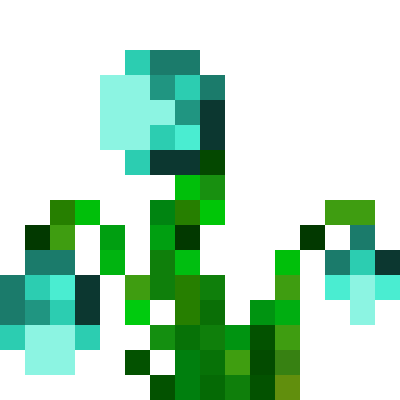
-This Mod adds crops for ressources cultivation
-You can also download Stemaria, Soularia and Croparia+, addons for Croparia.
-Please take a look at JEI or REI to know how to craft the items in the mod, and Patchouli to have a Guide Book.
-It adds 95 new crops, some new factory blocks and "magic" items !
With Croparia 4.5, you can add your own crop by adding a json files here : .minecraft/crops/
The json should look like this :
{
"name":"exemple",
"tier":1,
"tag":"c:raw_gold_ores",
"color":"0x4FD333"
}
Once the crop is added, you will need to add some few assets in a ressource pack.
assets -> croparia -> blockstates -> block_crop_[CROP NAME].json
{
"variants": {
"age=0": {
"model": "croparia:block/crop_stage0"
},
"age=1": {
"model": "croparia:block/crop_stage1"
},
"age=2": {
"model": "croparia:block/crop_stage2"
},
"age=3": {
"model": "croparia:block/crop_stage3"
},
"age=4": {
"model": "croparia:block/crop_stage4"
},
"age=5": {
"model": "croparia:block/crop_stage5" you can change crop_stage5 by : animal_stage5 / monster_stage5 / food_stage5 / nature_stage5
},
"age=6": {
"model": "croparia:block/crop_stage6" you can change crop_stage6 by : animal_stage6 / monster_stage6 / food_stage6 / nature_stage6
},
"age=7": {
"model": "croparia:block/crop_stage7" you can change crop_stage7 by : animal_stage7 / monster_stage7 / food_stage7 / nature_stage7
}
}
}
assets -> croparia -> models -> item -> seed_crop_[CROP NAME].json
{
"parent": "minecraft:item/generated",
"textures": {
"layer0": "croparia:item/seed_crop"
}
}
assets -> croparia -> models -> item -> fruit_[CROP NAME].json
{
"parent": "minecraft:item/generated",
"textures": {
"layer0": "croparia:item/fruit_crop",
"layer1": "croparia:item/fruit_crop_overlay"
}
}
assets -> croparia -> lang -> en_us.json
"block.croparia.block_crop_[CROP NAME]": "[CROP NAME] Seeds",
"item.croparia.fruit_[CROP NAME]": "[CROP NAME] Fruit"
- Edition: Minecraft Java
- File type: .jar
- Minecraft version listed: 1.20.1
- How to install: Install the matching mod loader (Forge, Fabric or NeoForge) for your Minecraft version. → Download the .jar. → Put it in the .minecraft/mods folder and launch that loader profile.
- Where to get it: Opens on Modrinth — not every file is mirrored on our own servers.
Install steps are the general flow for this file type — How to install Minecraft Java mods & modpacks walks through it step by step.
- Ships as FABRIC-Croparia-1.20.1-4.5.2.jar — drop this file into the mods folder
- Download size: 1.0 MB
- Download link checked 30 Aug 2026 — working
These come from our own check of the pack file, not from the source page.