Show Yourself
Java mod listed for Minecraft 1.21. Downloads from the MC Java Mods app on Android.
I don't know my version or loader
ENG
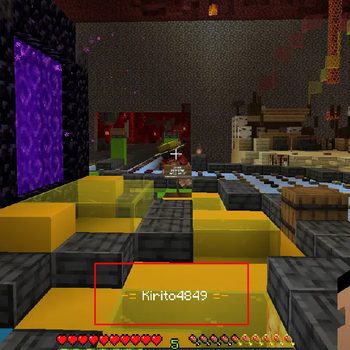
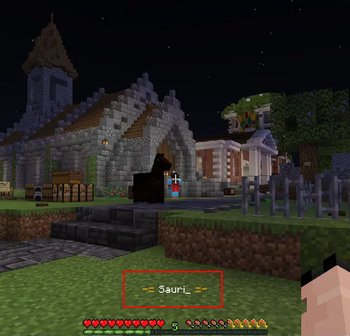
With the Show Yourself mod, you can find out the player's nickname simply by right-clicking on it. Suitable for servers on which nicknames are hidden above the players. Usually on such servers there is already a plugin for this that allows you to do this, but it works at a very small distance, and you don’t always want to approach a strange player to find out his nickname. In the config, you can specify at what distance this mod will work (up to 64 blocks).
RU
С модом Show Yourself вы сможете узнать ник игрока, просто кликнув по нему ПКМ. Подходит для серверов, на которых скрыты ники над игроками. Обычно на таких серверах для этого уже стоит плагин, который позволяет это делать, однако он работает на очень маленьком расстоянии, поэтому не всегда удобно подходить к игроку, чтобы узнать его ник. В конфиге можно указать, на каком расстоянии будет работать этот мод (до 64 блоков).
Discord
- Edition: Minecraft Java
- File type: .jar
- Minecraft versions listed: 1.21, 1.21.1, 1.21.2
- How to install: Install the matching mod loader (Forge, Fabric or NeoForge) for your Minecraft version. → Download the .jar. → Put it in the .minecraft/mods folder and launch that loader profile.
- Where to get it: Opens on Modrinth — not every file is mirrored on our own servers.
Install steps are the general flow for this file type — How to install Minecraft Java mods & modpacks walks through it step by step.
- Ships as ShowYourself-1.21.9-1.1.2.jar — drop this file into the mods folder
- Download size: 70 KB
- Download link checked 31 Oct 2026 — working
These come from our own check of the pack file, not from the source page.