ModsJava
Arda Regions Mod (1.20.1) – Create Custom Server Zones With Screen Alerts
Java mod listed for Minecraft 1.20. Downloads from the MC Java Mods app on Android.
⬇ Download
Arda Regions Mod gives server owners the tools to draw custom zones on the map and track player exploration. It shows a large popup when someone enters a new area for the first time. The mod also displays the current location on the screen so players always know where they stand.
Features:
- Custom Zones: Server owners draw specific shapes on the map to mark towns, forests, or kingdoms.
- Discovery Popups: Players see a large text notification on their screen when they walk into an unknown area.
- Shows the current location name in the top left corner of the screen.
- Connects smaller zones to larger parent zones to keep the world map organized.
- Works with BlueMap to show the actual server terrain on the region screen.
- Lets you upload a custom image overlay if you prefer a drawn map style.
- Includes tools to clear progress if someone wants to explore the whole map again.
- Exposes an API so other add-ons can read the exploration data.
Commands:
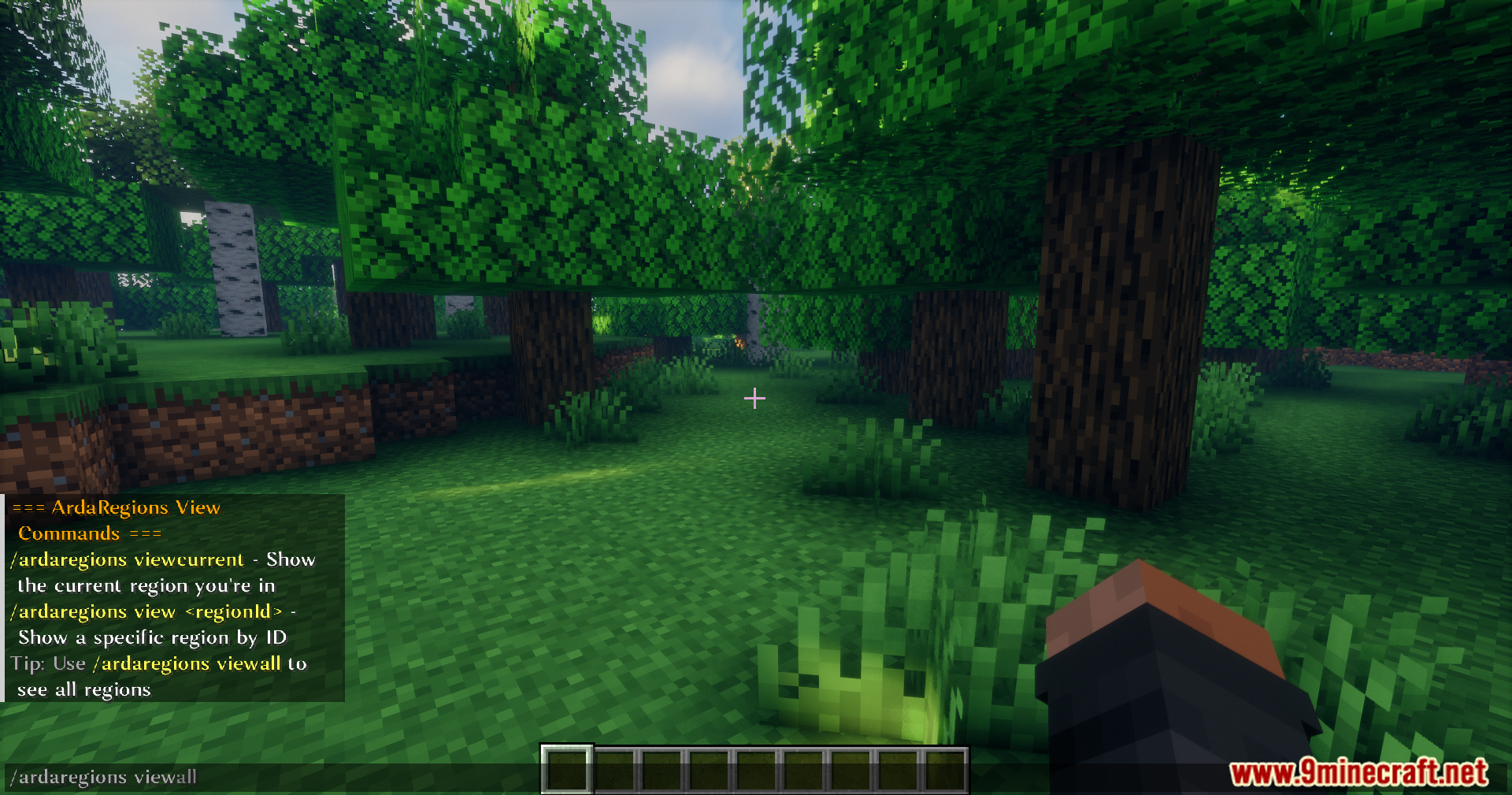
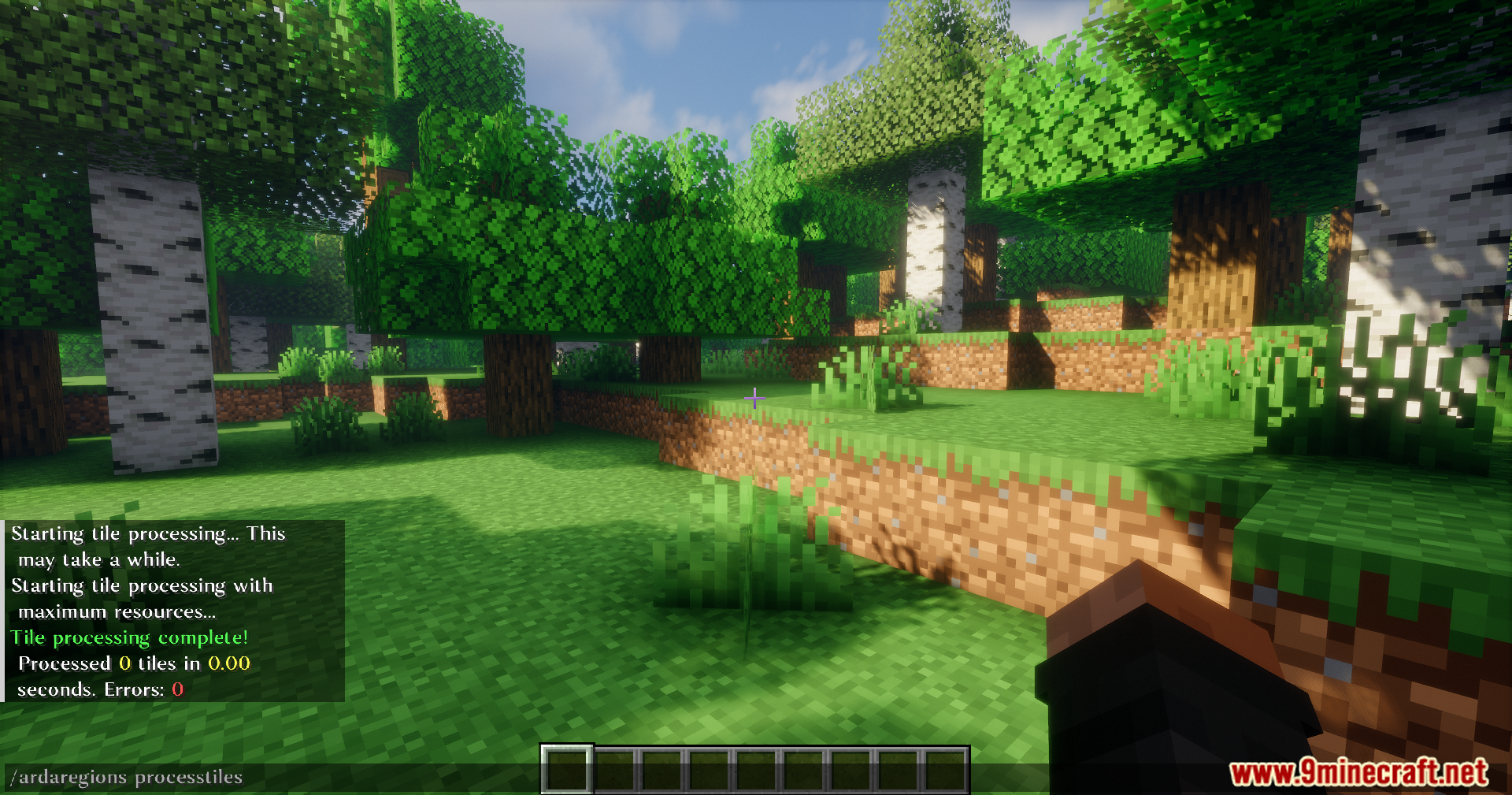
/ardaregions panel– Opens the main region map for admins./ardaregions processtiles– Prepares BlueMap data for the map to read./ardaregions resetprogress– Clears your own exploration history./ardaregions resetprogress– Clears the history for a specific person./ardaregions view– Shows a 3D outline of a specific zone./ardaregions viewall– Shows 3D outlines for every zone on the server./ardaregions viewnone– Turns off the 3D outlines./ardaregions viewcurrent– Shows the outline of the zone you currently stand in.
How to Use:
- Put the mod file into both the server and client folders, then start the game.
- Set up BlueMap on the server so it reads the world terrain.
- Type
/ardaregions processtilesin the chat to link the map data to the region system. - Type
/ardaregions panelto open the map and start drawing your custom shapes. - Give the
ardaregions.adminpermission node to anyone who needs to manage the map.
Screenshots:
Arda Regions Mod Download Links
Quick facts
- Edition: Minecraft Java
- File type: .jar
- Minecraft version listed: 1.20.1
- How to install: Install the matching mod loader (Forge, Fabric or NeoForge) for your Minecraft version. → Download the .jar. → Put it in the .minecraft/mods folder and launch that loader profile.
- Where to get it: In MC Java Mods, or directly above on this page.
Install steps are the general flow for this file type — How to install Minecraft Java mods & modpacks walks through it step by step.
File checked by MCModsHub
- Downloads as 25767.mcaddon
- Download size: 3.0 MB
- Download link checked 26 Sept 2026 — working
- Mirrored on our own servers — the download does not depend on the original host
These come from our own check of the pack file, not from the source page.