
Glowcase
Java mod listed for Minecraft 26.x. Downloads from the MC Java Mods app on Android.
Creative-only blocks designed for adventure maps, server spawns, and virtual events. Show text, give out items, and link webpages!
I don't know my version or loader
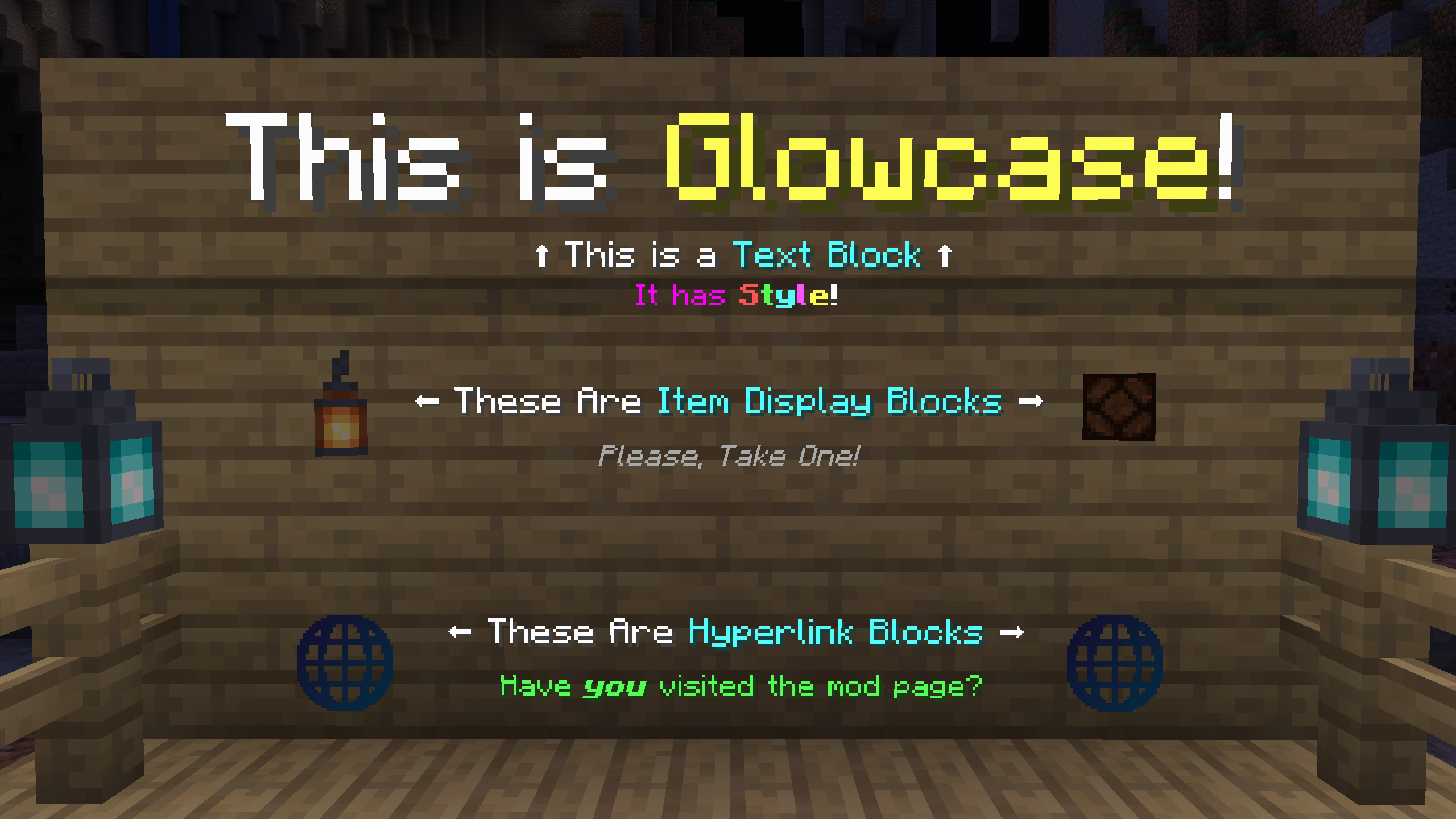 Shiny creative blocks for in-game showcases!
Maintained for use at ModFest events.
Requires Connector and FFAPI on (neo)forge.
Glowcase adds creative-only blocks designed for adventure maps, server spawns, and virtual events.
All blocks can be found in the glowcase creative tab, and modified by right-clicking while holding a similar item.
Text Block
An empty space with floating text that:
- Can display large bodies of text over many lines, far beyond the borders of the block
- Is editable via a multiline text editor with copy+paste support
- Allows setting an arbitrary text scale, for large signs etc.
- Allows setting a custom hex color for contained text
- Displays text with a shadow, no shadow, or a tinted backdrop (toggleable)
- Has support for inline text formatting, including colors, bold, italic, underline, strikethrough, and fonts
- See Text Placeholder API's QuickText format documentation for more details
Item Display Block
An empty space with a floating item stack that:
- Displays the stack display name on hover (toggleable)
- Dispenses a copy of the stack on use (toggleable)
- Rotates towards the player (toggleable)
To set the item stack, use the desired stack on an empty display block.
To modify other settings, use the same item on the block again.
Hyperlink Block
An empty space with a floating 🌐 symbol that:
- Displays a custom title on hover
- Requests to open a custom external link on use
This mod was originally created by Haven King as part of ModFest 1.16.
Feel free to contribute bugfixes and improvements!
- Edition: Minecraft Java
- File type: .jar
- Minecraft versions listed: 26.1, 26.1.1, 26.1.2
- How to install: Install the matching mod loader (Forge, Fabric or NeoForge) for your Minecraft version. → Download the .jar. → Put it in the .minecraft/mods folder and launch that loader profile.
- Where to get it: Opens on Modrinth — not every file is mirrored on our own servers.
Install steps are the general flow for this file type — How to install Minecraft Java mods & modpacks walks through it step by step.
- Ships as glowcase-2.5.4+26.1.jar — drop this file into the mods folder
- Download size: 1.3 MB
- Download link checked 10 Oct 2026 — working
These come from our own check of the pack file, not from the source page.