
Apocalypse Minimap Hud
Java mod listed for Minecraft 1.20. Downloads from the MC Java Mods app on Android.
⬇ Download on Modrinth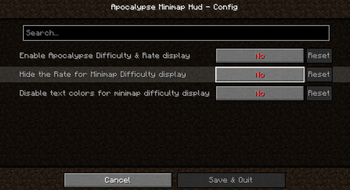
Download file name format description:
Example: [1.20.1] AMH v0.0.3 (Apo v3.x.x, Xaero 25.3.x)
Apo in parentheses indicates supported Apocalypse mod versions. For example, this one supports Apocalypse mod v3.x.x, including v3.9.8
Xaero in parentheses indicates supported versions of Xaero's Minimap. This one, for example, supports Xaero's Minimap v25.3.x, including v25.3.10
📖 About:
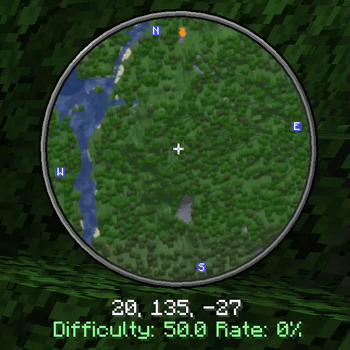
This was originally a mod for my Modpack that integrated Apocalypse-Rebooted's difficulty display into Xaero's Minimap.
Currently only Xaero's Minimap and Xaero's Minimap (Fair-Play) are supported, but more minimaps will be added in the future.

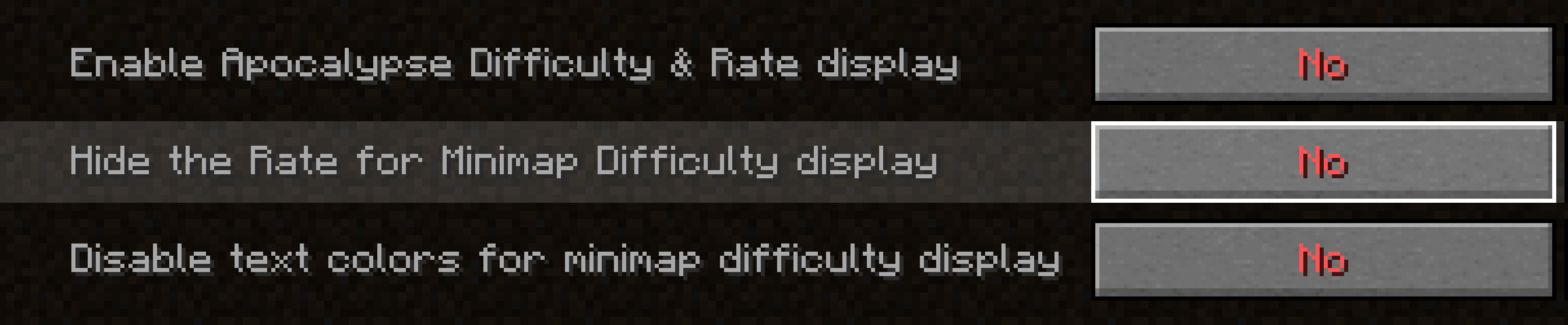
If you have the Cloth Config API and Catalogue installed, then you can easily modify the configuration of the Difficulty display on the configuration screen.
See the full picture in Gallery.
This mod is part of my Minimap Hud series, which includes:
- Project Minimap Hud ( ProjectE EMC display )
- Apocalypse Minimap Hud (This mod)
🔨 Required Dependencies:
- Edition: Minecraft Java
- File type: .jar
- Minecraft version listed: 1.20.1
- How to install: Install the matching mod loader (Forge, Fabric or NeoForge) for your Minecraft version. → Download the .jar. → Put it in the .minecraft/mods folder and launch that loader profile.
- Where to get it: Opens on Modrinth — not every file is mirrored on our own servers.
Install steps are the general flow for this file type — How to install Minecraft Java mods & modpacks walks through it step by step.
- Ships as ApocalypseMinimapHud-neoforge-1.20.1-v0.0.2a.jar — drop this file into the mods folder
- Download size: 56 KB
- Download link checked 10 Oct 2026 — working
These come from our own check of the pack file, not from the source page.