
Death Counter Mod tracks how many times each player dies on a server. When you die, the mod can show your total death count and your rank compared to other players. It also adds a server-wide leaderboard to see who has the most deaths.
Features:
- Keeps a running total of how many times each player has died since the mod was installed.
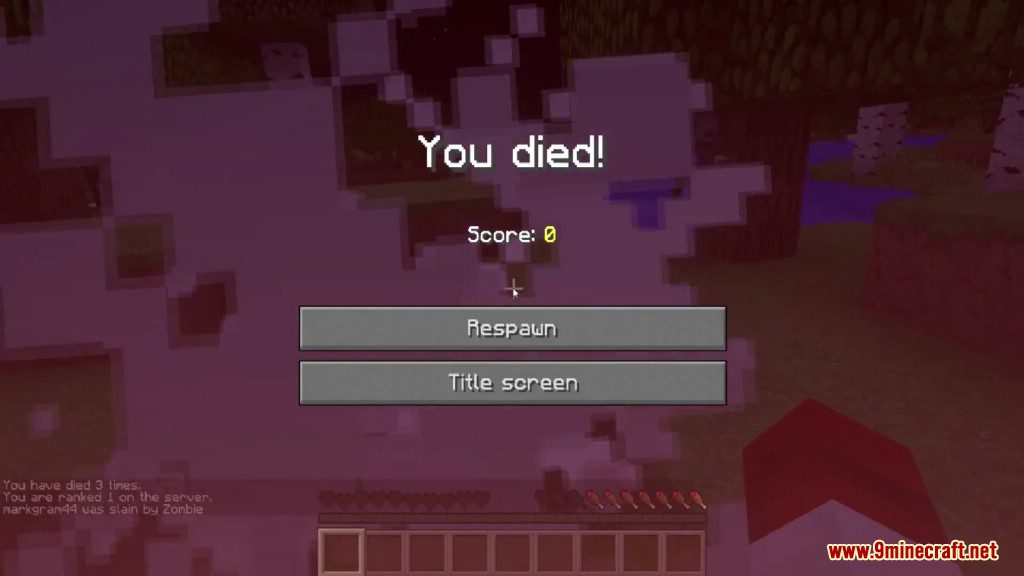
- Displays your personal death count and server ranking on the death screen.
- View a server-wide leaderboard to see who has died the most.
- Saves death counts for a single session or exports them to a text file.
Commands:
For Server Ops:
/dc leaderboard [all/user]: Shows the leaderboard. Use “all” to show it to everyone, a player’s name to show it to them, or leave it blank to see it yourself./dc reset (all/user): Resets the death counts for everyone or just one player.
For All Players:
!dc: Displays the server’s leaderboard in chat for you to see.
Screenshots:
Death Counter Mod Download Links
Quick facts
- Edition: Minecraft Java
- File type: .jar
- Minecraft versions listed: 1.21.11, 1.20.1
- How to install: Install the matching mod loader (Forge, Fabric or NeoForge) for your Minecraft version. → Download the .jar. → Put it in the .minecraft/mods folder and launch that loader profile.
- Where to get it: In MC Java Mods, or directly above on this page.
Install steps are the general flow for this file type — How to install Minecraft Java mods & modpacks walks through it step by step.
Verified by MCModsHub
- Downloads as 25870.mcaddon
- Download size: 55 KB
- Download link checked 25 Sept 2026 — working
- Mirrored on our own servers — the download does not depend on the original host
These come from our own check of the pack file, not from the source page.