
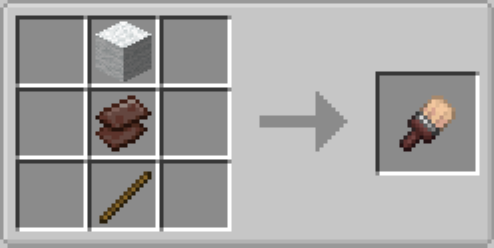
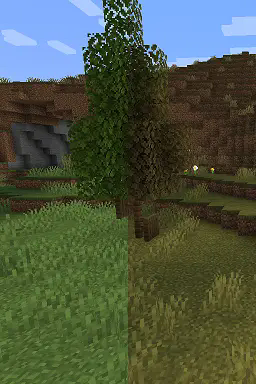
Allows you to change the worlds biomes with a brush! Ideal for changing the tints of grass and the colour of the sky, water and fog! A lot of recipes, JEI recomended. As of right now, although it's compatible with other mods, there are only recipes for paints of vanilla biomes, Although this can easily be fixed with a data pack. I will add more compatability in later versions, although if you're a dev, you can look at my recipes and add compat in your own projects!
To use the brush simply hold it in your main hand with a biome paint in your off hand(or vice versa). Biome Paints can be crafting with misc items from a biome and a bottle, E.G. Pink Petals, Cherry Leaves and a Bottle will make the Cherry Grove biome paint, It's recomended to use JEI to view the recipes, although they are easy enough to guess.
- Edition: Minecraft Java
- File type: .jar
- Minecraft versions listed: 1.21, 1.21.1
- How to install: Install the matching mod loader (Forge, Fabric or NeoForge) for your Minecraft version. → Download the .jar. → Put it in the .minecraft/mods folder and launch that loader profile.
- Where to get it: Opens on Modrinth — not every file is mirrored on our own servers.
Install steps are the general flow for this file type — How to install Minecraft Java mods & modpacks walks through it step by step.
- Ships as biome_paint_1.21-1.21.2_1.0.0.jar — drop this file into the mods folder
- Download size: 61 KB
- Download link checked 30 Aug 2026 — working
These come from our own check of the pack file, not from the source page.