
Cobblemon: PokemonToItem
Java mod listed for Minecraft 1.21. File opened and checked on 3 Oct 2026; downloads from the MC Java Mods app on Android.
⬇ Download on Modrinth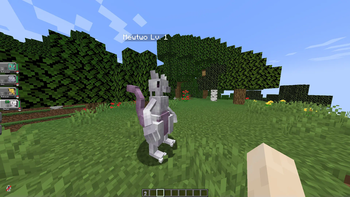
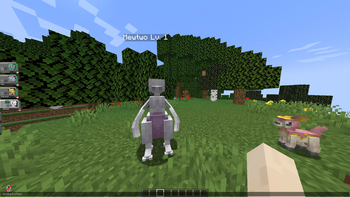
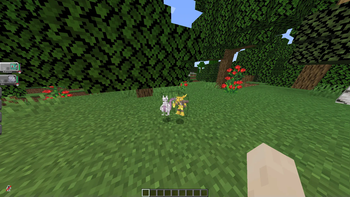
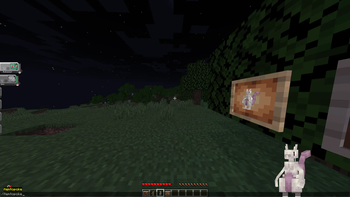
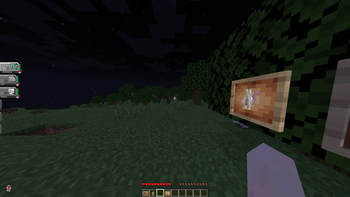
PokemonToItem Mod
Cobblemon Addon - Pokémon Conversion and Itemization
This mod addon enhances the Cobblemon experience for Minecraft version 1.19.2, offering players the exciting ability to convert Pokémon into items and items back into Pokémon using intuitive in-game commands. Seamlessly compatible with both Forge and Fabric platforms, this addon opens up new gameplay possibilities.
Features
- Convert Pokémon to Items: Utilize the
/poketoitemcommand to transform Pokémon into items. - Reverse the Process: Employ the
/itemtopokecommand to reverse the transformation, converting items with embedded Pokémon back into their original forms. - Graphical Interface for Conversion: The
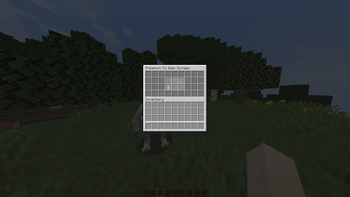
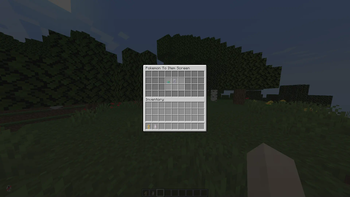
/poketoitemcommand opens a user-friendly interface, allowing you to select Pokémon from your party to be converted into items. - Items vs. Computer: Pokémon conversion is limited to your party. For those stored in your computer, move them into your party prior to conversion.
- Pokémon Extraction from Items: The
/itemtopokecommand allows you to extract Pokémon from items held in your character's main hand.
Installation
Forge:
- Install Minecraft Forge for version 1.19.2.
- Download both the Cobblemon Mod and this addon.
- Place the downloaded mods into the 'mods' folder within your Minecraft directory.
- Launch Minecraft to explore the newly added features.
Fabric:
- Install Fabric Loader for Minecraft 1.19.2.
- Download both the Cobblemon Mod and this addon.
- Move the downloaded mods into the 'mods' directory in your Minecraft folder.
- Launch the game using the Fabric game launcher to experience the enhanced gameplay.
Commands
Convert Pokémon to Item
- To initiate Pokémon conversion, use the following command:
/poketoitem
- A user interface will be displayed, showcasing the Pokémon in your party.
- Select the Pokémon you wish to convert into an item by clicking on it.
- The chosen Pokémon will be transformed into an item.
Convert Item to Pokémon
- To convert an item with an embedded Pokémon back into a living creature, use the command:
/itemtopoke
- Hold the item in your character's main hand.
- Execute the command to convert the item back into a Pokémon.
Permissions
/poketoitempermission:cobblemon.pokemontoitem.command.poketoitem/itemtopokepermission:cobblemon.pokemontoitem.command.itemtopoke
Important Notes
- Ensure you have downloaded the Cobblemon Mod along with this addon.
- Downloads are available via GitHub releases:
- If you have applied a datapack for alternate Pokémon textures, note that the item containing the Pokémon will inherit its appearance from the datapack.
- As this is a beta release, anticipate and report bugs. If you find any issues, please create an issue on our GitHub repository.
Credits
Developed by Sreeraj S , this mod addon builds upon the groundwork laid by the Cobblemon mod creators.Special thanks to the creators of the Cobblemon mod for their amazing work.
For support, feedback, and contributions, visit the official forums or GitHub repository.
- Edition: Minecraft Java
- File type: .jar
- Minecraft version listed: 1.21.1
- How to install: Install the matching mod loader (Forge, Fabric or NeoForge) for your Minecraft version. → Download the .jar. → Put it in the .minecraft/mods folder and launch that loader profile.
- Where to get it: Opens on Modrinth — not every file is mirrored on our own servers.
Install steps are the general flow for this file type — How to install Minecraft Java mods & modpacks walks through it step by step.
- Ships as PokemonToItem-fabric-0.2.0.jar — drop this file into the mods folder
- Download size: 4.7 MB
- Download link checked 10 Oct 2026 — working
These come from our own check of the pack file, not from the source page.