
Custom 100-Day BOSS
Java mod listed for Minecraft 1.21. Downloads from the MC Java Mods app on Android.
⬇ Download on ModrinthThis is a feature allowing players to customize creatures spawned within 100 days.
Players can modify the configuration file in the config folder.
Configuration Content:
List of entity registry names (e.g., "minecraft:zombie", "minecraft:creeper"). Spawns entities sequentially in this order. entities = ["minecraft:zombie", "minecraft:creeper"]
Days between Boss spawns (Min: 5, Max: 100, Default: 10)
days_interval = 10
Whether the Boss spawn feature is enabled
enabled = true
When an entity spawns, you can open the chat bar and click the teleport button to be transported to its location.
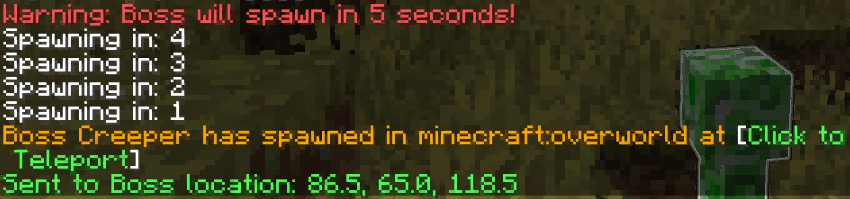
Entities will spawn in safe zones—open spaces without obstructions—to prevent phasing into blocks or getting stuck.
This mod supports cross-dimension spawning and works with dimensions from other mods.
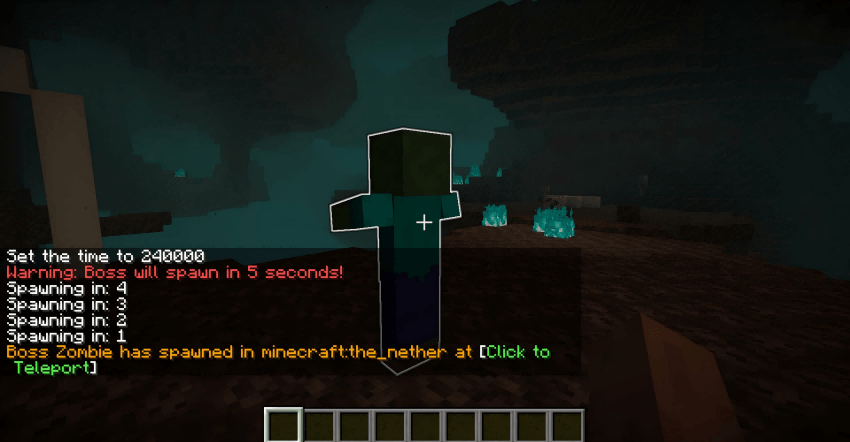
In most dimensions, if a safe zone cannot be located, the entity will spawn three blocks above the player's head.
If you wish to disable this feature, you may use commands:
Enable spawning: /100dayboss true
Disable spawning: /100dayboss false
- Edition: Minecraft Java
- File type: .jar
- Minecraft version listed: 1.21.1
- How to install: Install the matching mod loader (Forge, Fabric or NeoForge) for your Minecraft version. → Download the .jar. → Put it in the .minecraft/mods folder and launch that loader profile.
- Where to get it: Opens on Modrinth — not every file is mirrored on our own servers.
Install steps are the general flow for this file type — How to install Minecraft Java mods & modpacks walks through it step by step.
- Ships as Custom_100day_boss-1.21.1NeoForge-1.4.0.jar — drop this file into the mods folder
- Download size: 129 KB
- Download link checked 10 Oct 2026 — working
These come from our own check of the pack file, not from the source page.