Level Up Mod (1.21.11, 1.20.1) – Choose Your Class and Role
Java mod listed for Minecraft 1.20–1.21. Downloads from the MC Java Mods app on Android.
⬇ Download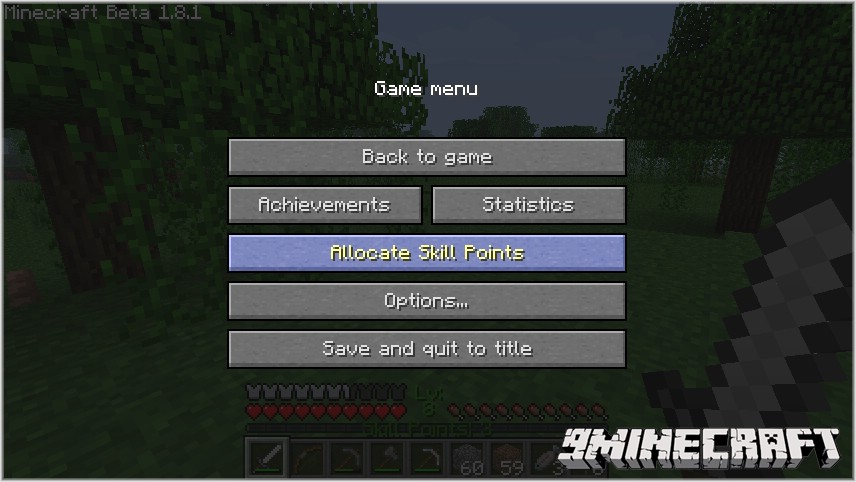
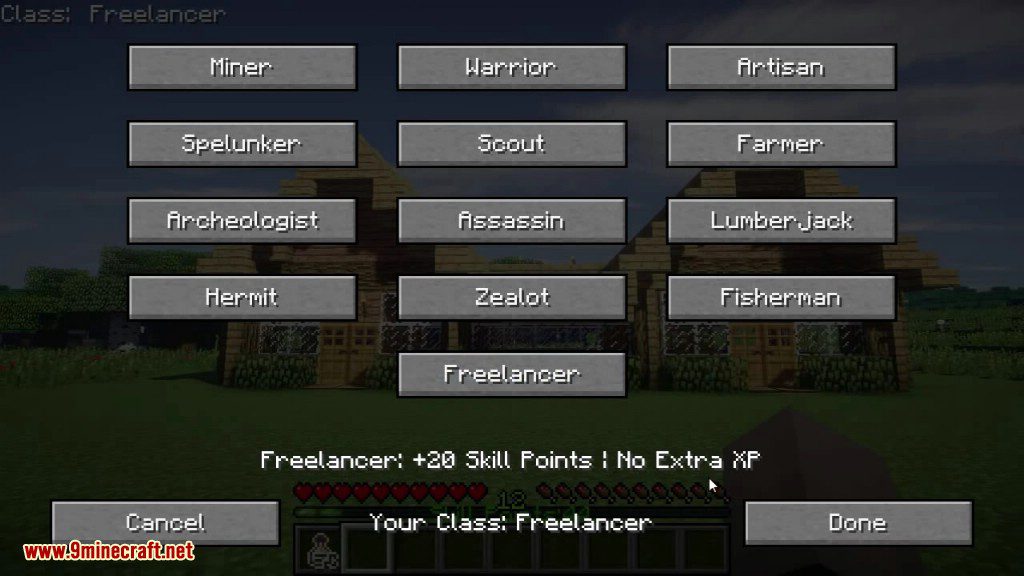
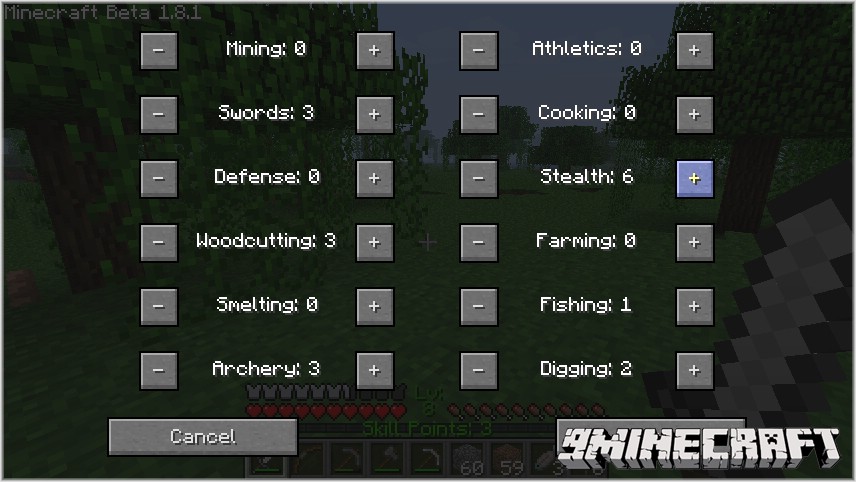
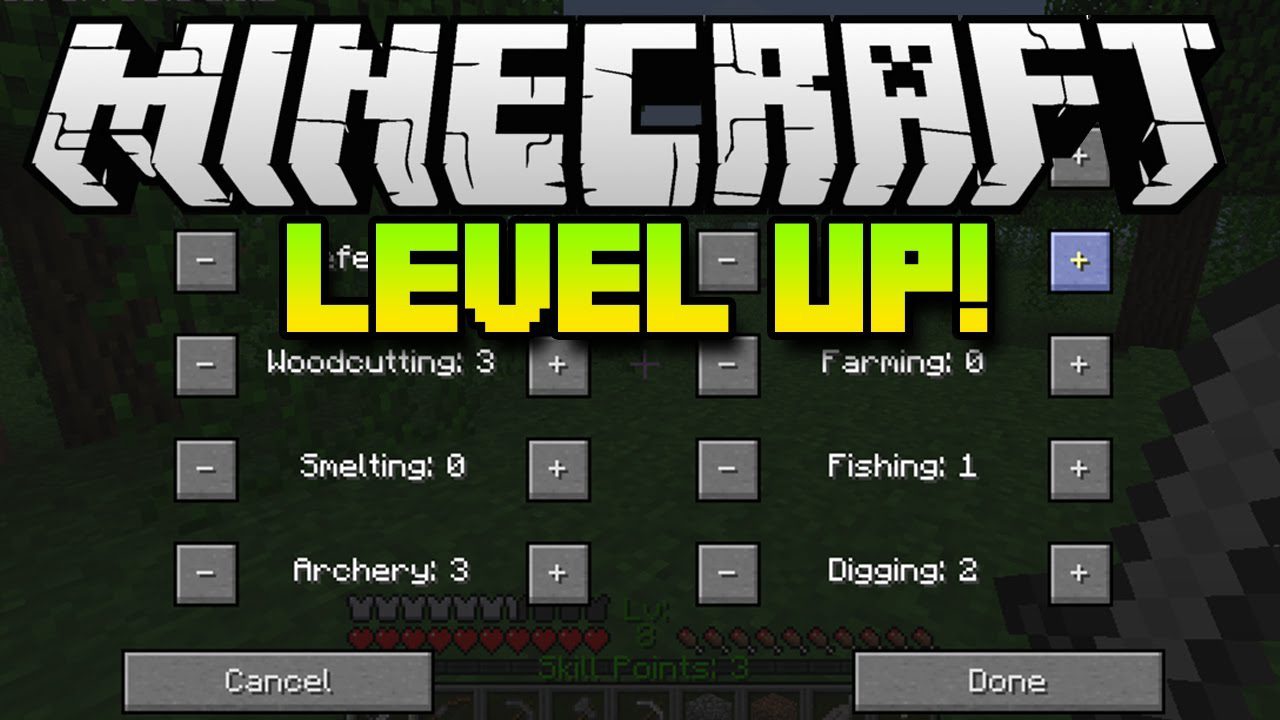
Level Up Mod adds a class and skills system to your Minecraft world. You can choose from 13 different classes once you meet the level requirements. To manage your character, simply press the ‘L’ key to open the skills menu at any time.
Gameplay Mechanics:
Bonus XP
For every ore you mine, you will gain a small amount of XP. The amount depends on the type of ore you are mining.
For using certain ingredients in crafting, you will gain small amounts of XP. The amount you gain depends on the types of items you are using. The “approved ingredients” are:
- Sticks
- Leather
- Stone (not Cobblestone)
- Iron Ingots
- Gold Ingots
- Paper
- Slimeballs
- Redstone Dust
- Glowstone Dust
- Ender Pearls
- Diamonds
Classes
Starting at level 5, you are able to chose a class. There are currently 12 classes (one for each skill, a pattern which I intend to keep when more skills are added). Upon choosing a class, you will gain an instant boost of +10 levels in a certain skill and +5 levels in two others. The skills affected depend on the class chosen.
Additionally, each class has an “affinity” for either mining, crafting, or combat. Mining classes get boosted XP from mining (given after every 3 ores mined), Crafting classes get boosted XP from crafting (given after every 5 crafts that use the “approved ingredients”), and Combat classes get boosted XP from killing mobs (given instantly after killing any hostile mob).
The Talisman of Wonder
The Talisman of Wonder is an item that will convert certain other items into pure XP by way of recipes which consume the Talisman and the sacrificial item to yield another Talisman. Choose a stack of items to be converted and put it in crafting with the Talisman. Upon taking the new Talisman, the whole stack of sacrificial items will be consumed, giving you an amount of XP based on the size of the stack and the type of items. The following items can be converted:
- Coal
- Iron Ore
- Gold Ore
- Iron Ingot
- Gold Ingot
- Diamond
- Redstone
- Lapis Lazuli
- Book
- Brick
- Cooked Fish
- Steak
- Cooked Chicken
- Coocked Porkchop
- Pumpkin
- Melon
- Bread
A word of warning: For some items that are worth less XP, using a stack that is below a certain size will yield you no XP at all, and just end up destroying the items. Watch out for this especially with wood and coal.
The Book of Unlearning
The Book of Unlearning is an item that can be used to respec your skills and class. Using the Book will consume it, resetting all your skills as well as your class in the process. It will also give you all the skill points you have accumulated back to you, allowing you to allocate them again. It will also let you re-pick your class.
Sneaking
- While sneaking, enemies will only detect your presence if they happen to turn and look at you. In other words, if you are sneaking, it is not enough just to get near enemies for them to start attacking you. They must be looking in your direction.
- Also, if you attack a mob that has not detected you with a melee attack, you will perform a Sneak Attack for 2x damage. This works with bows too, but the bonus is only 1.5x damage and you must be close enough to your target so that normally they would detect you.
Mob Buffs
- Hostile mobs that spawn below depth 60 and mobs that spawn further than ~320 blocks from your spawn point will receive a buff to either their speed, sight range, armor (capped at -50% damage reduction), or attack strength (only affects melee attackers)
- The potency of the buff is determined by how far away the mob spawned from the player’s original spawn point (beyond 320 blocks) AND how deep down the mob spawned (below depth 60). The two buffs WILL stack!
- Additionally, all hostile mobs spawning below depth 30 will get an additional health buff based on how far down their spawn depth is below 30 (+100% health for mobs that spawn at depth 0, +50% for spawning at depth 15, etc.)
Other Info:
All skills are capped at 50, and the player’s level is capped at 100. Upon death, you retain your skills, but will not get any skill points until you level up past the last largest level that you had died on. Additionally, this mod displays what level you are on in the GUI (between health and hunger), as well as your number of skill points if you have any. The mod is only for single player Survival mode, and is disabled in Creative mode and multiplayer worlds.
Features:
- Choose from different classes starting at level 5, each boosting specific skills.
- Gain bonus experience from mining, crafting, or combat, depending on your chosen class.
- Use the Talisman of Wonder to convert items like coal and diamonds directly into XP.
- Craft the Book of Unlearning to reset your skills and class, getting all your points back to spend again.
- Perform sneak attacks on unaware mobs for double melee damage.
- Face tougher mobs that spawn deep underground or far from your starting point.
Mining
- Each point increases your chance of getting double drops from ores by 0.5%.
- Every 5 points slightly increases your mining speed for stone, cobblestone, and ores.
Swords
- Each point increases your chance for a random critical hit with a sword by 0.5%.
- Every 5 points increases the damage you deal with any sword by 5%.
Defense
- Each point increases your chance to negate all damage when you block with a sword.
- Every 5 points reduces the damage you take from blockable sources by 5%.
Woodcutting
- Each point increases the chance that chopping a log will drop extra sticks or planks.
- Every 5 points slightly increases the speed you break wood logs and planks.
Smelting
- Each point increases your chance to get double products from smelting non-food items by 0.5%.
- Every 5 points increases your smelting speed for non-food items by 10%.
Archery
- Each point increases the speed of your arrows by 1%.
- Every 5 points slightly increases how fast you draw your bow.
Athletics
- Each point increases your sprinting speed by 1%.
- Every 5 points reduces fall damage you take by 5%.
Cooking
- Each point increases your chance to get double products from cooking food by 0.5%.
- Every 5 points increases your cooking speed for all food items by 10%.
Stealth
- Each point increases your movement speed while sneaking by 2%.
- Every 5 points decreases the range at which mobs can detect you while sneaking by 5%.
Farming
- Each point slightly increases the growth rate of crops, melons, and pumpkins.
- Every 5 points increases your chance to get double wheat drops by 10%.
- You can also craft 1 pumpkin into 4 pumpkin seeds.
Fishing
- Each point slightly increases your chance of hooking a fish.
- Every 5 points gives you a 3% chance to fish up a random item along with a fish.
How to Use:
- Play the game to gain experience and level up.
- Press the ‘L’ key to open the skills menu.
- When you reach level 5, you can choose a class.
- Use the menu to spend skill points to improve your abilities.
Screenshots:
Level Up Mod Download Links
- Edition: Minecraft Java
- File type: .jar
- Minecraft versions listed: 1.21.11, 1.20.1
- How to install: Install the matching mod loader (Forge, Fabric or NeoForge) for your Minecraft version. → Download the .jar. → Put it in the .minecraft/mods folder and launch that loader profile.
- Where to get it: In MC Java Mods, or directly above on this page.
Install steps are the general flow for this file type — How to install Minecraft Java mods & modpacks walks through it step by step.
- Downloads as 25911.mcaddon
- Download size: 117 KB
- Download link checked 24 Sept 2026 — working
- Mirrored on our own servers — the download does not depend on the original host
These come from our own check of the pack file, not from the source page.