Simple Close Button
I don't know my version or loader
Simple Close Button
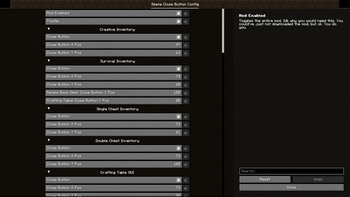
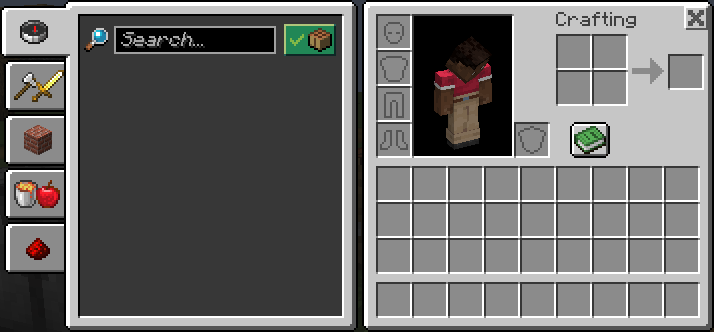
Adds a close button to inventory screens. As of version 3.0, you can add and remove which screens have the button, as well as change it's position and it should work with all vanilla-based implementations of a recipe book, all through the Mod Menu config, made with YACL.
Keep in mind that you will need to know the class path of whichever screen, vanilla or modded, that you want to add a button to in the config.
If you are just a casual user, you shouldn't have to worry about any of that, though. All the vanilla screens that this mod should apply to are included by default.
If you wish to make (and distibute) a resource pack that changes the textures of the button, feel free to do so. The textures are stored under /assets/close-btn/textures/gui/sprites/widget/. The indevidual textures are named "close_button.png" and "close_button_highlighted.png".
You may use this mod in modpacks as you like. Version 3.0 was specifically meant to add better support for this.
- Edition: Minecraft Java
- File type: .jar
- Minecraft versions listed: 1.21.2, 1.21.3, 1.21.4
- How to install: Install the matching mod loader (Forge, Fabric or NeoForge) for your Minecraft version. → Download the .jar. → Put it in the .minecraft/mods folder and launch that loader profile.
- Where to get it: Opens on Modrinth — not every file is mirrored on our own servers.
Install steps are the general flow for this file type — How to install Minecraft Java mods & modpacks walks through it step by step.
- Ships as simple-close-button-3.2+1.21.4-hotfix.jar — drop this file into the mods folder
- Download size: 33 KB
- Download link checked 20 Sept 2026 — working
These come from our own check of the pack file, not from the source page.