
Shield Status+
Java mod listed for Minecraft 1.21. File opened and checked on 21 Oct 2026; downloads from the MC Java Mods app on Android.
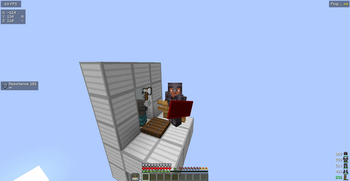
[WORKS ON PVPCLUB] Shows shield states which are represented by color. Idea from original Shield Statuses mod by Walksy.
⬇ Download on Modrinth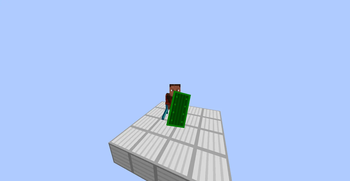
Shield Status+
Shield Status+ is a lightweight Fabric client-side mod that tracks and displays shield disable cooldowns, giving you clear awareness of when your shield is broken and when it will be usable again.
Why Use Shield Status+?
Shield Status+ uses a different approach to shield detection than Walksy's mod allowing it to work on any server and any version. For example Shield Status+ works on 1.21.8 servers such as mcpvp.club
This implementation remains fully functional even when the client and server run different Minecraft versions
This version of Shield Status does not replace any of Minecraft’s original shield textures. Instead, it renders a transparent overlay on top of the existing texture, keeping the game’s visuals fully intact.
Features
Shield Cooldown Tracking
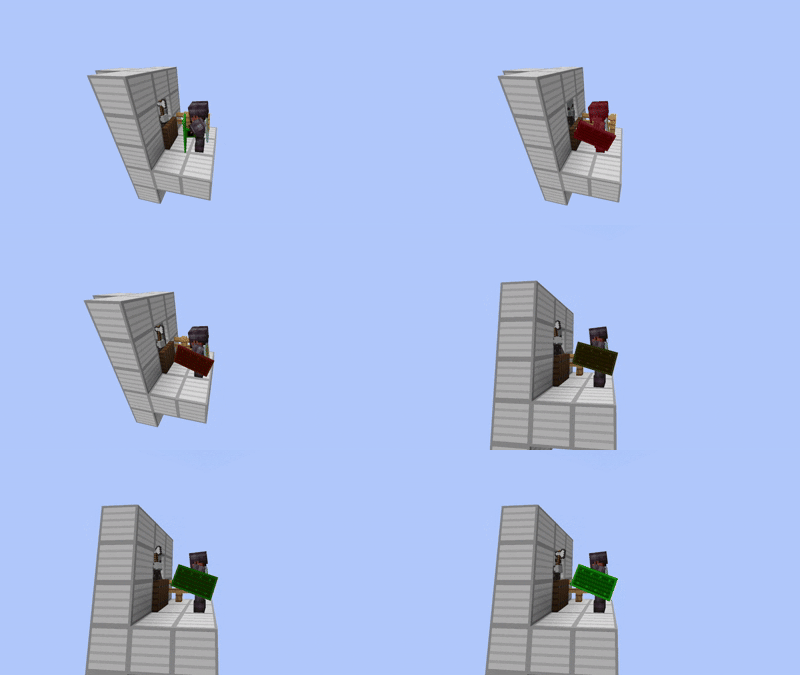
Automatically detects when any shield is disabled and shows the remaining cooldown time through color.Shield Interpolation
Shield Interpolation gradually transitions the shield’s disabled color back to its enabled color, giving you a visual sense of how far along the cooldown is. Instead of instantly swapping colors, the overlay smoothly shifts from red to green over the 5-second cooldownLightweight & Efficient
Built using minimal packet listening and event hooks to ensure smooth performance on any server.
Shield Interpolation Enabled:

Commands
ShieldStatus includes a few simple client-side commands for toggling visuals:
/shieldstatus (alias: /ss)
Main command for managing ShieldStatus settings.
/shieldstatus toggleoverlay
Toggles the on-screen shield disable overlay.
- Shows/hides the cooldown indicator.
- Sends a chat message confirming whether it’s enabled or disabled.
/shieldstatus toggleinterpolation
Toggles cooldown interpolation.
- Smoothly animates the cooldown instead of updating in fixed steps.
- Chat feedback confirms whether it’s enabled or disabled.
- Edition: Minecraft Java
- File type: .jar
- Minecraft version listed: 1.21.4
- How to install: Install the matching mod loader (Forge, Fabric or NeoForge) for your Minecraft version. → Download the .jar. → Put it in the .minecraft/mods folder and launch that loader profile.
- Where to get it: Opens on Modrinth — not every file is mirrored on our own servers.
Install steps are the general flow for this file type — How to install Minecraft Java mods & modpacks walks through it step by step.
- Ships as shieldstatus+-1.21.4-1.0.0.jar — drop this file into the mods folder
- Download size: 25 KB
- Download link checked 10 Oct 2026 — working
These come from our own check of the pack file, not from the source page.