
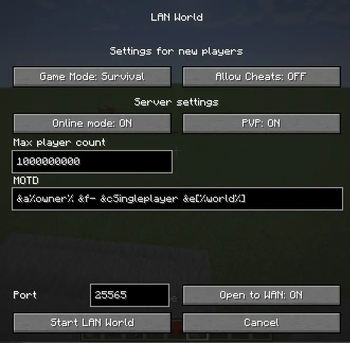
With this mod, you can make "Open to LAN" button open your world to outer network
Note: only host need mod to work
Features
- Enable/Disable online mode
- Enable/Disable PVP
- Set custom port
- Set server MOTD (Support colors)
- Set max player value
- Open to WAN button to open world to outer network (Requires opened port on router if set to Manual)
- Add additional ports to set when Open to WAN button set to UPnP using config file
- Option to hide IP addresses when opening to WAN (Streamer mode)
Menu showcase
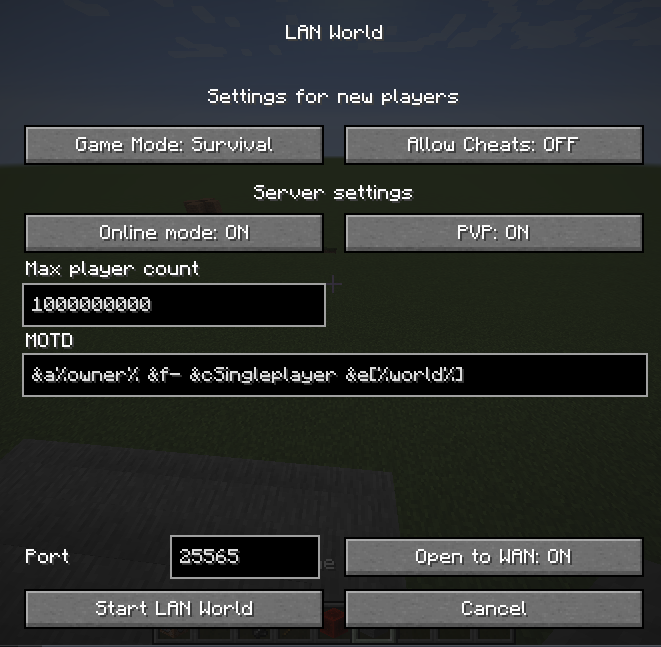
MOTD placeholders
%owner%- server owner%world%- world name
Online Mode
If ON, then Minecraft will be check players for license, else players with cracked launchers can join
config.json explanation
See at end of README.md
Quick facts
- Edition: Minecraft Java
- File type: .jar
- Minecraft version listed: 1.21.8
- How to install: Install the matching mod loader (Forge, Fabric or NeoForge) for your Minecraft version. → Download the .jar. → Put it in the .minecraft/mods folder and launch that loader profile.
- Where to get it: Opens on Modrinth — not every file is mirrored on our own servers.
Install steps are the general flow for this file type — How to install Minecraft Java mods & modpacks walks through it step by step.
Verified by MCModsHub
- Ships as opentopublic-forge-1.21.8-1.2.71.jar — drop this file into the mods folder
- Download size: 70 KB
- Download link checked 30 Aug 2026 — working
These come from our own check of the pack file, not from the source page.