
Lunar Block Overlay
Java mod listed for Minecraft 1.8. Downloads from the MC Java Mods app on Android.
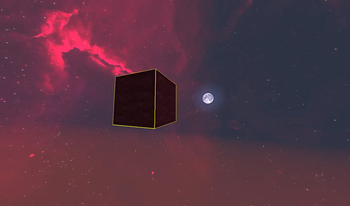
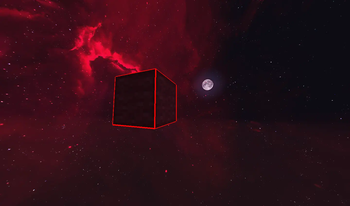
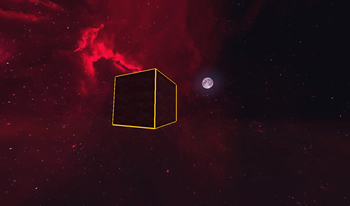
Lunar Block Overlay is a mod that enhances block selection by allowing players to customize the overlay color and thickness.🚀
⬇ Download on Modrinth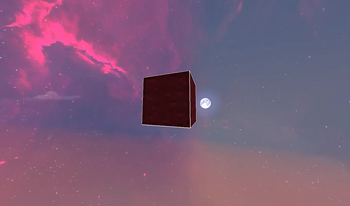
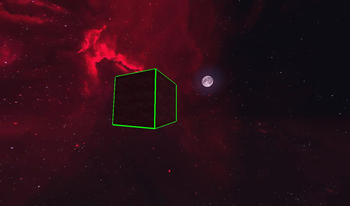
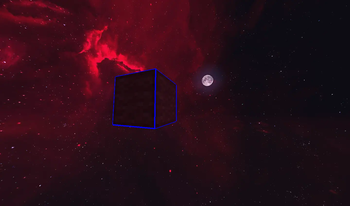
Lunar Block Overlay 📝 Description:
Lunar Block Overlay is a mod that enhances the block selection outline with customizable colors and adjustable thickness. This mod is perfect for builders, PvPers, and anyone who wants a clearer visual when selecting blocks.
🎮 How to Use: Change Overlay Color: Press \ to cycle through Colors. Adjust Thickness: Press + to increase and - to decrease. Chat Notifications: Each change is displayed in chat, with the color name appearing in its respective color. Change key bindings: All key bindings can be changed through the Minecraft control menu.
For more help you can contact me on my discord server or DM me worst_boy
- Edition: Minecraft Java
- File type: .jar
- Minecraft version listed: 1.8.9
- How to install: Install the matching mod loader (Forge, Fabric or NeoForge) for your Minecraft version. → Download the .jar. → Put it in the .minecraft/mods folder and launch that loader profile.
- Where to get it: Opens on Modrinth — not every file is mirrored on our own servers.
Install steps are the general flow for this file type — How to install Minecraft Java mods & modpacks walks through it step by step.
- Ships as [1.8.9] Lunar Block Overlay-2.1.jar — drop this file into the mods folder
- Download size: 17 KB
- Download link checked 10 Oct 2026 — working
These come from our own check of the pack file, not from the source page.