
Illusory Walls
Java mod listed for Minecraft 1.21. Downloads from the MC Java Mods app on Android.
⬇ Download on Modrinth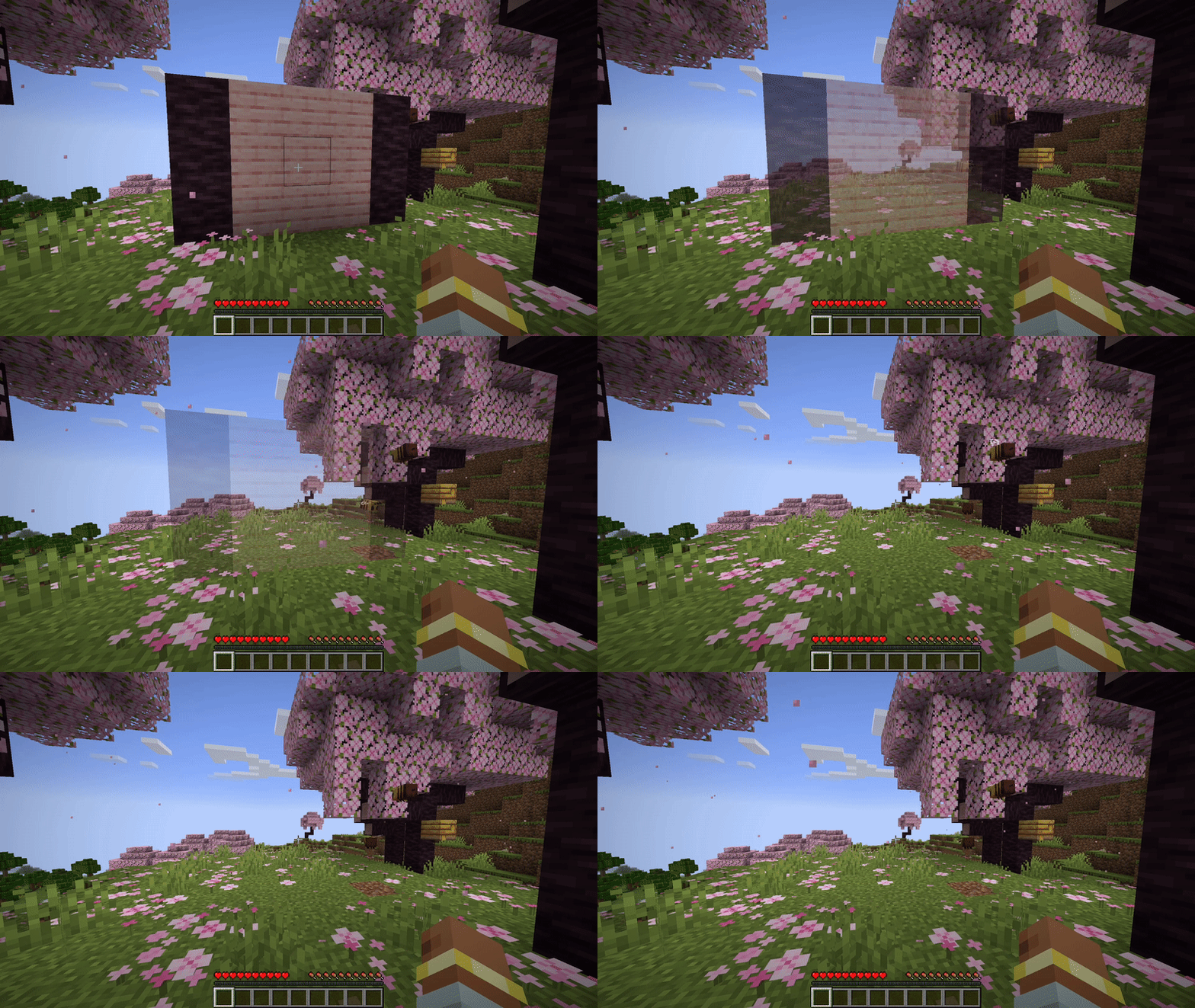
A Fabric mod for map makers that adds illusory walls to Minecraft.
▶ Preview
Once a player attacks an illusory wall, or a projectile hits one, the wall will fade.

More preview can be found here.
🪄 Edit mode
Illusory walls can be created by operators with a new "Staff of Illusion" item.
The staff can be found in the operator items tab or with this give command: /give @s illwalls:staff_of_illusion.
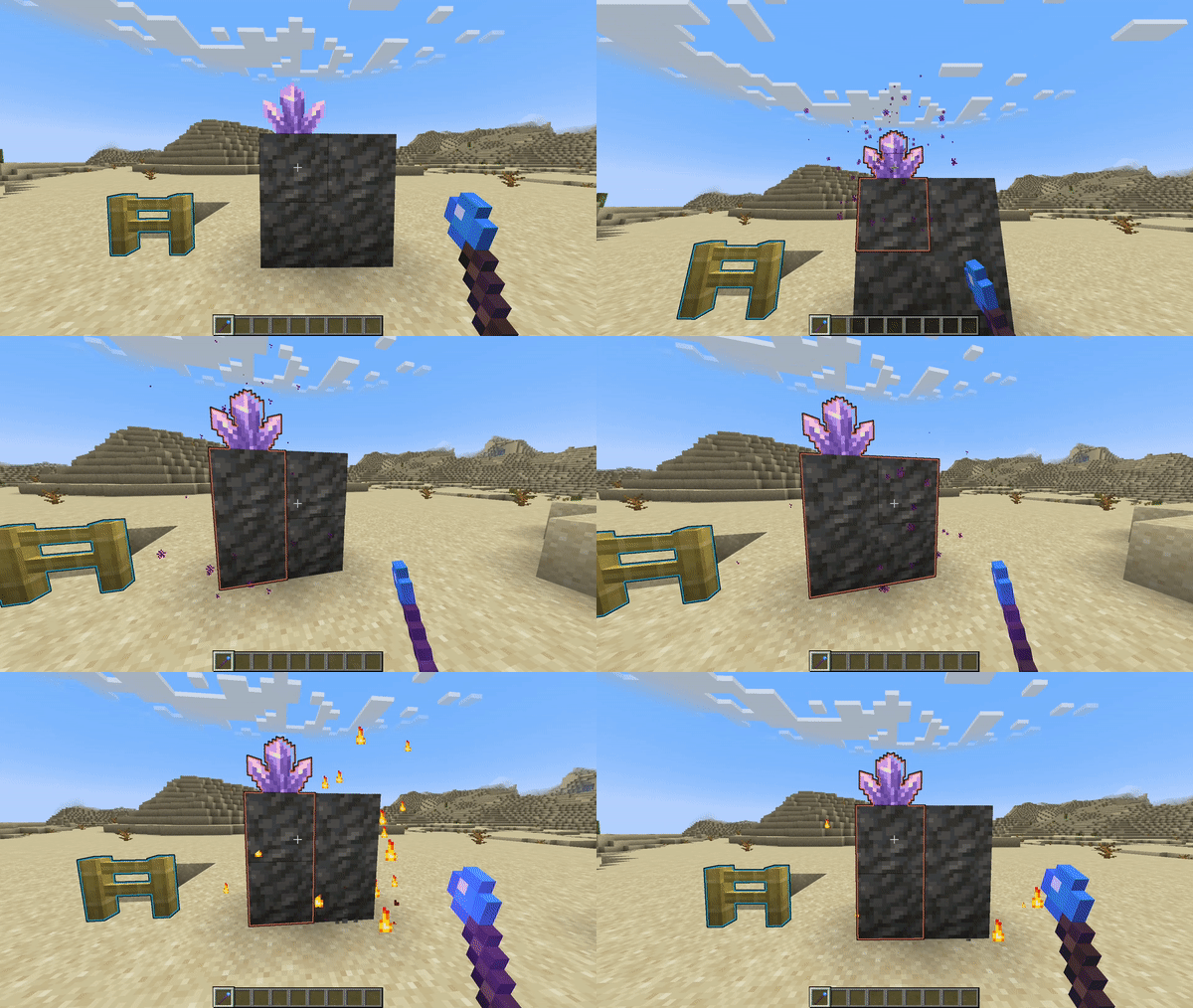
Once you hold the staff, all illusory walls will be displayed with an outline.
Right click to make any block illusory.
Left click a block to remove it from an illusory wall.

Reappearing Walls
You can configure walls to respawn after a certain amount of in-game time.
Using the Staff of Illusion, Shift + Right Click on an illusory wall to edit its properties.
In the configuration screen, tick the "Respawn" checkbox to enable respawning for that wall.
You can also configure an individual cooldown that should pass before the wall respawns.
If you want to choose another time unit, just click on the unit button.

If you Shift + Right Click into the air or on a non-illusory block, you can also edit your default settings for new illusory walls you create.
📁Installation
- Download the mod for your Minecraft version.
- Install Fabric API
- Put both downloaded mod files into the
modsfolder in your game directory
If you want to setup multiplayer server, install both mods on the server too.
🔗 Links
- Download on Modrinth: https://modrinth.com/mod/illusory-walls/versions
- Issue Tracker: https://github.com/LCLPYT/illusory-walls/issues
- Source on GitHub: https://github.com/LCLPYT/illusory-walls
- Edition: Minecraft Java
- File type: .jar
- Minecraft version listed: 1.21.11
- How to install: Install the matching mod loader (Forge, Fabric or NeoForge) for your Minecraft version. → Download the .jar. → Put it in the .minecraft/mods folder and launch that loader profile.
- Where to get it: Opens on Modrinth — not every file is mirrored on our own servers.
Install steps are the general flow for this file type — How to install Minecraft Java mods & modpacks walks through it step by step.
- Ships as illusory-walls-0.2.1+1.21.11.jar — drop this file into the mods folder
- Download size: 680 KB
- Download link checked 10 Oct 2026 — working
These come from our own check of the pack file, not from the source page.