HomeJavaModsShulker & Bundle
Shulker & Bundle
ModsJava

Shulker & Bundle

by official.andy · on Modrinth

Shulkerbox shift click opening and picking up items when in offhand. Bundles shift click opening and picking up items no matter the inventory location.

⬇ Download on Modrinth
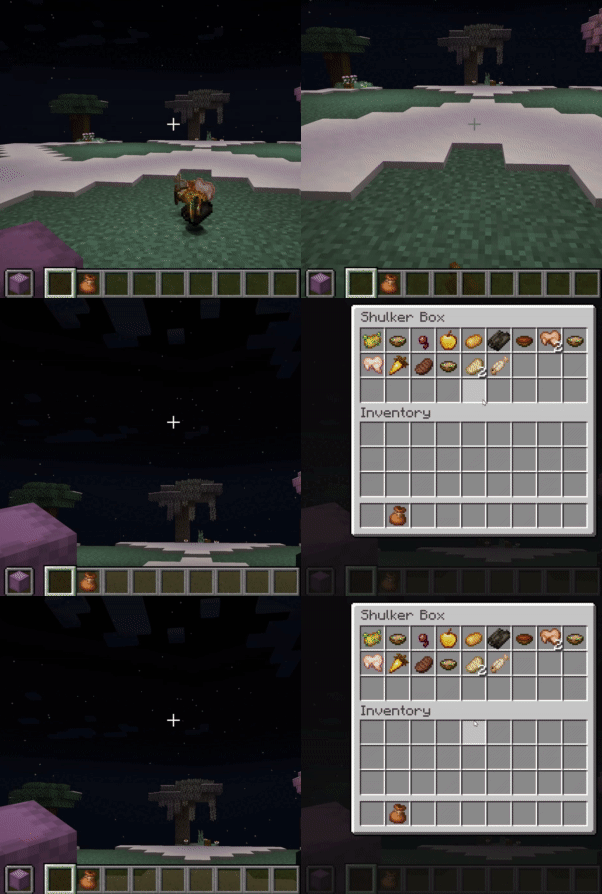
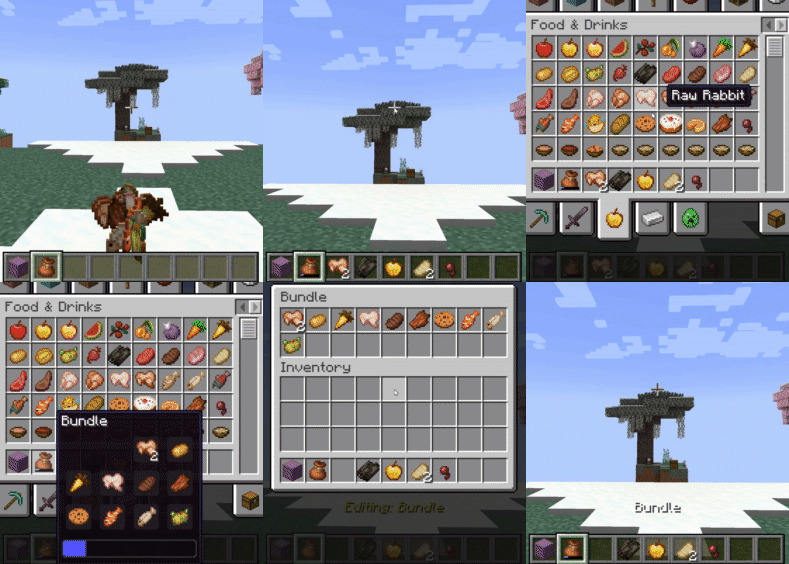
Shulker & Bundle — screenshot 1Shulker & Bundle — screenshot 2

Shulker & Bundles - Enhanced Inventory Management!

Tired of inventory overflow? Shulker & Bundles supercharges your storage solutions by allowing seamless interaction with Shulker Boxes and Bundles directly from your inventory! Pick up items into your off-hand Shulker or any Bundle, and access their contents using shift right-click while holding on the fly with intuitive GUIs.

📧 Contact Me & Support Information

💬 Primary Support Channel (Preferred)

All general questions, feature requests, and non-urgent bug reports should be posted in the appropriate channels on our Discord Server. We actively monitor the server and will respond as soon as possible. This ensures that the whole community can benefit from the discussion and solutions.

🆘 Urgent Private Messaging (PM) Policy

While we prefer all issues to be handled via the Discord server first, you are welcome to PM me directly under specific urgent circumstances:

I will endeavor to answer your PM as soon as I can to be helpful and see what I can do to resolve your urgent issue. However, please understand that immediate responses are not guaranteed, and private messaging is a professional courtesy, not an entitlement. Thank you for your understanding and cooperation!


New Support: Reinforced Shulker Boxes

Features

Direct GUI Access

Automatic Item Collection

Bundle Item Interaction Rules

Commands (Admin & Personal)

Global Commands (Admin-Only)

Requires the shulkerbundle.admin permission (OP Level 2).

Personal Commands

These commands allow each player to toggle features for themselves. They are saved per-player on the server.


Client-Side Configuration (via ModMenu)

How Features are Controlled (Permission Hierarchy)

This mod uses a 3-layer system to determine if a feature is active for a player.

  1. Player's Choice (Client-Side): The player must have the feature enabled in their personal settings (via the ModMenu config or /sb personal command). If a player disables a feature, it will always be off for them, regardless of server settings.
  2. Server's Global Setting: If the player has the feature enabled, the server then checks its global settings. If the feature is enabled globally (via /sb global), the player can use it.
  3. Server Permissions: If the feature is disabled globally, the server will then check if the player has the specific permission node for it (e.g., shulkerbundle.open).

Server Administration


Click to view all permission nodes and their descriptions

Modpack Policy

Quick facts

Install steps are the general flow for this file type — How to install Minecraft Java mods & modpacks walks through it step by step.

Verified by MCModsHub

These come from our own check of the pack file, not from the source page.

Explore more