ChickenChunks Mod (1.21.1, 1.20.1) – Run Machines While Offline
Java mod listed for Minecraft 1.20–1.21. Downloads from the MC Java Mods app on Android.
⬇ Download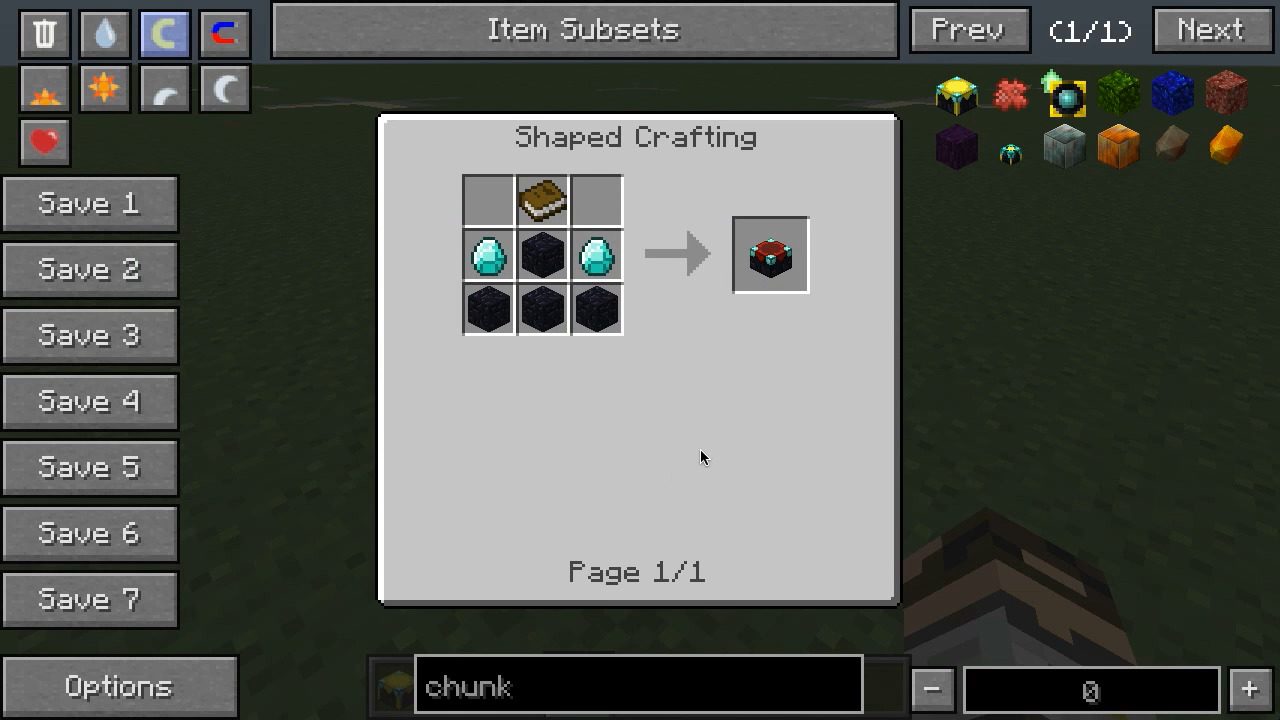
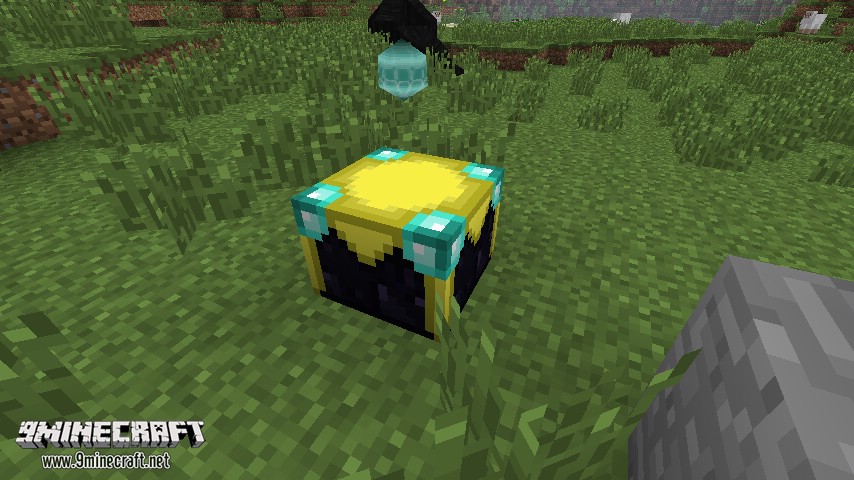
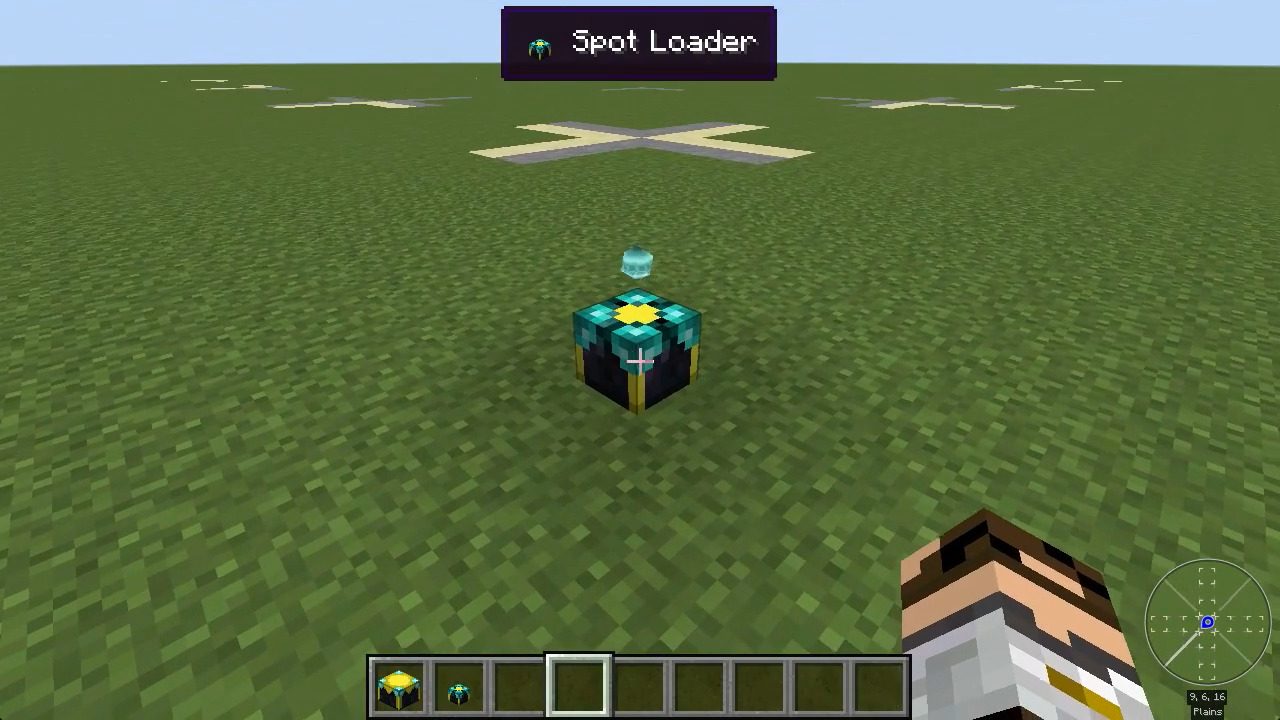
ChickenChunks Mod adds a special block called a chunkloader to keep parts of your world active. When you place this block, the area around it stays loaded, even if you are far away or offline. This means your farms can keep growing and your machines can continue working without you needing to be nearby.
Features:
- Keeps chunks loaded even after the server restarts.
- Includes a chunk viewer to see which chunks are currently loaded on a map.
- Allows server owners to set limits on how many chunks each player can load.
- Can be configured by server operators to only work when its owner is online.
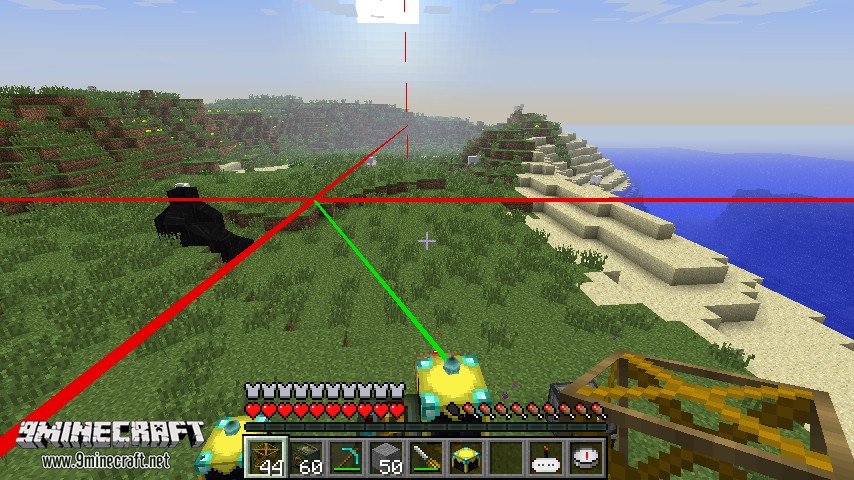
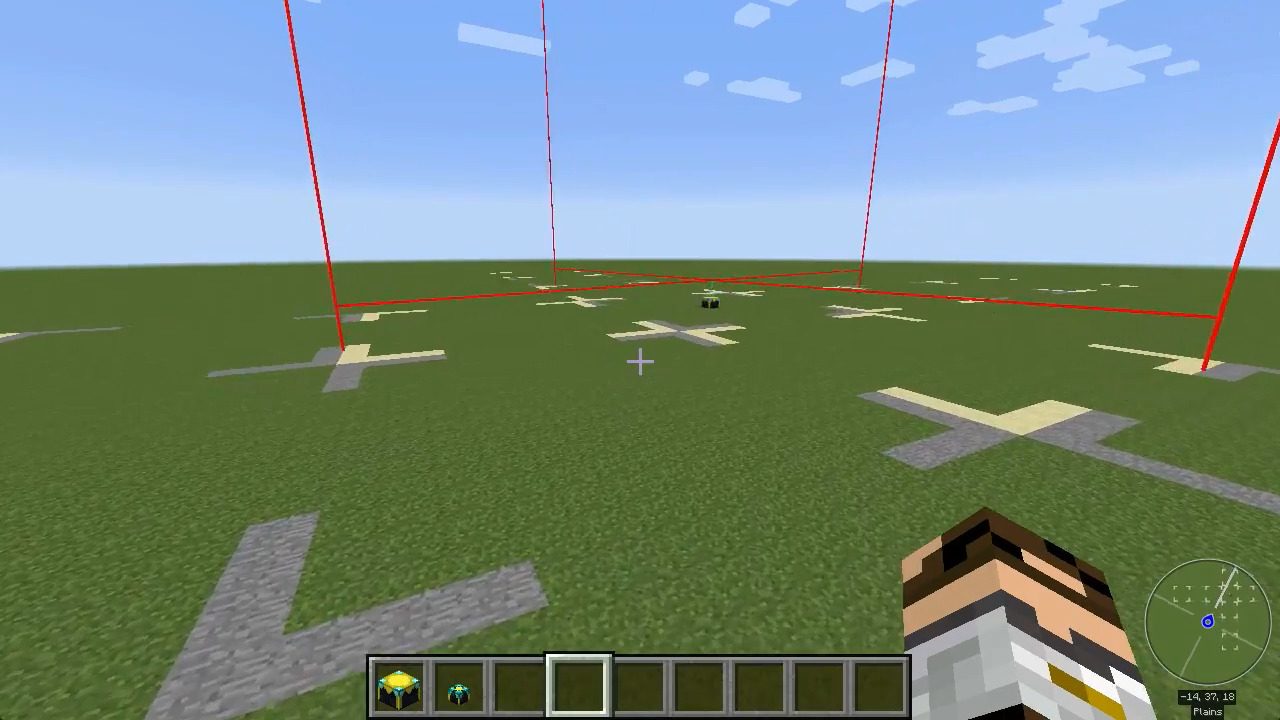
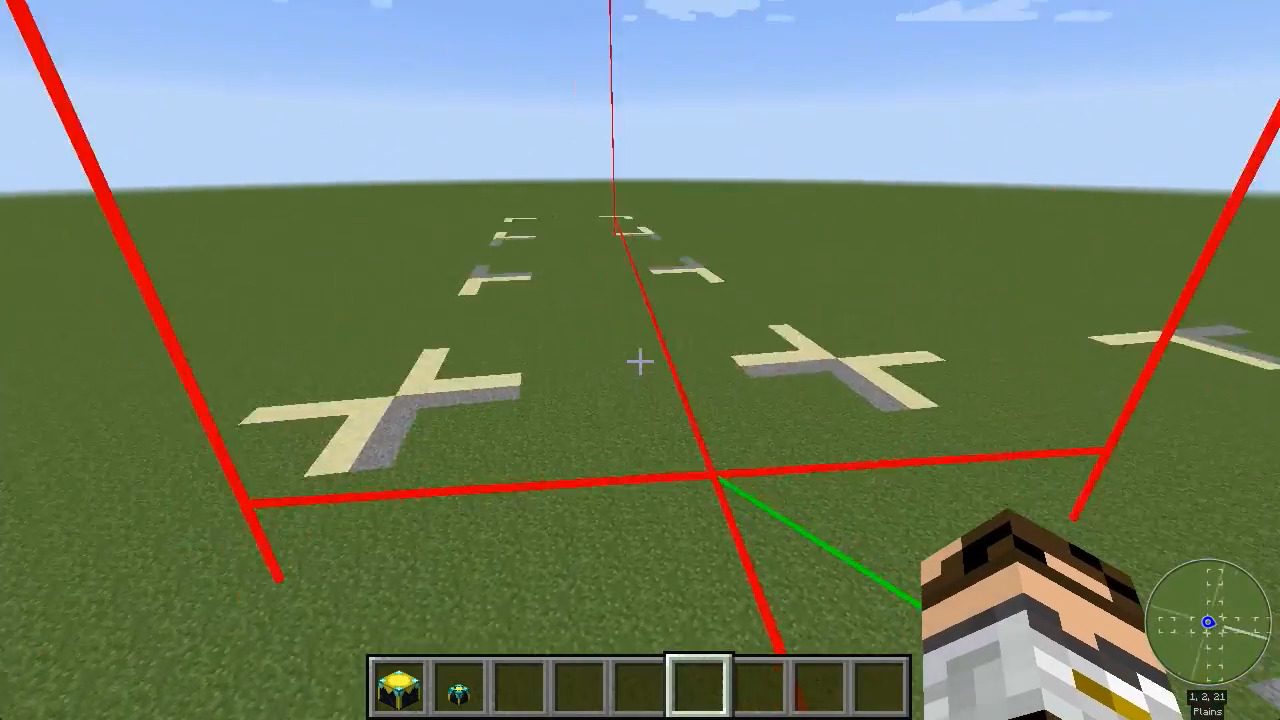
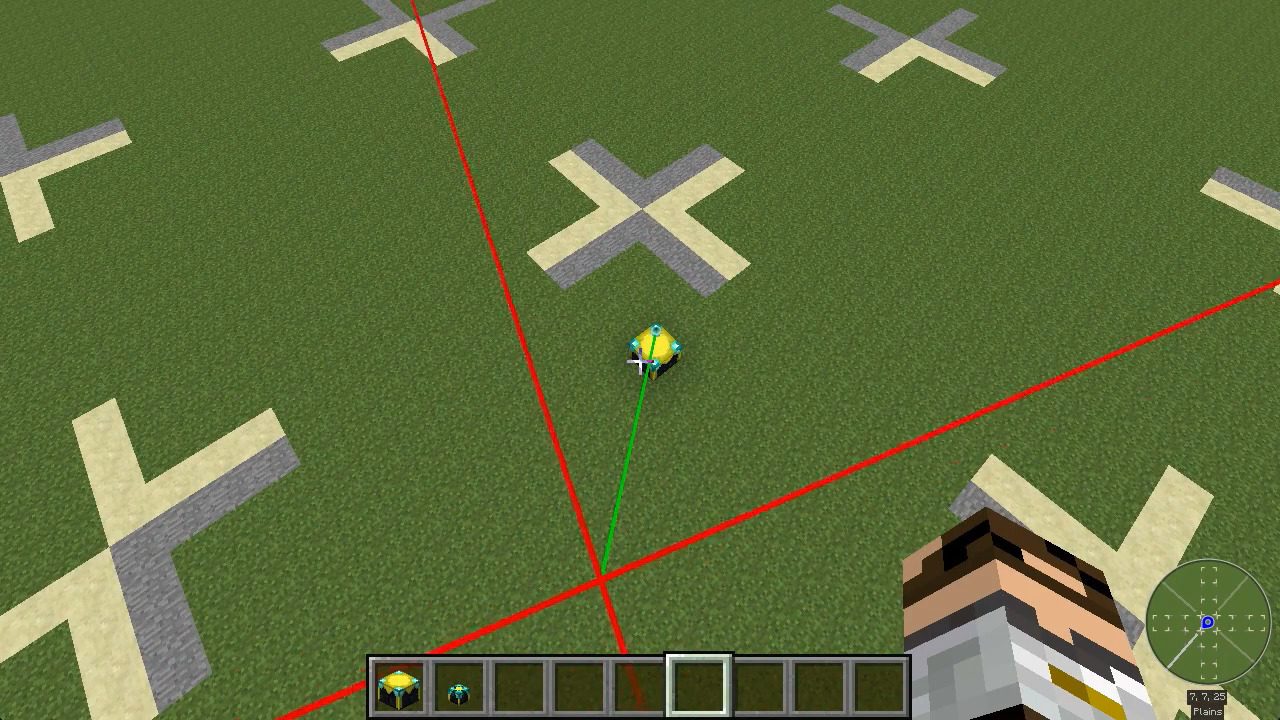
- Shows visual laser boundaries in the world to mark the loaded area.
Commands:
- Type
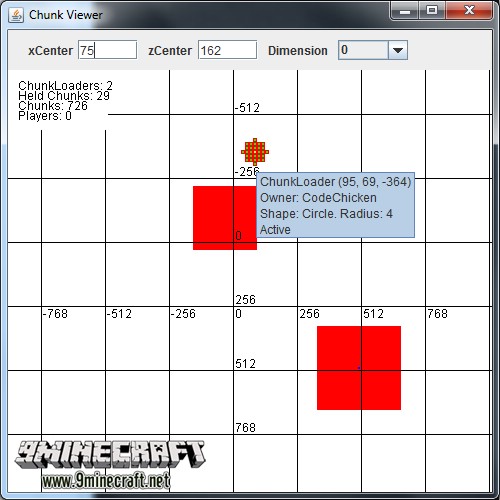
/chunkloadersto open the Chunk Viewer. This shows a map of all loaded chunks, chunkloaders, and players in the dimension.
How to Use:
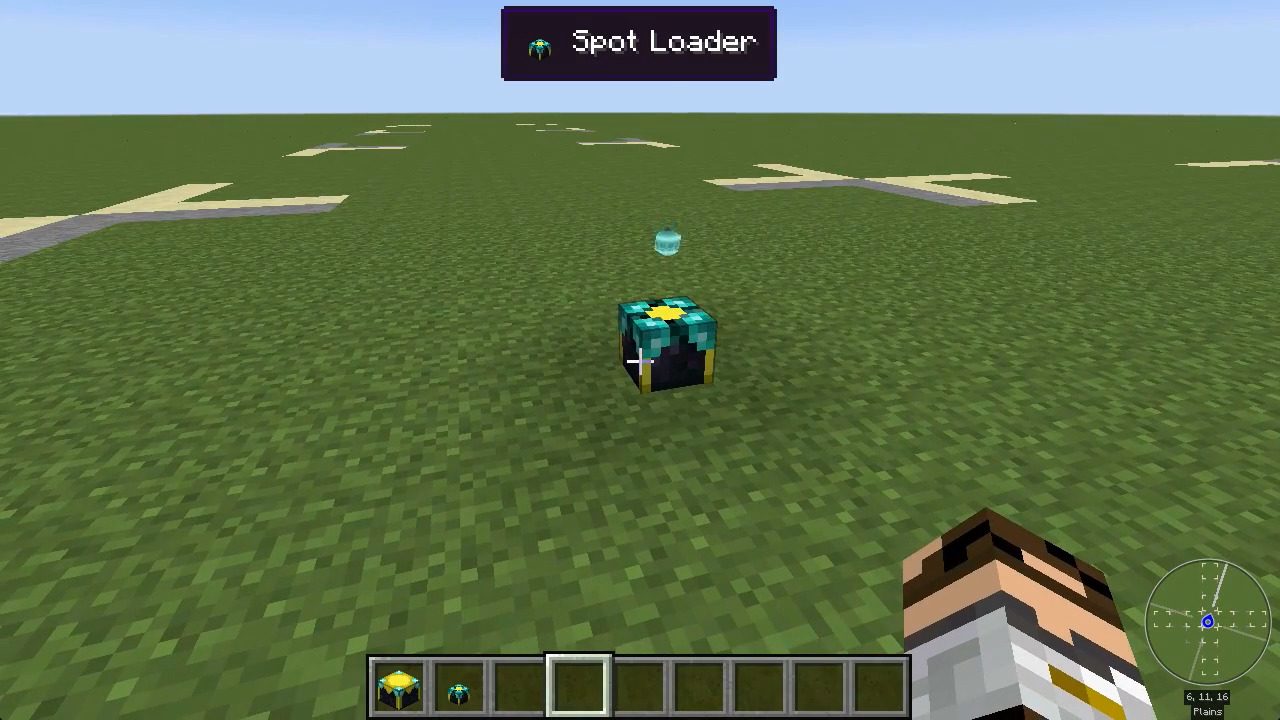
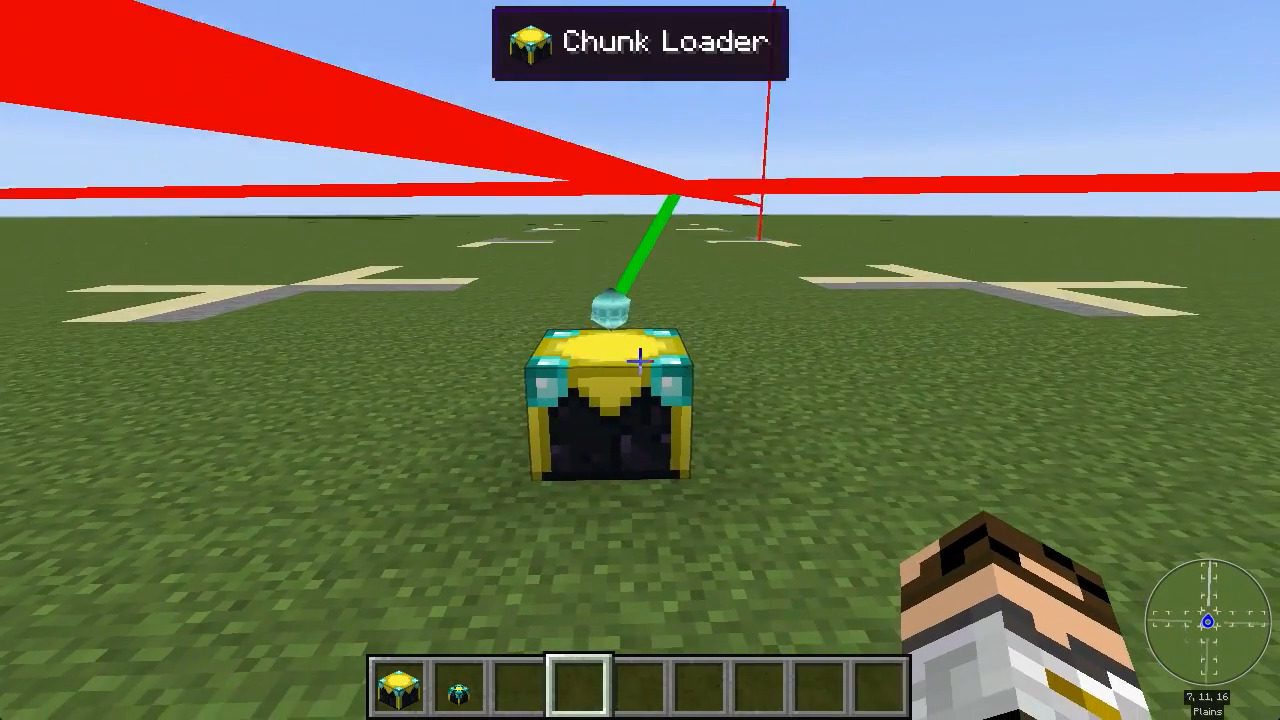
- Place the chunkloader block on the ground. The block will belong to the player who placed it.
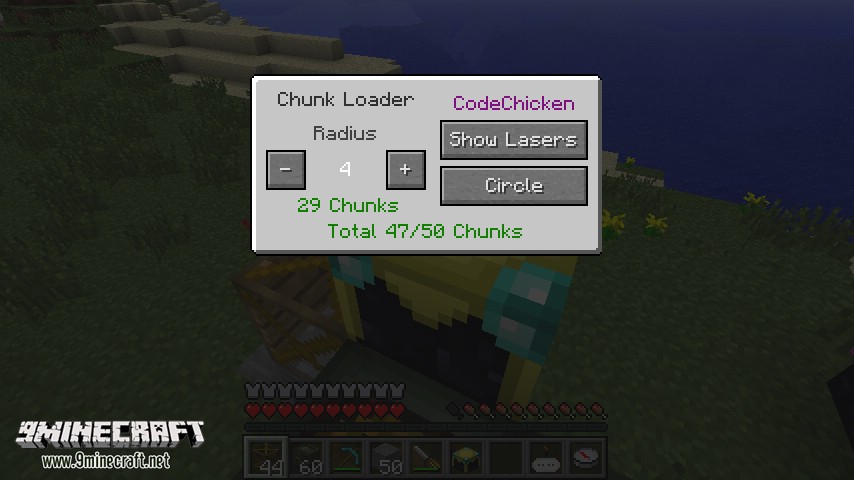
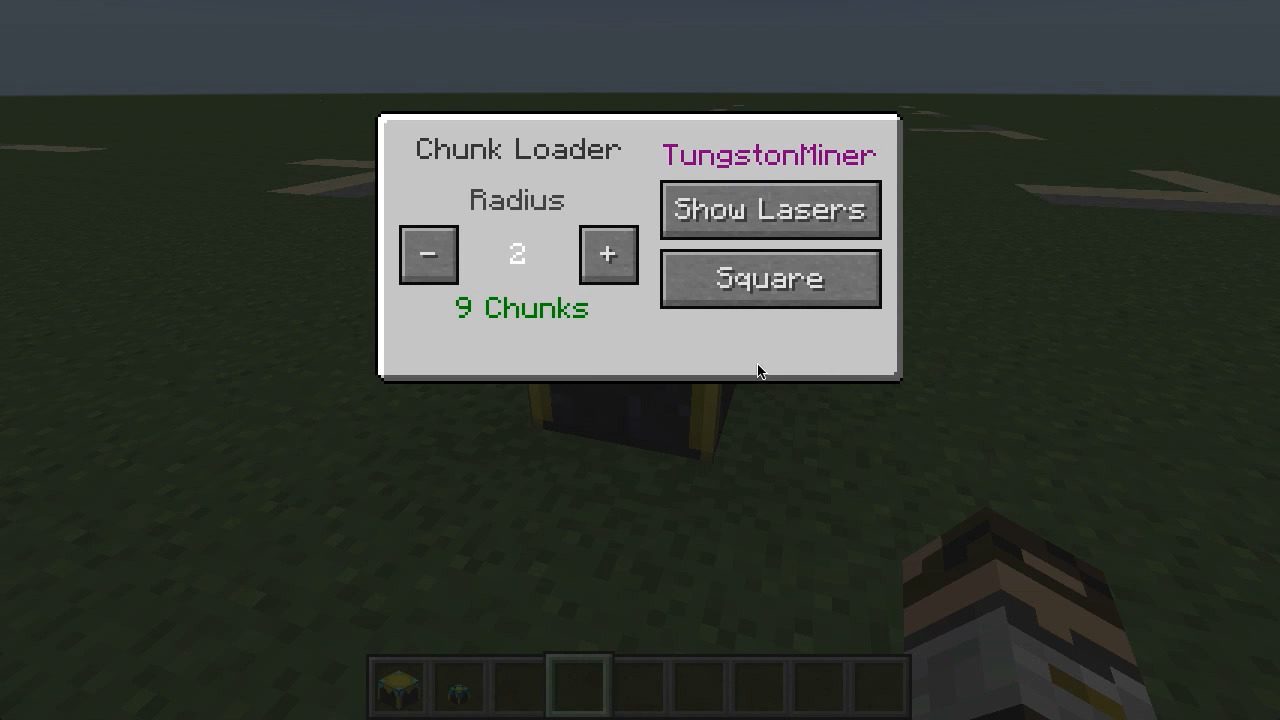
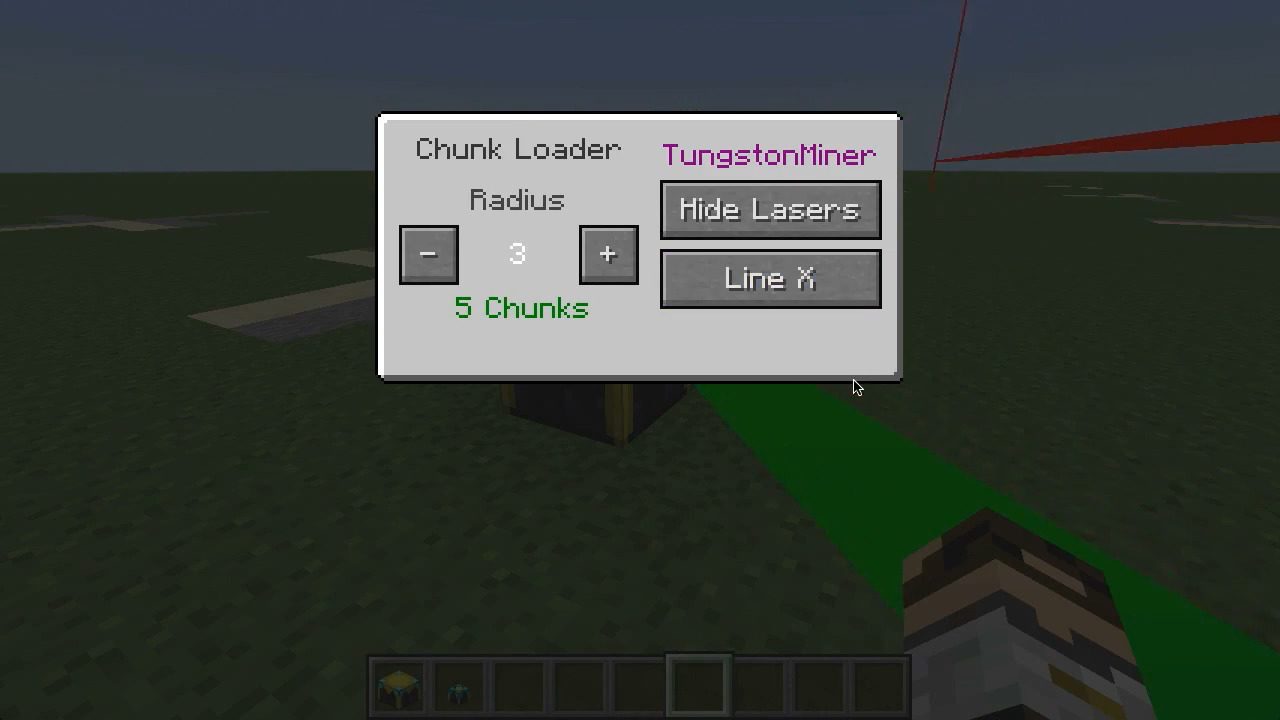
- Right-click the block to open its menu. You can only open the menu if you are the owner.
- In the menu, set the radius and shape (like Square or Circle) to define the area you want to keep loaded.
- The interface will show you the total number of chunks being loaded.
- Click the “Show Lasers” button to see a spinning laser outline in-game, showing the exact boundaries of the loaded area.
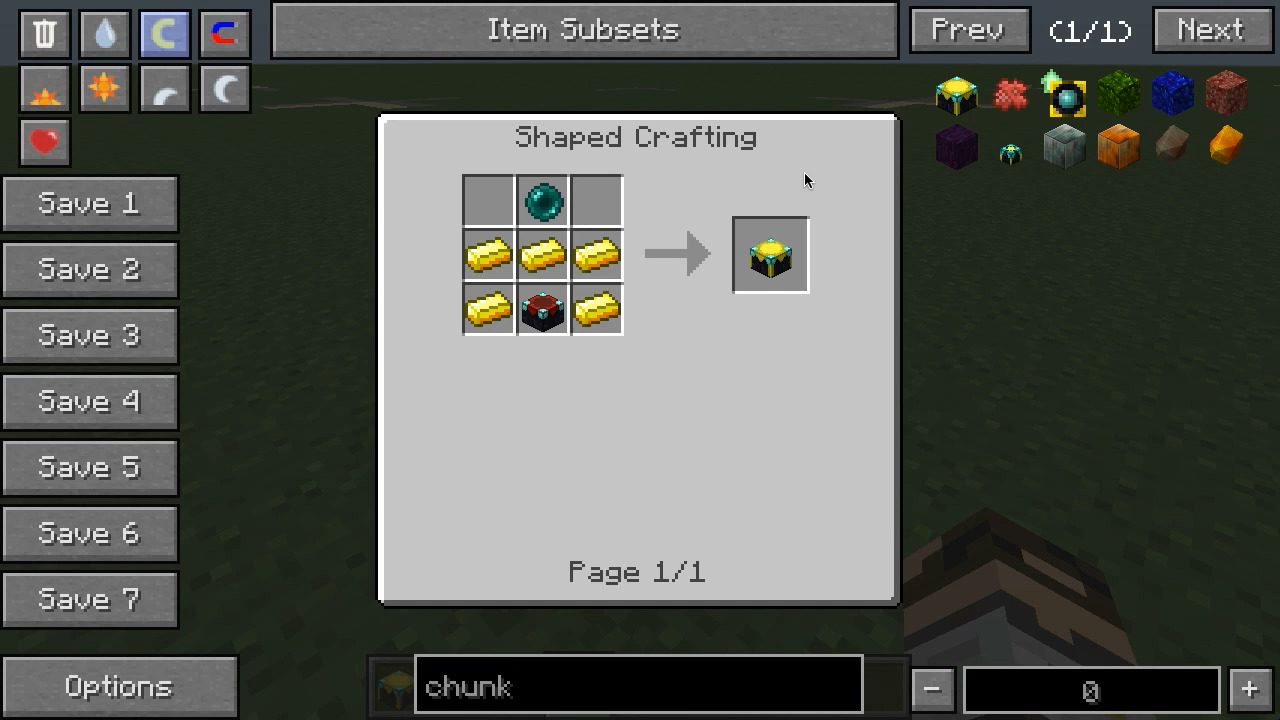
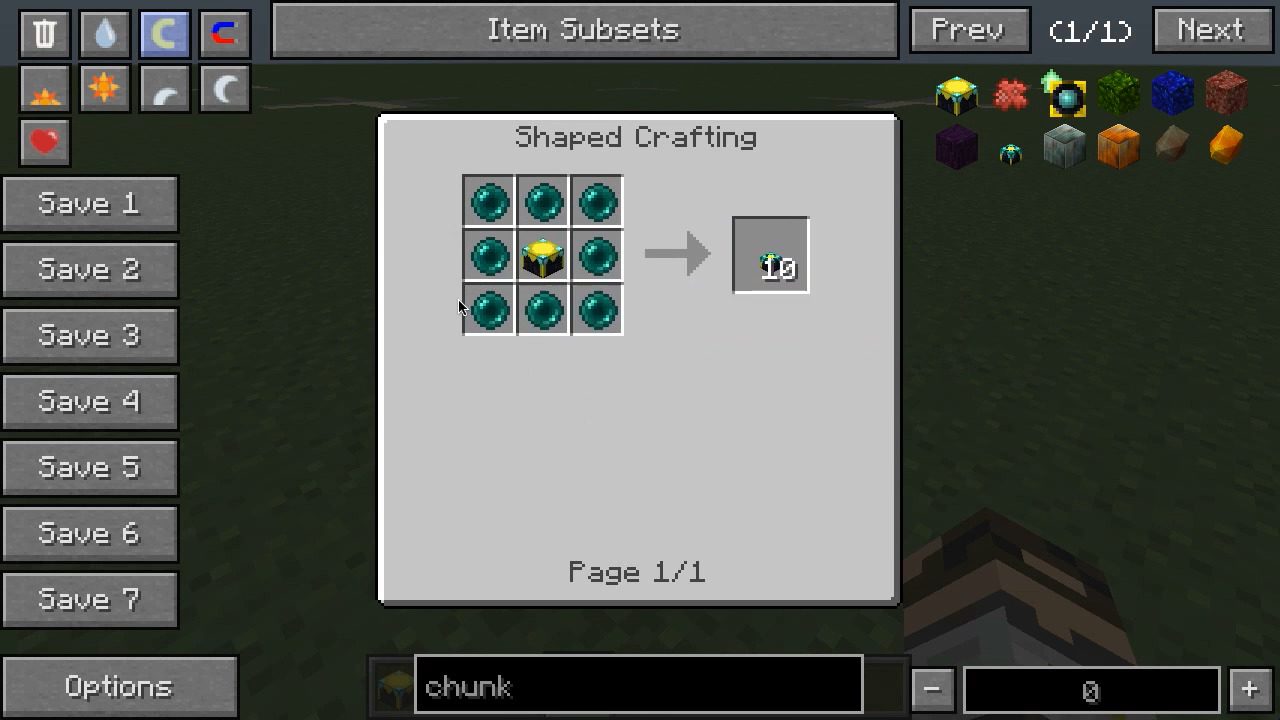
Crafting Recipes:
Screenshots:
Simply place the chunkloader down and open up the Gui. It now belongs to the person who placed it and chunks that it loads will count towards their limit. You can only open the Gui if you own the chunkloader.
- The radius determines the number of chunks to load around this one inclusive.
- The shape is either Circle, Square, LineX or LineZ all of which are self explanitory. A radius 3 with square will load a 25×25 chunk area.
- The number of chunks loaded is shown below the radius.
- The total number of chunks you have loaded out of the amount the server has allowed you is shown at the bottom.
The show lasers button will show some spinning lasers that border on the loaded chunks for easily seeing if your blocks are in the loaded area.
ChunkViewer
Using the command /chunkloaders will activate the ChunkVeiwer if the server has allowed you to.
It will be centered on the player in the current dimension when first activated. You can move it around by dragging it with the mouse.
- The Red blocks are loaded chunks.
- The Yellow blocks are chunkloaders.
- The Green blocks are chunks that are being held by a chunkloader
- The Blue blocks are players.
In the top left the number of ChunkLoaders, Held Chunks (by Chunkloaders), Loaded Chunks and Players in this dimension are shown. The numbers on the axis are the coordinates in blocks. The Horizontal is the x axis and vertical is the z axis. Mousing over a chunkloader or player will show info about it as a tooltip. You can see three sets of chunks, one around the player, one around the spawn point and some around a chunkloader. The Gui will close if you leave the server.
Server Config Options:
- The server operator can set the number of chunks per player, per dimension and overall that are allowed to be force loaded.
- The server can also add player names to a list to have chunkloaders only work when the player is online.
- There is also an option to disable the automatic world loading for mystcraft dimensions if you don’t want them to be hogging your processor/diskIO after a reboot.
ChickenChunks Mod Download Links
- Edition: Minecraft Java
- File type: .jar
- Minecraft versions listed: 1.21.1, 1.20.1
- How to install: Install the matching mod loader (Forge, Fabric or NeoForge) for your Minecraft version. → Download the .jar. → Put it in the .minecraft/mods folder and launch that loader profile.
- Where to get it: In MC Java Mods, or directly above on this page.
Install steps are the general flow for this file type — How to install Minecraft Java mods & modpacks walks through it step by step.
- Downloads as 25969.mcaddon
- Download size: 122 KB
- Download link checked 25 Sept 2026 — working
- Mirrored on our own servers — the download does not depend on the original host
These come from our own check of the pack file, not from the source page.