
Better Chat Hide
Java mod listed for Minecraft 26.x. Downloads from the MC Java Mods app on Android.
I don't know my version or loader

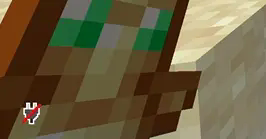
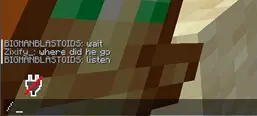
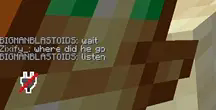
This mod ensures that your chat remains hidden unless you manually open it, and only functions when the mod is toggled.
I found this mod convienent for streaming, as it removes the hassle of having to go into Options > Chat Settings and manually toggle the chat on and off whenever I need it. It's also really convenient for clipping footage for montages, preventing the chat from ruining the clip! CREDS-TO-GUFL
PREVIEW:
Keybind ScreenSHOT

Look at Gallery for more information
- Edition: Minecraft Java
- File type: .jar
- Minecraft versions listed: 26.1, 26.1.1, 26.1.2
- How to install: Install the matching mod loader (Forge, Fabric or NeoForge) for your Minecraft version. → Download the .jar. → Put it in the .minecraft/mods folder and launch that loader profile.
- Where to get it: Opens on Modrinth — not every file is mirrored on our own servers.
Install steps are the general flow for this file type — How to install Minecraft Java mods & modpacks walks through it step by step.
- Ships as betterchathide-26.1-26.1.2.jar — drop this file into the mods folder
- Download size: 7 KB
- Download link checked 10 Oct 2026 — working
These come from our own check of the pack file, not from the source page.