
Cosmetics
Cosmetics is a simple cosmetic armor mod that lets you keep your armor stats while changing how your character looks.
You can wear real armor for protection and use cosmetic slots to display different armor (or nothing at all). Perfect if you want style without sacrificing stats.
🔹 Features
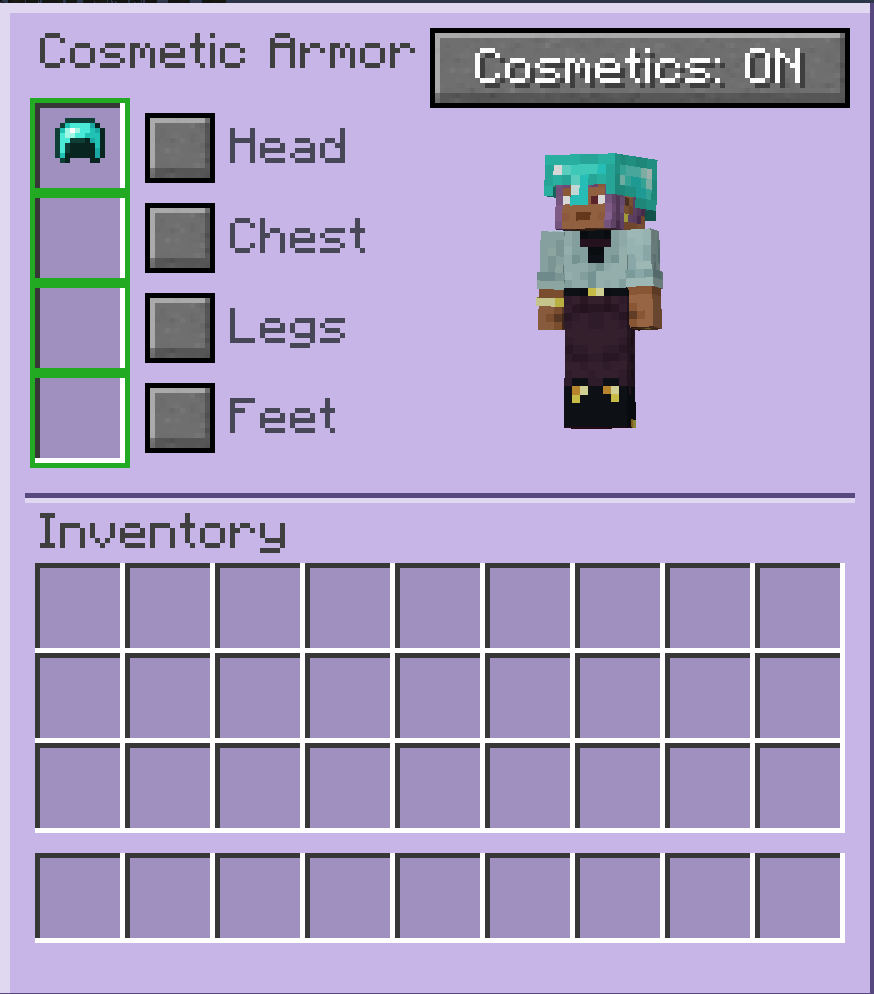
- Separate cosmetic armor slots (Head, Chest, Legs, Feet)
- Keep full armor stats while changing appearance
- Easy-to-use GUI (button in player inventory)
- Toggle cosmetics on/off anytime
- Purely visual — no gameplay advantages
🔹 Notes
- Does not add new armor items
- Does not affect combat or balance
- Inspired by Cosmetic Armor Reworked
🔹 How to use
- Open your inventory
- Click “Open Cosmetics”
- Put armor into cosmetic slots
- Enjoy the look 😄
Quick facts
- Edition: Minecraft Java
- File type: .jar
- Minecraft version listed: 1.20.1
- How to install: Install the matching mod loader (Forge, Fabric or NeoForge) for your Minecraft version. → Download the .jar. → Put it in the .minecraft/mods folder and launch that loader profile.
- Where to get it: Opens on Modrinth — not every file is mirrored on our own servers.
Install steps are the general flow for this file type — How to install Minecraft Java mods & modpacks walks through it step by step.
Verified by MCModsHub
- Ships as cosmetics-1.0.0.jar — drop this file into the mods folder
- Download size: 40 KB
- Download link checked 30 Aug 2026 — working
These come from our own check of the pack file, not from the source page.