
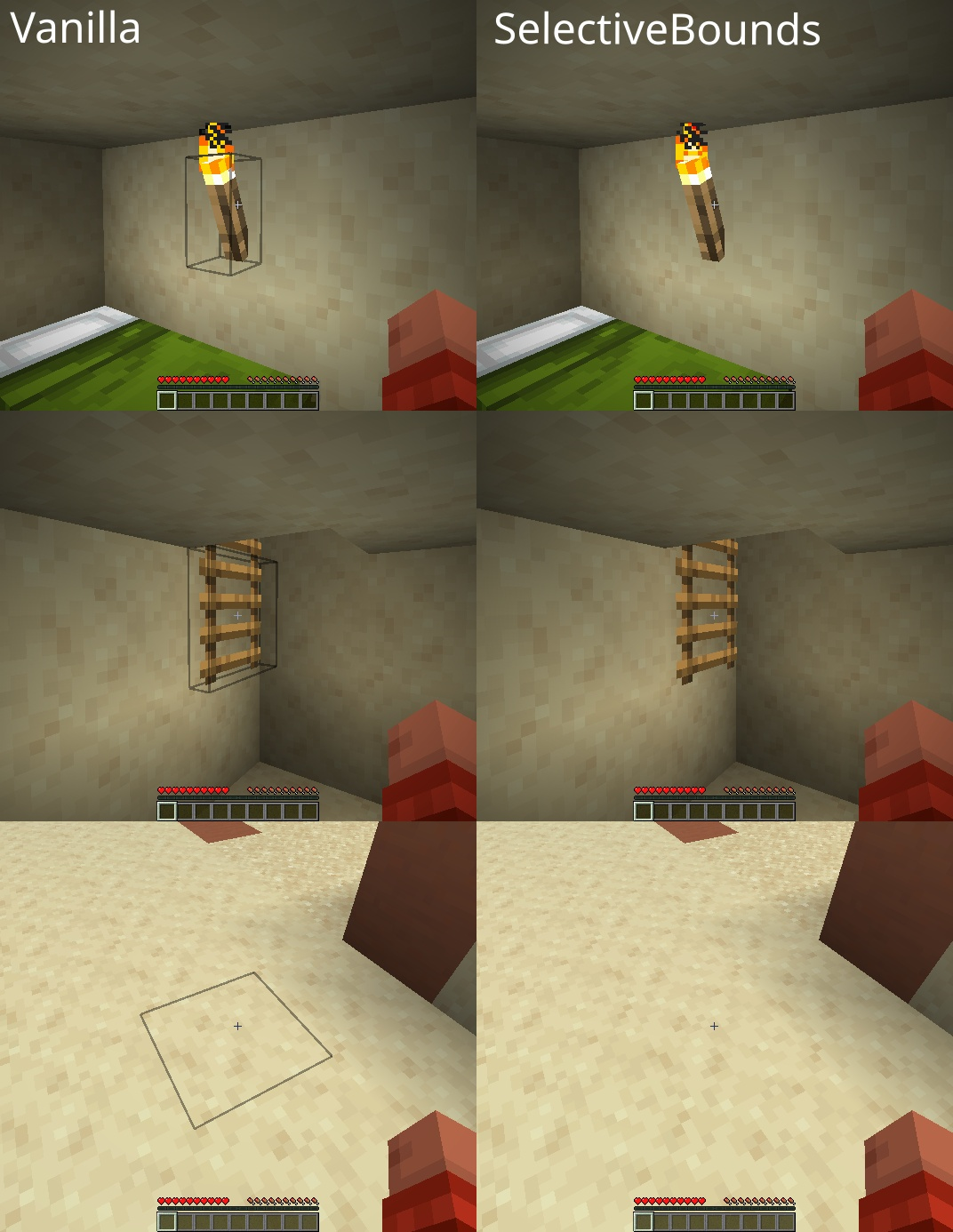
Selective Bounds Mod improves visual clarity by hiding the block selection outline when it is not useful. Normally, Minecraft always displays a block outline when the player looks at a block. This mod removes the outline in situations where it feels unnecessary, making the view cleaner and less distracting.
Features:
- Smart Outline Behavior
- The selection outline is hidden when the player is holding the wrong tool.
- The outline is also hidden when the player has no tool equipped.
- This is especially noticeable on foliage and other non-solid blocks.
- Temporary Visibility
- The outline appears again when the player starts breaking or placing blocks.
- Holding
Shiftwill also temporarily show the outline.
- Configuration
- All behavior can be adjusted in the configuration file:
configs/selectivebounds.json
Screenshots:
Selective Bounds Mod Download Links
Quick facts
- Edition: Minecraft Java
- File type: .jar
- Minecraft version listed: 1.20.1
- How to install: Install the matching mod loader (Forge, Fabric or NeoForge) for your Minecraft version. → Download the .jar. → Put it in the .minecraft/mods folder and launch that loader profile.
- Where to get it: In MC Java Mods, or directly above on this page.
Install steps are the general flow for this file type — How to install Minecraft Java mods & modpacks walks through it step by step.
Verified by MCModsHub
- Downloads as 26015.mcaddon
- Download size: 182 KB
- Download link checked 23 Sept 2026 — working
- Mirrored on our own servers — the download does not depend on the original host
These come from our own check of the pack file, not from the source page.