
Permanent ChatLogs
I don't know my version or loader
Introduction
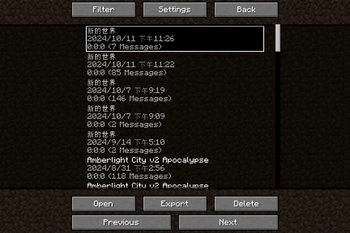
This Mod saves chat logs to the disk to prevent them from being lost when exiting.
Compared with the plain log file (i.e. logs in the "logs" folder), the saved logs here support additional styles including colors, fonts, and even hovering texts. Besides, the time information when messages are received, which is absent in the vanilla game, is available here.
Following features are available or planned now:
- Recording chat logs.
- Exporting chat logs as TXT or HTML.
- Enhance of vanilla chat HUD (like long chat history).
- Deleting existing sessions.
- Spliting existing sessions.
- Mark for events in sessions.
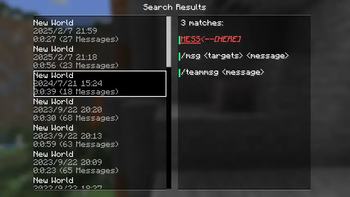
- Searching for sessions.
- Searching for message in all sessions (WIP).
- Mergeing a set of sessions, especally those recorded in the same place (WIP).
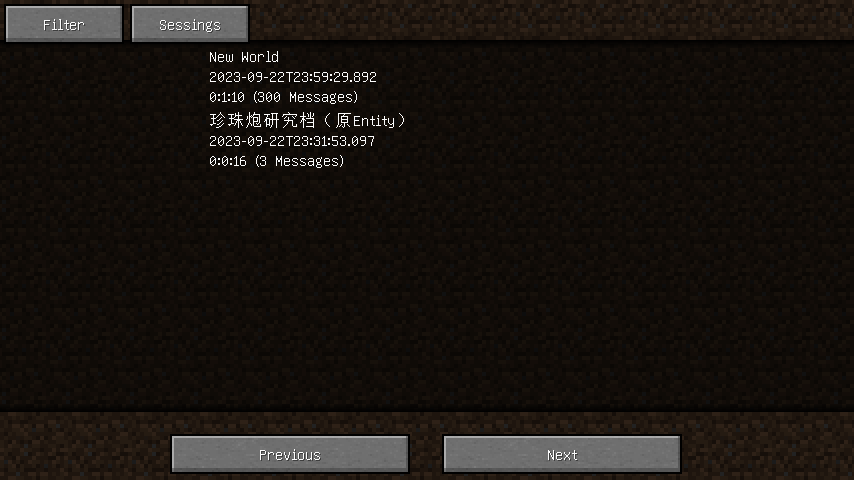
Filtering sessions
Also, searching for sessions or messages in the history is supported, you may filter sessions by:
- The save or server associated with the session.
- The day, month, or year in which the session started.
- Examples: 20240306, 202403, 2024
- The number of messages in the session.
- The format of integer ranges in entity selectors is used here.
- For example, ..20 stands for 0 to 20, while 20.. stands for 20 and above.
- The length of the session.
- The format of integer ranges in entity selectors is used here.
- Whether or not the session is recorded in a multiplayer server.
Settings
visibleLineCount: Overrides the maximum number of messages in the chatting HUD.autoSaveIntervalInMs: The interval of the auto-saving of chat logs, in milliseconds.
Tooltips
If a text in the chat logs has a click event or hover event, a hovering tooltip is displayed, with the argument of the event on it. When both click event and hover event are present in the same text, only the argument of the hover event is displayed initially, to get the argument of the click event, press the Alt key.
The texts on the tooltips can be copied by clicking the text with Ctrl down.
- Edition: Minecraft Java
- File type: .jar
- Minecraft versions listed: 1.20.3, 1.20.4
- How to install: Install the matching mod loader (Forge, Fabric or NeoForge) for your Minecraft version. → Download the .jar. → Put it in the .minecraft/mods folder and launch that loader profile.
- Where to get it: Opens on Modrinth — not every file is mirrored on our own servers.
Install steps are the general flow for this file type — How to install Minecraft Java mods & modpacks walks through it step by step.
- Ships as permanent-chat-logs-0.4.6-build20250529.jar — drop this file into the mods folder
- Download size: 155 KB
- Download link checked 20 Sept 2026 — working
These come from our own check of the pack file, not from the source page.