
Create Toolbox Tooltip
Java mod listed for Minecraft 1.21. Downloads from the MC Java Mods app on Android.
⬇ Download on Modrinth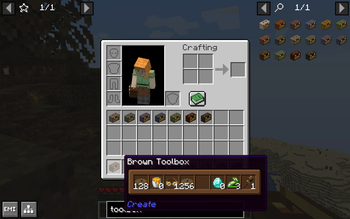

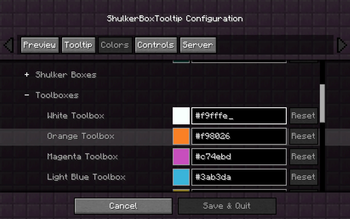
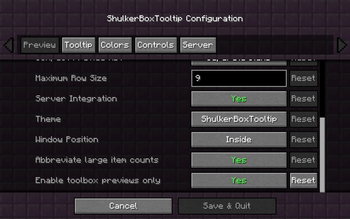
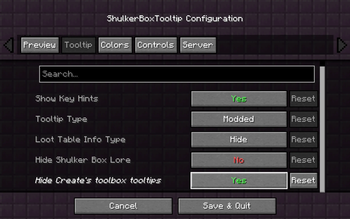




This addon mod shows a tooltip which displays the contents of Create toolboxes when hovering over them in your inventory.
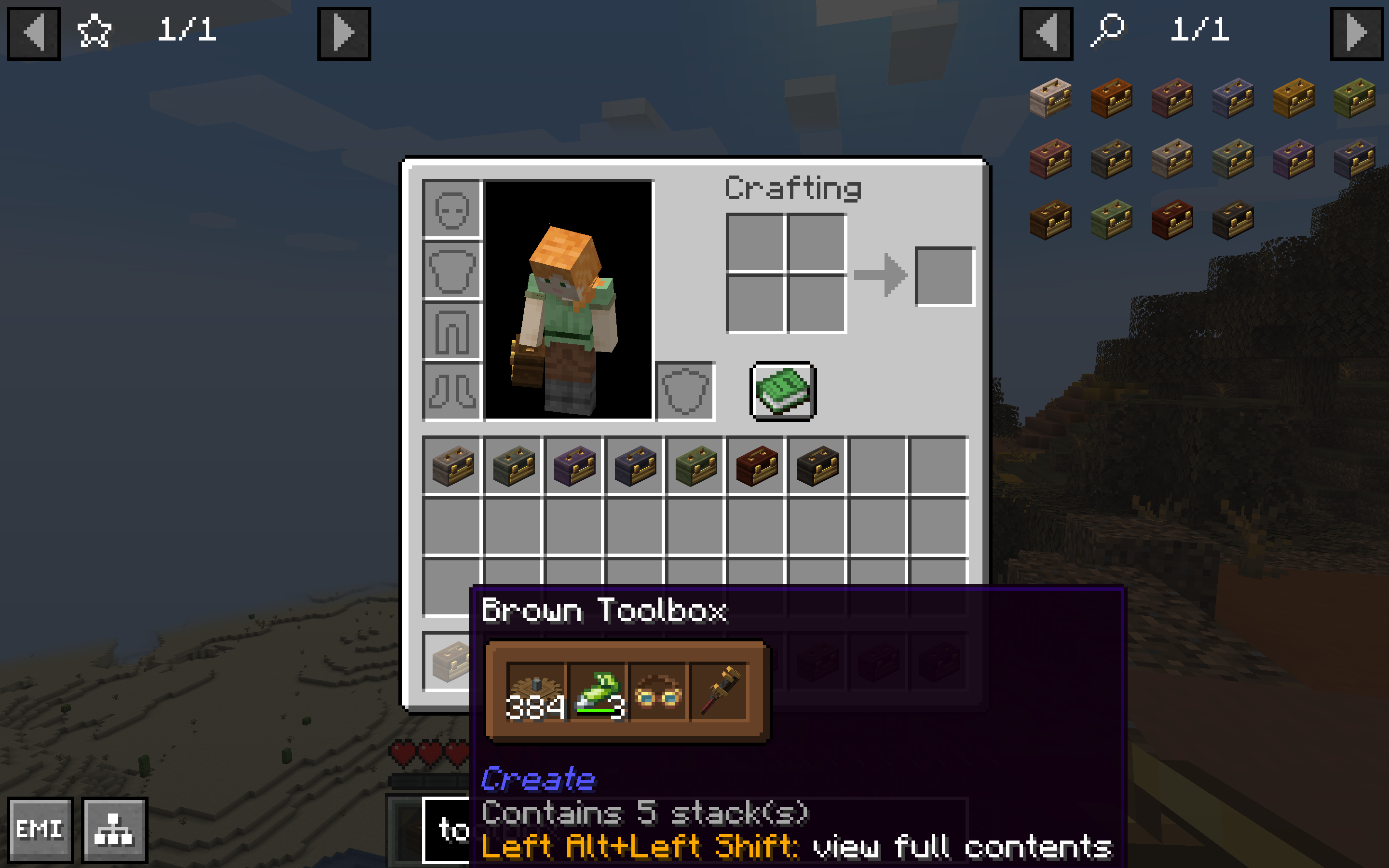
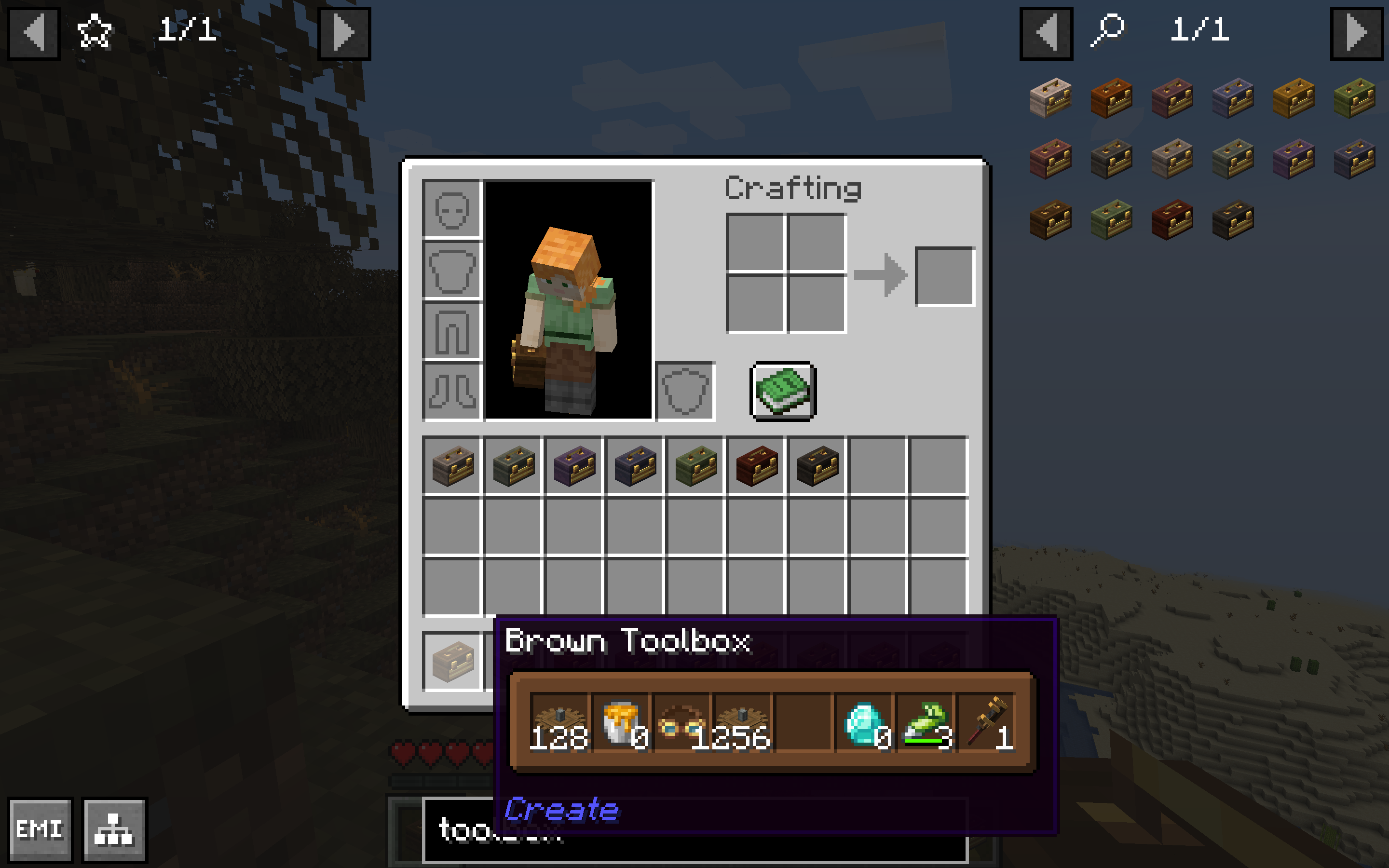
This mod was made using the Shulker Box Tooltip API. You can edit its configurations under the Shulker Box Tooltip mod's config in Mod Menu (on Quilt/Fabric, you will need to have Mod Menu installed first). Check out their Wiki and Modrinth page for more info.
Big thanks to the creators of Shulker Box Tooltip for making this mod a possibility!
Features:

(Basically) everything that Shulker Box Tooltip gives you for Shulker Boxes except for toolboxes including GUI color customization.

Displays empty item stacks.

Ability to toggle off tooltips for other container types besides toolboxes to prevent incompatibilities with other mods such as Easy Shulker Boxes.

Ability to toggle on/off Create’s default tooltip for toolboxes.
Dependencies:
- Create (and all its dependencies)
- Shulker Box Tooltip v4.0.4+1.20.1 or v5.1.9+1.21.1 (and all its dependencies)
Recommended:
- Mod Menu (On Quilt/Fabric)
Copyright © 2026, Sylvie Lee. Licensed under the MIT License.
- Edition: Minecraft Java
- File type: .jar
- Minecraft version listed: 1.21.1
- How to install: Install the matching mod loader (Forge, Fabric or NeoForge) for your Minecraft version. → Download the .jar. → Put it in the .minecraft/mods folder and launch that loader profile.
- Where to get it: Opens on Modrinth — not every file is mirrored on our own servers.
Install steps are the general flow for this file type — How to install Minecraft Java mods & modpacks walks through it step by step.
- Ships as createtoolboxtooltip-1.0.4+1.21.1-neoforge.jar — drop this file into the mods folder
- Download size: 70 KB
- Download link checked 10 Oct 2026 — working
These come from our own check of the pack file, not from the source page.