
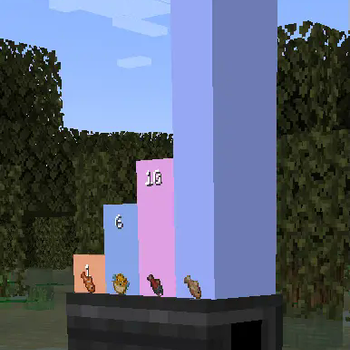
 Plotting in Create.



Addon Info
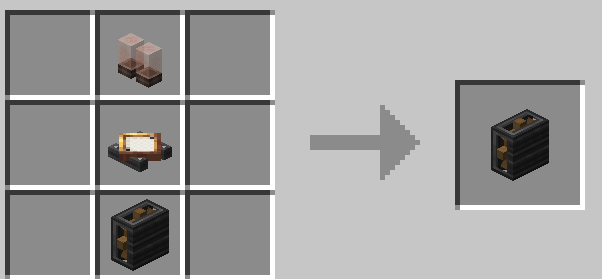
Dashboard block recipe:
How to use:
- Place dashboard block somewhere.
- Place smart-observer next to container (for example, chest).
- Place display link, that targets to dashboard, on the observer.
- Select "List matching items" type in display link.
- Done! ✅
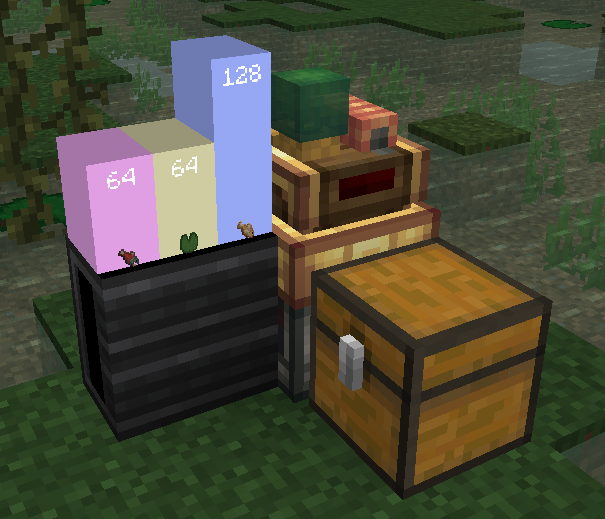
| ⚠ Create: Data and Plots is indev. It may have a lot of changes. |
|---|
| Join discord for more information about updates. |
Quick facts
- Edition: Minecraft Java
- File type: .jar
- Minecraft version listed: 1.20.1
- How to install: Install the matching mod loader (Forge, Fabric or NeoForge) for your Minecraft version. → Download the .jar. → Put it in the .minecraft/mods folder and launch that loader profile.
- Where to get it: Opens on Modrinth — not every file is mirrored on our own servers.
Install steps are the general flow for this file type — How to install Minecraft Java mods & modpacks walks through it step by step.
Verified by MCModsHub
- Ships as create-dataplots-1.20.1-19b.jar — drop this file into the mods folder
- Download size: 37 KB
- Download link checked 30 Aug 2026 — working
These come from our own check of the pack file, not from the source page.