JLine for Dedicated Server
I don't know my version or loader
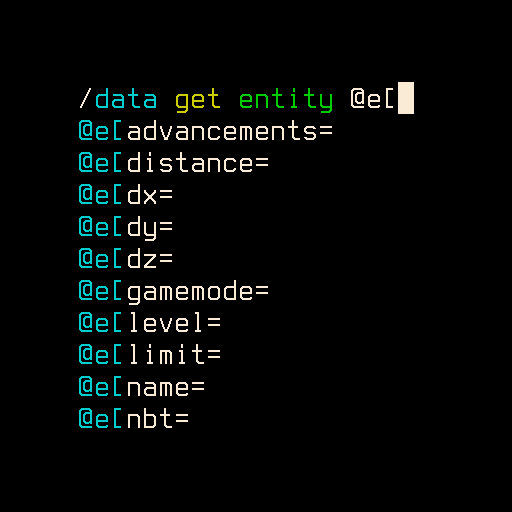
A server side mod to enable command history, auto completion and syntax highlighting on the server console, somewhat similar to the chat console in the game or the Spigot server console. Should have zero impact on the gameplay.
![]()
This mod is configured via jline4mcdsrv.toml in the config folder:
logPatternis the pattern used for Log4j 2 (documentation found here)highlightColorsis a list of colors used to highlight parameters in order (as seen in the image above)
PSA: Since Minecraft 1.17 the -Dlog4j.skipJansi=false command line argument is needed for %style/%highlight log output (0.6.2 doesn't require this anymore).
This mod only works if the server is started with the 'nogui' option. There's no plan to add support for the GUI server.
Note: The original author of this mod is chirs241097 and the project is also found on CurseForge. I've been maintaining this mod for a while and Chris allowed me to bring the mod to Modrinth too!
- Edition: Minecraft Java
- File type: .jar
- Minecraft versions listed: 26.1, 26.1.1, 26.1.2
- How to install: Install the matching mod loader (Forge, Fabric or NeoForge) for your Minecraft version. → Download the .jar. → Put it in the .minecraft/mods folder and launch that loader profile.
- Where to get it: Opens on Modrinth — not every file is mirrored on our own servers.
Install steps are the general flow for this file type — How to install Minecraft Java mods & modpacks walks through it step by step.
- Ships as jline4mcdsrv-0.8.0.jar — drop this file into the mods folder
- Download size: 1.5 MB
- Download link checked 30 Aug 2026 — working
These come from our own check of the pack file, not from the source page.