WhatI'mPressing
Java mod listed for Minecraft 26.x. Downloads from the MC Java Mods app on Android.
⬇ Download on ModrinthWhat I'm Pressing
This mod allows you to display the button you are currently clicking on the screen.
You also can customize it by the editor, and the editor can be accessed by clicking the shortcut key (default is "]").
By default, the mod displays the WASD four keys in the upper left corner of the screen.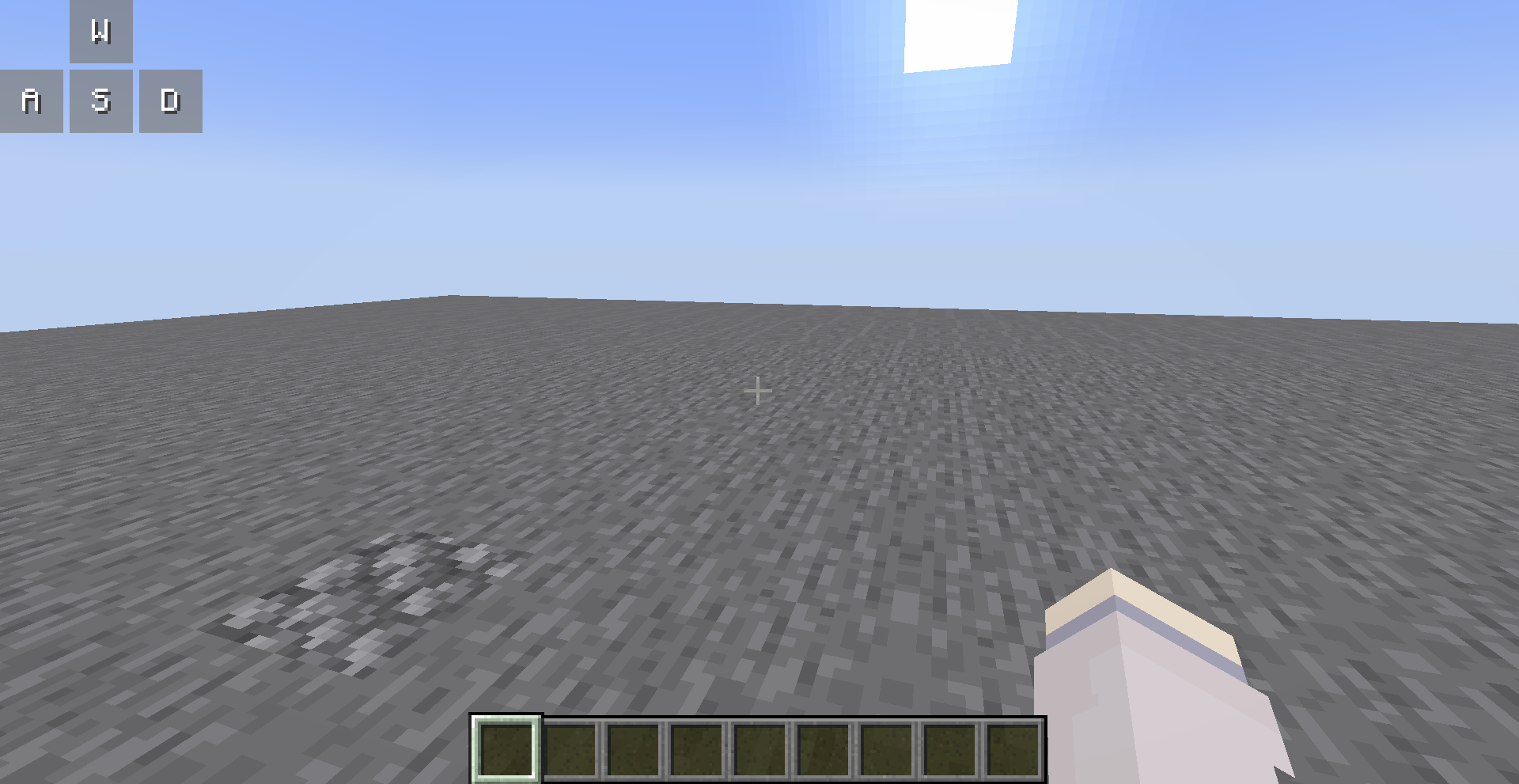
You can open the editor to customize them, all your changes are saved automatically.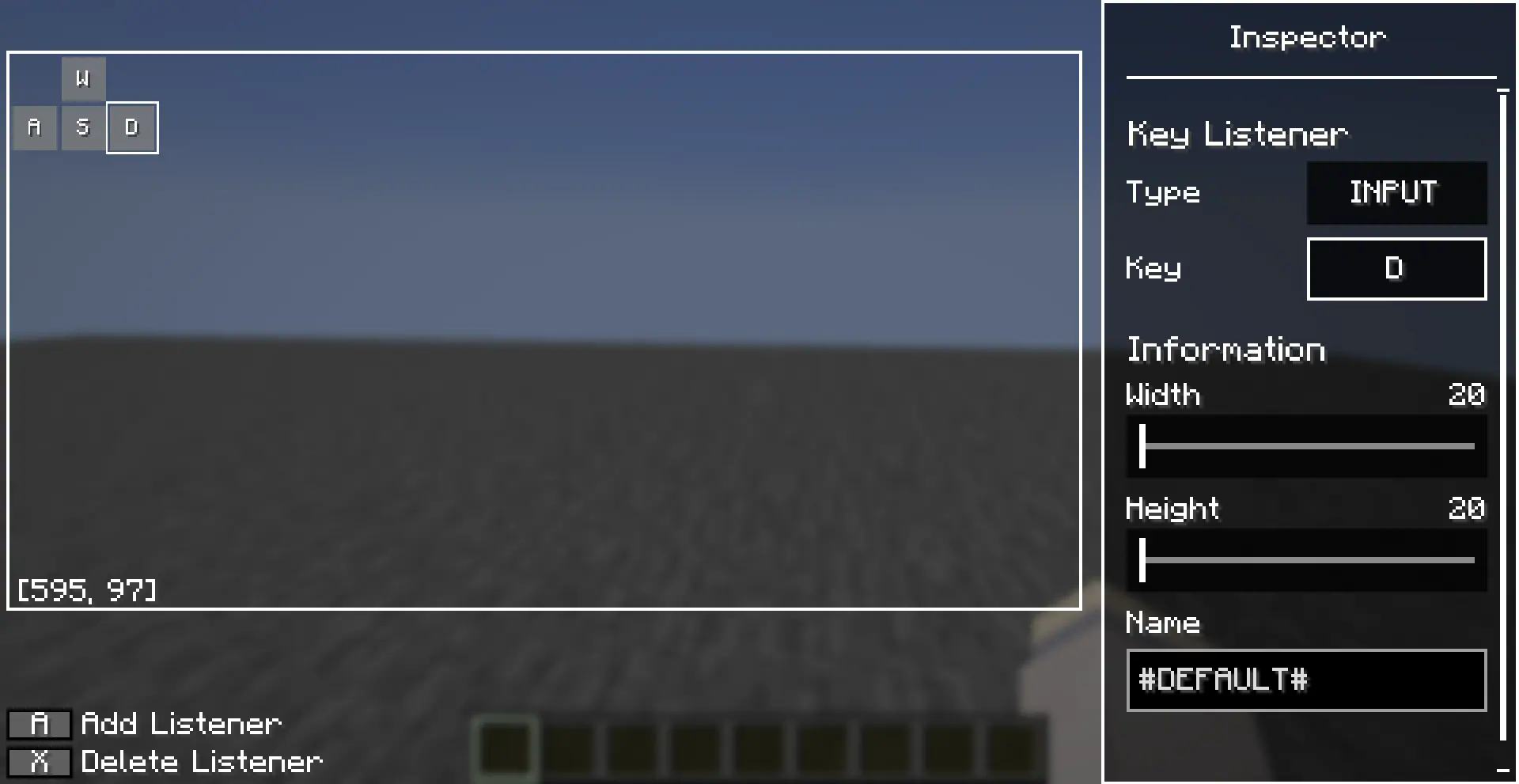
Editor Operations
You can use the left mouse button to select a key listener in the editor, and long press the left mouse button to drag it.
There are also many operations allowed in the editor, which you can perform with the following key combinations:
- [A]: Add a new key listener at the cursor
- [X]: Deletes the selected key listener
- [Ctrl + C]: Copies the selected key listener
- [Ctrl + V]: Paste the copied key listener at the cursor, or paste the copied style onto the selected key listener
- [Ctrl + R]: Resets the style of the selected key listener
- [up/down/left/right]: Move selected key listener
Inspector also supports copy-paste operations, after you selected a entries (left clicked or right clicked), you can use [Ctrl + C] to copy it and [Ctrl + V] to paste it.
- Edition: Minecraft Java
- File type: .jar
- Minecraft version listed: 26.2
- How to install: Install the matching mod loader (Forge, Fabric or NeoForge) for your Minecraft version. → Download the .jar. → Put it in the .minecraft/mods folder and launch that loader profile.
- Where to get it: Opens on Modrinth — not every file is mirrored on our own servers.
Install steps are the general flow for this file type — How to install Minecraft Java mods & modpacks walks through it step by step.
- Ships as wip-fabric-26.2-1.2.jar — drop this file into the mods folder
- Download size: 97 KB
- Download link checked 31 Oct 2026 — working
These come from our own check of the pack file, not from the source page.