
DarkGlint
Java mod listed for Minecraft 26.x. Downloads from the MC Java Mods app on Android.
I don't know my version or loader
Get a server today and play with your friends! Click HERE or below banner & Use Code GAMERPOTION to get 25 off!





DarkGlint
Changes the vanilla enchantment glint to a darker blue nebula glint | View Changelog
This is Client Side only
Created by the same authors who made DarkRPG (for a full RPG experience, get the DarkRPG modpack and enjoy quests and rpg gameplay)
Features
(Your vanilla experience will be further enhanced thanks to these features)
This changes your standard vanilla enchanted item and armor glint into a cool looking dark blue nebula glint that looks really good in the dark! Change your Glint Strength in Accessibility settings to 100% for maximum effect.
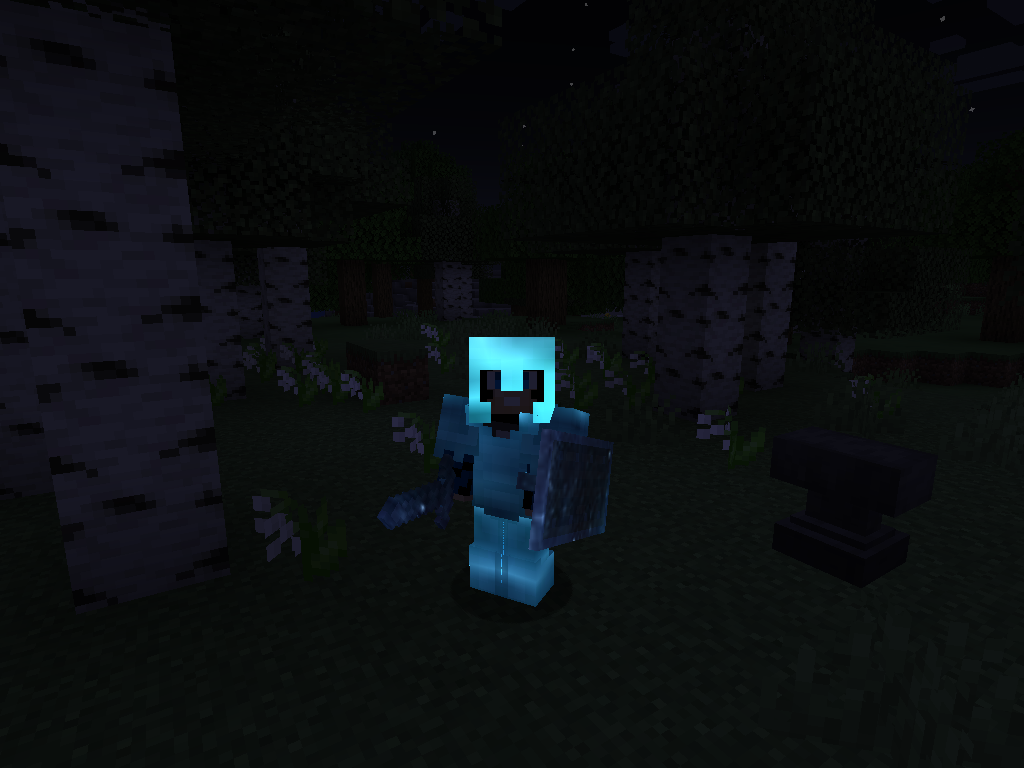

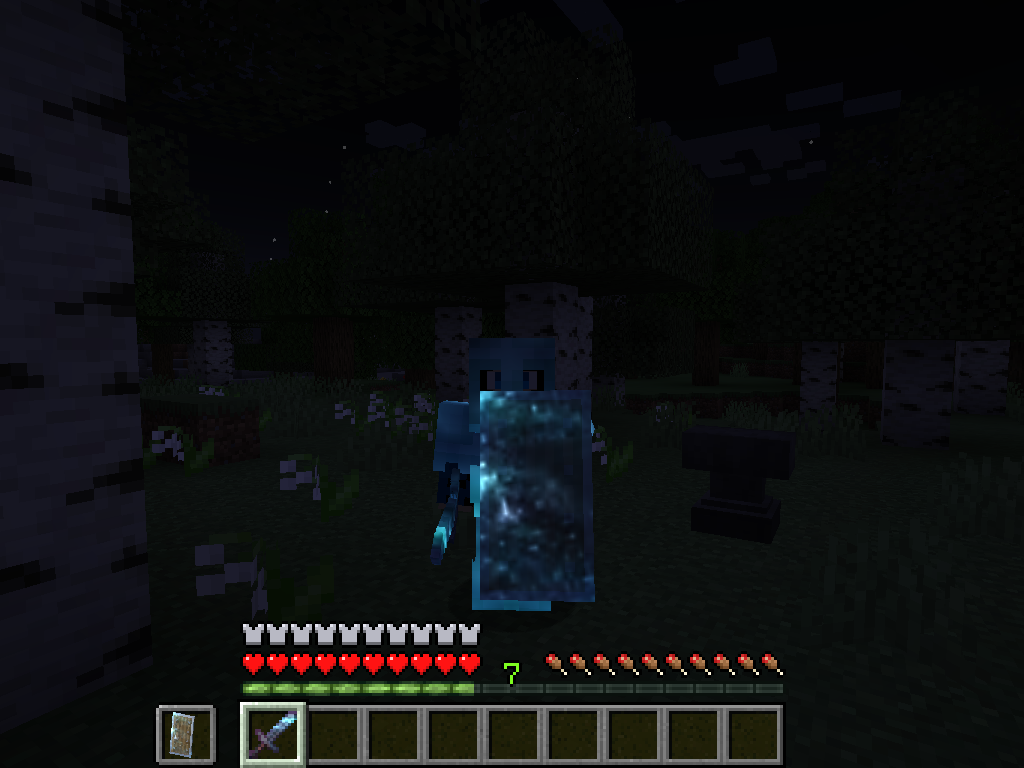
Permission - Feel free to use in your modpacks.
Click the banner below to get your server today! or go to BisectHosting.com and make sure to use the code 'gamerpotion' to get your 25% off.
- Edition: Minecraft Java
- File type: .jar
- Minecraft versions listed: 26.1, 26.1.1, 26.1.2
- How to install: Install the matching mod loader (Forge, Fabric or NeoForge) for your Minecraft version. → Download the .jar. → Put it in the .minecraft/mods folder and launch that loader profile.
- Where to get it: Opens on Modrinth — not every file is mirrored on our own servers.
Install steps are the general flow for this file type — How to install Minecraft Java mods & modpacks walks through it step by step.
- Ships as darkglint-neoforge-26.1-1.1.8.jar — drop this file into the mods folder
- Download size: 110 KB
- Download link checked 10 Oct 2026 — working
These come from our own check of the pack file, not from the source page.