Modern Lights
I don't know my version or loader
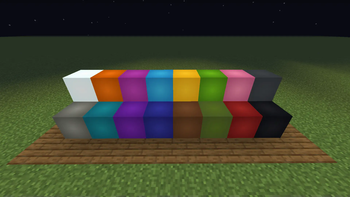
This mod is inspired by the amazing mod Simply Light by Flanks255.
Modern Lights
Simple to use, modern-ish looking light blocks.
What's New [v2.5.0]There are not a lot of changes in this version, just some minor fixes, and couple of recipe changes
Fixes:
- Fixed broken recipes
- Fixed broken advavncements
Changes:
- New Mod icon/logo ;D
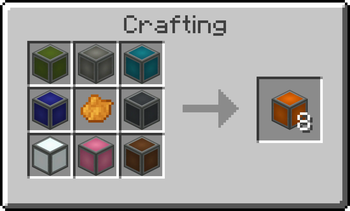
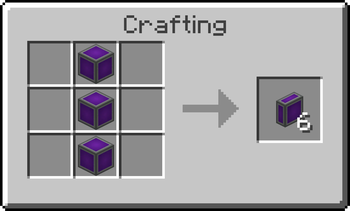
- Changed the crafting recipe of Luminous Block (Now slightly expensive) [see Gallery]
- Added a few new recepies
New recepies:
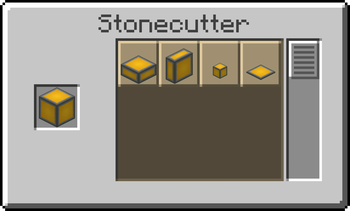
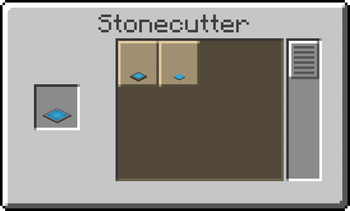
- 2 Slabs -> 1 Blocks:
Craft two slabs (vertical or normal) to get their respective block variant back - (Stonecutter) 1 Slab -> 4 Mini Block:
Added Mini blocks as an output for stonecutting slabs
For previous versions of the mod, visit CurseForge
As of now, the (latest) version 2.5.0 of this mod is only available for Minecraft 1.20 and above, older versions might get supported, but no promises as to when :/
This mod adds the following blocks:
- Andesite Frame
- Luminous Blocks
- Luminous Blocks Full
- Luminous Slabs
- Luminous Slabs Full
- Luminous Vertical Slab
- Luminous Vertical Slab Full
- Luminous Mini Blocks
- Luminous Mini Blocks Full
- Ceiling Lights
- Mini Lights
- Panels
- Small Panels
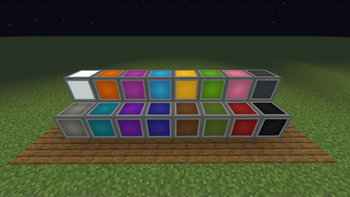
Note: All the blocks are available in all the 16 colors (Except Andestie Frame)
Interactions:
- Right-click to toggle any block on/off.
- Giving a redstone signal to any block will toggle it on
- When a block is being powered by redstone, it can not be turned off by right-clicking
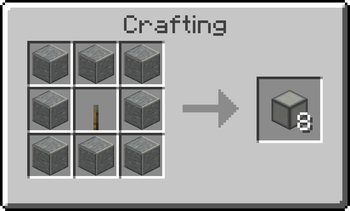
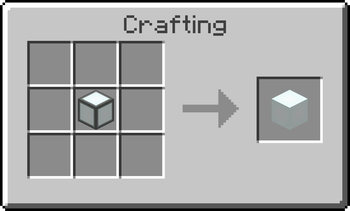
See Gallery for crafting recipes and checking out how the blocks look.
For suggestions and stuff : Discord
P.S. If you haven't noticed yet, I am bad at naming things. So name suggestions are always welcome along with other suggestions like recipe changes, new blocks, etc.
- Edition: Minecraft Java
- File type: .jar
- Minecraft versions listed: 1.21.2, 1.21.3, 1.21.4
- How to install: Install the matching mod loader (Forge, Fabric or NeoForge) for your Minecraft version. → Download the .jar. → Put it in the .minecraft/mods folder and launch that loader profile.
- Where to get it: Opens on Modrinth — not every file is mirrored on our own servers.
Install steps are the general flow for this file type — How to install Minecraft Java mods & modpacks walks through it step by step.
- Ships as modern-lights-2.5.0+[1.21.2-1.21.4].jar — drop this file into the mods folder
- Download size: 1.2 MB
- Download link checked 30 Aug 2026 — working
These come from our own check of the pack file, not from the source page.