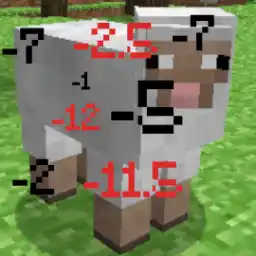
ModsJava
DamageIndicator
Java mod listed for Minecraft 1.16–1.19. Downloads from the MC Java Mods app on Android.
⬇ Download on Hangar# DamageIndicator
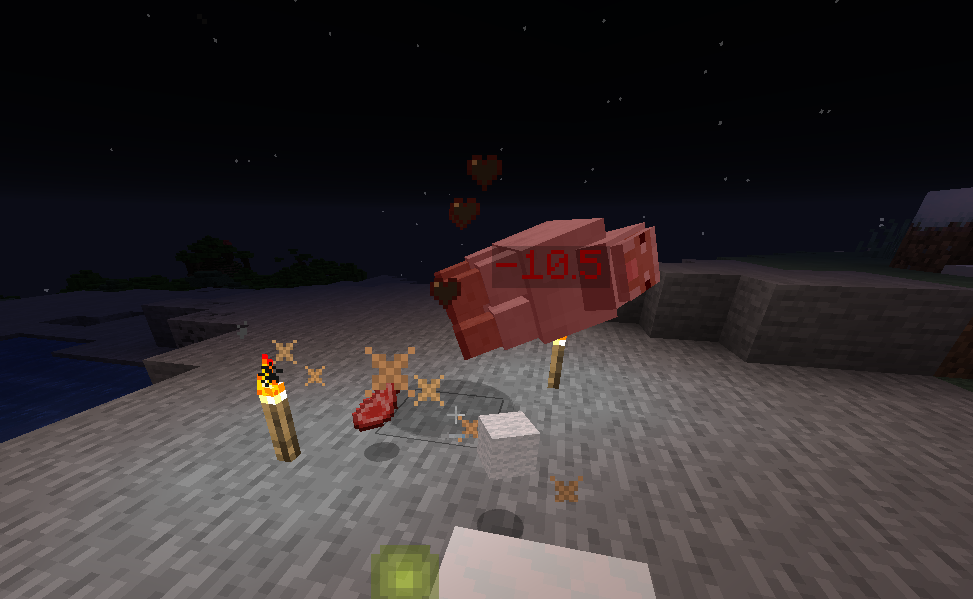
Indicators for damage dealt to entities!
## features
* Indicate damage (duh)
* Hide indicator from other players (configurable)
* Detects Crits, Poison damage, burn damage etc.
* Just works
* Emoji support (not actually)
## Configuration
You can find the config file at \plugins\DamageIndicator\config.yml. By default it should look like this:
```yaml
## Should the indicator be shown to everyone(true) or just the player who dealt the damage(false)
ShowToDamagerOnly: true
## The format for showing the damage
# Read about decimal formats to learn how to configure the indicator format.
# https://docs.oracle.com/en/java/javase/11/docs/api/java.base/java/text/DecimalFormat.html
# Hex colours are supported using the legacy format (e.g. &x&F&F&F&F&F&F to represent white), but may also be defined
# using a smaller version unique to the damage indicator plugin (e.g. &#FFFFFF to represent white). Note that the usage
# of 0's in the hex code would mess with the decimal formatting, hence they should be escaped using single quotes, such
# as this:
# IndicatorFormat: "'&#FFC300'-0.#&4❤"
# using Hex colours is optional. The legacy minecraft colour codes are still supported.
IndicatorFormat: "&7-0.#&4❤"
CriticalIndicatorFormat: "&c-0.#&4❤"
PoisonIndicatorFormat: "&7-0.#'e8a24'❤"
BurnIndicatorFormat: "&7-0.#'&#f59e42'❤"
## The decimal format's locale (BCP47)
# This determines the locale used for formatting. The formatter uses this e.g. when deciding between a dot ('0.0')
# or a comma ('0,0') for decimal numbers.
FormatLocale: "en-US"
## For how long an indicator should be shown. (Use seconds)
IndicatorTime: 1.5
```
## Commands and permissions
`/damageindicator reload` reloads the config. requires `Damageindicator.admin`
Quick facts
- Edition: Minecraft Java
- File type: .jar
- Minecraft versions listed: 1.16.3, 1.16.4, 1.16.5
- How to install: Install the matching mod loader (Forge, Fabric or NeoForge) for your Minecraft version. → Download the .jar. → Put it in the .minecraft/mods folder and launch that loader profile.
- Where to get it: Opens on Hangar — not every file is mirrored on our own servers.
Install steps are the general flow for this file type — How to install Minecraft Java mods & modpacks walks through it step by step.
DamageIndicator is a free Minecraft Java mod. Compatible with Minecraft 1.16.3, 1.16.4, 1.16.5, 1.17 and newer. Downloaded 10,404 times (via Hangar). Download it and open it directly in the game.