
Fractal
Java mod listed for Minecraft 26.x. Downloads from the MC Java Mods app on Android.
⬇ Download on Modrinth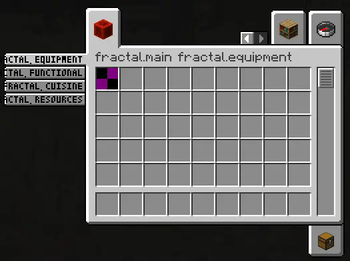
About Fractal
This repo is a fork of lib39/fractal by unascribed, with added support for styled groups. I will take care of this repo while unascribed is busy.
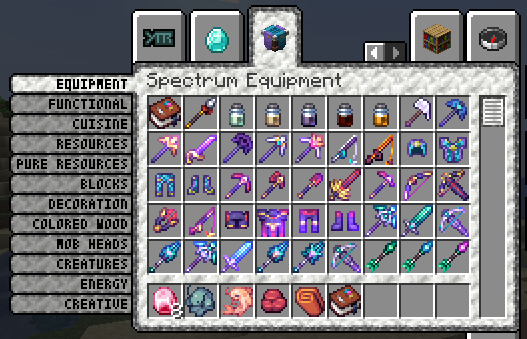
Fractal introduces item subgroups for the creative menu.
Why Fractal?
- Fractals Subgroups are very condensed, allowing you to add up to 12 subgroups for each of your tabs
- Creating a new ItemSubGroup only takes one line of code and no changes in the way you assign your items to groups. Just pass them the ItemSubGroup instead of your main item group
Limitations
- More than 12 subgroups per item group, while fully functional, will look weird.
- The tiny font used for the labels does not support full unicode
Examples
Vanilla Style Subgroups
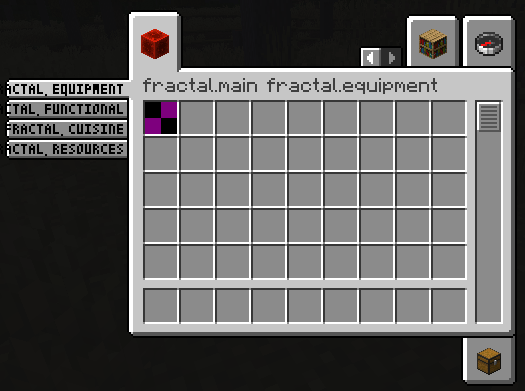
public static final Identifier GROUP_ID = new Identifier("mymod", "main");

public static final ItemGroup MAIN = FabricItemGroup.builder()
		.icon(() -> new ItemStack(Blocks.REDSTONE_BLOCK))
		.entries((displayContext, entries) -> entries.add(Items.APPLE))
		.displayName(Text.translatable("mymod.1"))
		.noRenderedName()
		.build();

public static final ItemGroup EQUIPMENT = new ItemSubGroup.Builder(MAIN, Text.translatable("itemGroup.mymod.equipment")).entries((displayContext, entries) -> entries.add(Items.APPLE)).build();
public static final ItemGroup FUNCTIONAL = new ItemSubGroup.Builder(MAIN, Text.translatable("itemGroup.mymod.functional")).styled(STYLE).entries((displayContext, entries) -> entries.add(Items.BAKED_POTATO)).build();
public static final ItemGroup CUISINE = new ItemSubGroup.Builder(MAIN, Text.translatable("itemGroup.mymod.cuisine")).entries((displayContext, entries) -> entries.add(Items.CACTUS)).build();
public static final ItemGroup RESOURCES = new ItemSubGroup.Builder(MAIN, Text.translatable("itemGroup.mymod.resources")).styled(STYLE).entries((displayContext, entries) -> entries.add(Items.DANDELION)).build();

@Override
public void onInitialize() {
    Registry.register(Registries.ITEM_GROUP, GROUP_ID, MAIN);
}
Applying a custom style
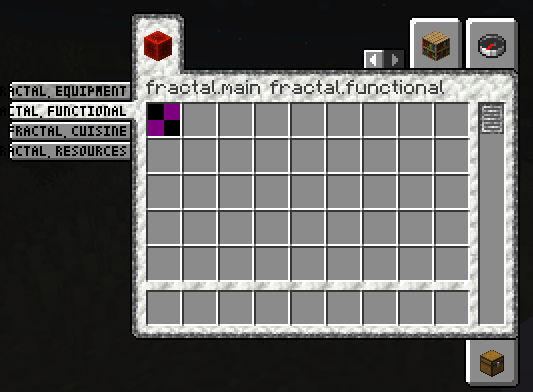
You are also able to apply a style to your ItemSubGroups, by supplying custom background, tab, subtab and scrollbar textures. You can even mix and match! In this example, the first two ItemSubGroups use a custom style by supplying texture files that are being shipped with your mod. The latter two tabs use the vanilla style.
// Texture (put into \resources\assets\fractal\textures\gui\container\creative_inventory)
public static final Identifier BACKGROUND_TEXTURE = new Identifier("fractal", "textures/gui/container/creative_inventory/custom_background.png");

// Sprites (put into \resources\assets\fractal\textures\gui\sprites\container\creative_inventory)
public static final Identifier SCROLLBAR_ENABLED_TEXTURE = new Identifier("fractal", "container/creative_inventory/custom_scrollbar_enabled");
public static final Identifier SCROLLBAR_DISABLED_TEXTURE = new Identifier("fractal", "container/creative_inventory/custom_scrollbar_disabled");

public static final Identifier SUBTAB_SELECTED_TEXTURE = new Identifier("fractal", "container/creative_inventory/custom_subtab_selected");
public static final Identifier SUBTAB_UNSELECTED_TEXTURE = new Identifier("fractal", "container/creative_inventory/custom_subtab_unselected");

public static final Identifier TAB_TOP_FIRST_SELECTED_TEXTURE = new Identifier("fractal", "container/creative_inventory/custom_tab_top_first_selected");
public static final Identifier TAB_TOP_SELECTED_TEXTURE = new Identifier("fractal", "container/creative_inventory/custom_tab_top_selected");
public static final Identifier TAB_TOP_LAST_SELECTED_TEXTURE = new Identifier("fractal", "container/creative_inventory/custom_tab_top_last_selected");
public static final Identifier TAB_TOP_FIRST_UNSELECTED_TEXTURE = new Identifier("fractal", "container/creative_inventory/custom_tab_top_first_unselected");
public static final Identifier TAB_TOP_UNSELECTED_TEXTURE = new Identifier("fractal", "container/creative_inventory/custom_tab_top_unselected");
public static final Identifier TAB_TOP_LAST_UNSELECTED_TEXTURE = new Identifier("fractal", "container/creative_inventory/custom_tab_top_last_unselected");
public static final Identifier TAB_BOTTOM_FIRST_SELECTED_TEXTURE = new Identifier("fractal", "container/creative_inventory/custom_tab_bottom_first_selected");
public static final Identifier TAB_BOTTOM_SELECTED_TEXTURE = new Identifier("fractal", "container/creative_inventory/custom_tab_bottom_selected");
public static final Identifier TAB_BOTTOM_LAST_SELECTED_TEXTURE = new Identifier("fractal", "container/creative_inventory/custom_tab_bottom_last_selected");
public static final Identifier TAB_BOTTOM_FIRST_UNSELECTED_TEXTURE = new Identifier("fractal", "container/creative_inventory/custom_tab_bottom_first_unselected");
public static final Identifier TAB_BOTTOM_UNSELECTED_TEXTURE = new Identifier("fractal", "container/creative_inventory/custom_tab_bottom_unselected");
public static final Identifier TAB_BOTTOM_LAST_UNSELECTED_TEXTURE = new Identifier("fractal", "container/creative_inventory/custom_tab_bottom_last_unselected");

public static final ItemSubGroup.Style STYLE = new ItemSubGroup.Style.Builder()
        .background(BACKGROUND_TEXTURE)
        .scrollbar(SCROLLBAR_ENABLED_TEXTURE, SCROLLBAR_DISABLED_TEXTURE)
        .subtab(SUBTAB_SELECTED_TEXTURE, SUBTAB_UNSELECTED_TEXTURE)
        .tab(TAB_TOP_FIRST_SELECTED_TEXTURE, TAB_TOP_SELECTED_TEXTURE, TAB_TOP_LAST_SELECTED_TEXTURE, TAB_TOP_FIRST_UNSELECTED_TEXTURE, TAB_TOP_UNSELECTED_TEXTURE, TAB_TOP_LAST_UNSELECTED_TEXTURE,
                TAB_BOTTOM_FIRST_SELECTED_TEXTURE, TAB_BOTTOM_SELECTED_TEXTURE, TAB_BOTTOM_LAST_SELECTED_TEXTURE, TAB_BOTTOM_FIRST_UNSELECTED_TEXTURE, TAB_BOTTOM_UNSELECTED_TEXTURE, TAB_BOTTOM_LAST_UNSELECTED_TEXTURE)
        .build();

public static final ItemGroup EQUIPMENT = new ItemSubGroup.Builder(MAIN, Text.translatable("itemGroup.mymod.equipment")).styled(STYLE).entries((displayContext, entries) -> entries.add(Items.APPLE)).build();
public static final ItemGroup FUNCTIONAL = new ItemSubGroup.Builder(MAIN, Text.translatable("itemGroup.mymod.functional")).styled(STYLE).entries((displayContext, entries) -> entries.add(Items.BAKED_POTATO)).build();
public static final ItemGroup CUISINE = new ItemSubGroup.Builder(MAIN, Text.translatable("itemGroup.mymod.cuisine")).entries((displayContext, entries) -> entries.add(Items.CACTUS)).build();
public static final ItemGroup RESOURCES = new ItemSubGroup.Builder(MAIN, Text.translatable("itemGroup.mymod.resources")).entries((displayContext, entries) -> entries.add(Items.DANDELION)).build();
- Edition: Minecraft Java
- File type: .jar
- Minecraft version listed: 26.2
- How to install: Install the matching mod loader (Forge, Fabric or NeoForge) for your Minecraft version. → Download the .jar. → Put it in the .minecraft/mods folder and launch that loader profile.
- Where to get it: Opens on Modrinth — not every file is mirrored on our own servers.
Install steps are the general flow for this file type — How to install Minecraft Java mods & modpacks walks through it step by step.
- Ships as Fractal-2.1.2+26.2-neoforge.jar — drop this file into the mods folder
- Download size: 285 KB
- Download link checked 10 Oct 2026 — working
These come from our own check of the pack file, not from the source page.