
Create: Armor Blocks
Java mod listed for Minecraft 1.20. Downloads from the MC Java Mods app on Android.
⬇ Download on Modrinth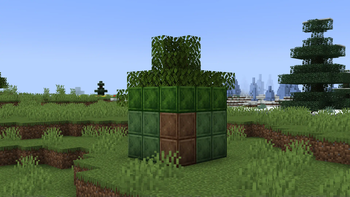
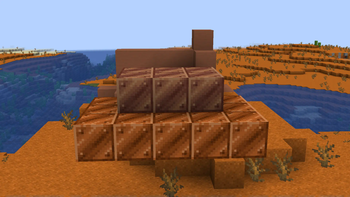
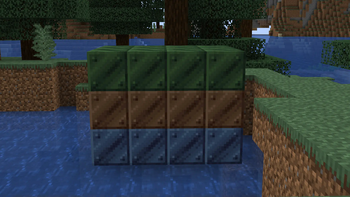
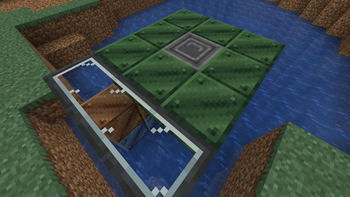
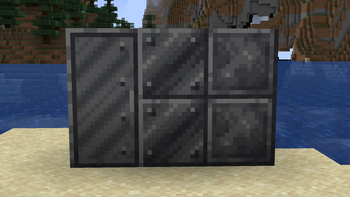
Credit to Aycer for helping with code significantly!
The armor types:
Armor block:
Normal armor. Ideal for armored vehicles, ships. Balanced strength and weight
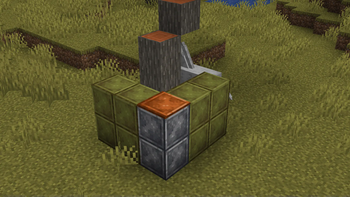
Light plating:
Lightweight, thin armor. Ideal for aircraft. Weak but light
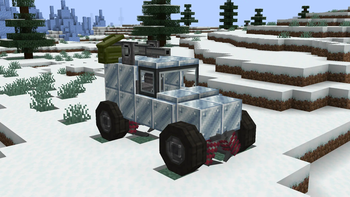
Heavy armor block:
Heavy and powerful. Ideal for frontal tank armor. Strongest but very heavy.
Other:
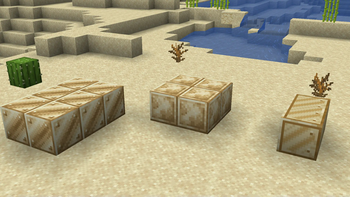
Sand bags, mostly decorative.
Tank obstacles, high hitbox makes tanks hard to cross
Armored trapdoor & Armored glass
TO-DO:
Varied texture brightness, like raw crimsite, every block has a different brightness. Will make flat repetitive textures have more detail and depth. Armored vs2 wings/flaps. Fuel vs2 wings/flaps. Reinforced concrete. Stronger than heavy armor but breaks in vs2 craft. Ideal for ground defense. More colors + useless ones removed.
- Edition: Minecraft Java
- File type: .jar
- Minecraft version listed: 1.20.1
- How to install: Install the matching mod loader (Forge, Fabric or NeoForge) for your Minecraft version. → Download the .jar. → Put it in the .minecraft/mods folder and launch that loader profile.
- Where to get it: Opens on Modrinth — not every file is mirrored on our own servers.
Install steps are the general flow for this file type — How to install Minecraft Java mods & modpacks walks through it step by step.
- Ships as createarmorblocks-v0.2+mc1.20.1.jar — drop this file into the mods folder
- Download size: 190 KB
- Download link checked 10 Oct 2026 — working
These come from our own check of the pack file, not from the source page.