FightCam
I don't know my version or loader
Fight Camera
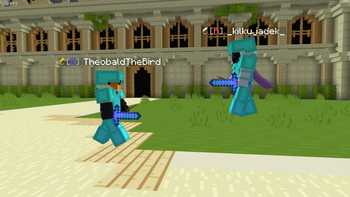
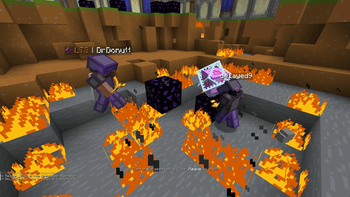
Gives a fighting game style, side on view of 2 players. Fully compatible with Flashback replays
Usage:
/fightcam players to set the camera's target players
/fightcam toggle to toggle fightcam (bound to ; by default)
/fightcam smooth to set the lerp factor for the camera. Values closer to 0 give smoother camera movement, values closer to 1 give more reactive camera movment. Defaults to 0.6
Camera distance
/fightcam distance set the camera distance to the anchor position in blocks (changes camera mode to static)
/fightcam distance auto makes it so the camera adjusts the distance automatically to keep the players in view (base distance is adjustable with forward and backward keys)
Camera Height
/fightcam height sets the camera's height relative to the anchor position in blocks
/fightcam height avg sets the camera to follow the average height of the players (good for viewing mace and crystal fights with constant height changes)
/fightcam height ground sets the camera to follow the average height of the last grounded height of the players (good for gamemodes with little height change/flat terrain)
Camera Anchor
/fightcam anchor avg sets the camera to follow the average position of both players
/fightcam anchor <p1/p2> sets the camera to follow the first or second player (automatically sets distance to be fixed)
- Edition: Minecraft Java
- File type: .jar
- Minecraft versions listed: 1.21, 1.21.1
- How to install: Install the matching mod loader (Forge, Fabric or NeoForge) for your Minecraft version. → Download the .jar. → Put it in the .minecraft/mods folder and launch that loader profile.
- Where to get it: Opens on Modrinth — not every file is mirrored on our own servers.
Install steps are the general flow for this file type — How to install Minecraft Java mods & modpacks walks through it step by step.
- Ships as fight-camera-1.21-1.0.0.jar — drop this file into the mods folder
- Download size: 30 KB
- Download link checked 30 Aug 2026 — working
These come from our own check of the pack file, not from the source page.