
CobblePots
Java mod listed for Minecraft 1.21. Downloads from the MC Java Mods app on Android.
CobblePots bridges Cobblemon and BotanyPots, allowing you to farm Apricorns and Berries directly inside BotanyPots planters.
⬇ Download on Modrinth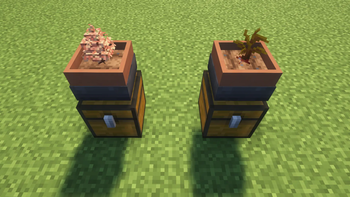
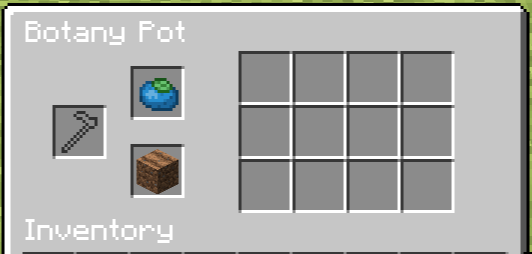
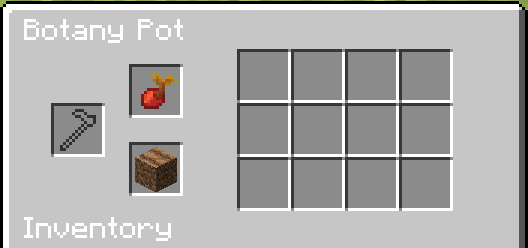
Turn your BotanyPots into a Cobblemon farm With CobblePots!
Apricorns and Berries can finally be grown in BotanyPots just like any other crop. Whether you re automating Apricorn production for Poké Balls or cultivating a colorful berry garden, CobblePots makes it simple, aesthetic, and fully integrated into your world.
✨ Features
🌱 Apricorn farming Plant Apricorn Seeds in BotanyPots to grow Apricorns.
🍓 Berry farming Farm dozens of Cobblemon berries.
🪴 Mint farming Farm all the Cobblemon Mints!
🪴 Multiple soils supported Works with dirt, farmland, coarse dirt, rooted dirt, podzol, mycelium, moss block, mud, gravel, sand, and red sand.
🌸 Berry display! All berry bush models now render properly using BotanyPots growth stages.
🔄 Balanced growth Uses BotanyPots grow times and yield scaling for consistent gameplay.
✅ Lightweight and safe Recipes only load if both Cobblemon and BotanyPots are installed.
Disclaimer: This does not farm Apricorn Wood. If needed, I will add it, but atm its only the Apricorns / Berries.
For safety reason, client and server are required to have this mod installed You may use this mod on server, as long credit is provided
- Edition: Minecraft Java
- File type: .jar
- Minecraft version listed: 1.21.1
- How to install: Install the matching mod loader (Forge, Fabric or NeoForge) for your Minecraft version. → Download the .jar. → Put it in the .minecraft/mods folder and launch that loader profile.
- Where to get it: Opens on Modrinth — not every file is mirrored on our own servers.
Install steps are the general flow for this file type — How to install Minecraft Java mods & modpacks walks through it step by step.
- Ships as CobblePots-Fabric-1.0.0.jar — drop this file into the mods folder
- Download size: 42 KB
- Download link checked 11 Oct 2026 — working
These come from our own check of the pack file, not from the source page.