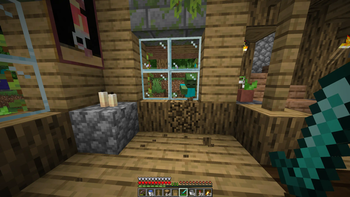
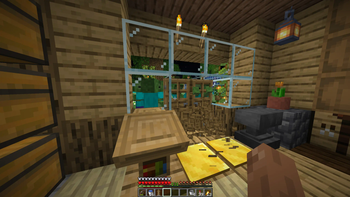
Minecraft’s zombies have always been predictable — easy to outrun, quick to forget, and powerless against a simple door or wall. Survival was never truly challenging.
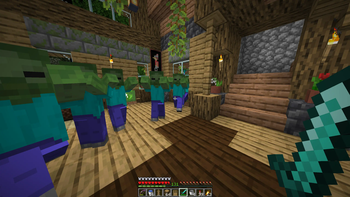
Invasive Zombies changes all that by making zombies relentless hunters who will stop at nothing to find you.
Features:
Relentless Tracking
- Once a zombie spots you, it won’t stop. Hiding won’t work—they remember your location and track you relentlessly.
Advanced Block Breaking
- Zombies can break through doors and configurable blocks to reach you.
- Breaking effects and sounds warn you they’re coming.
- Optional tool-based breaking system: zombies must use the correct tool (pickaxe, axe, or shovel) to break specific blocks.
Tool System (New in 2.0.0)
- Option to require tools for block breaking
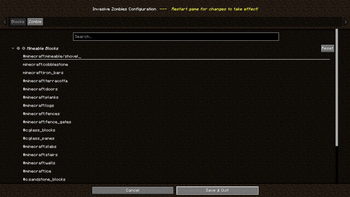
- Configurable block lists for:
- ⛏️ Pickaxe-breakable blocks
- 🪓 Axe-breakable blocks
- 🪣 Shovel-breakable blocks
- "Always Mineable" block list for blocks that can be broken regardless of tool.
- Optional setting to equip zombies with tools automatically.
No Safe Place
- Nowhere is truly safe unless you build it to be. Your base must be well-fortified to withstand their onslaught.
Customizable Settings
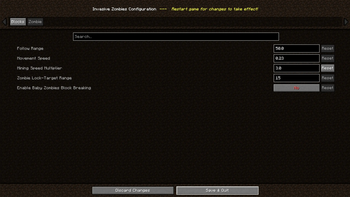
- Adjust block-breaking capabilities, tool requirements, zombie speed, tracking range, and more to tailor the difficulty to your preference.
Multiplayer Support
- Compatible with multiplayer servers; however, configuration must be manually edited on the server side.
Notes:
- Zombies may occasionally break random blocks while performing FarBlockSearch.
- To access the client-side config screen, ModMenu or ModSettings and cloth-config-api must be installed for your Minecraft version.
Quick facts
- Edition: Minecraft Java
- File type: .jar
- Minecraft version listed: 26.2
- How to install: Install the matching mod loader (Forge, Fabric or NeoForge) for your Minecraft version. → Download the .jar. → Put it in the .minecraft/mods folder and launch that loader profile.
- Where to get it: Opens on Modrinth — not every file is mirrored on our own servers.
Install steps are the general flow for this file type — How to install Minecraft Java mods & modpacks walks through it step by step.
Verified by MCModsHub
- Ships as invasivezombies-2.0.1-mc26.2.jar — drop this file into the mods folder
- Download size: 217 KB
- Download link checked 30 Aug 2026 — working
These come from our own check of the pack file, not from the source page.