TNT's Harder Beds
Makes beds harder to obtain and use, including a more difficult crafting recipe and a new mechanic that forces you to build a bedroom to sleep.
I don't know my version or loader
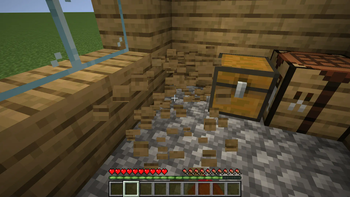
Do you think it's too easy to obtain and use beds? Do you want a more challenging early game? If you answered yes to either question, this mod is for you!
Features
- You're required to build a valid bedroom before sleeping
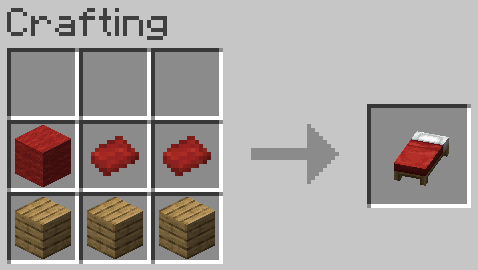
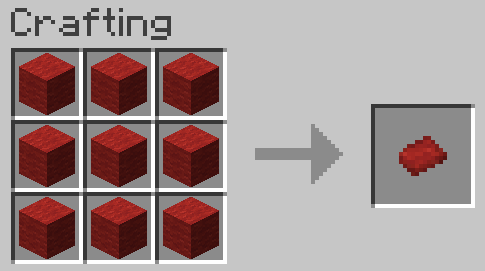
- Beds now require 2 matresses to craft, which need 9 wool blocks each
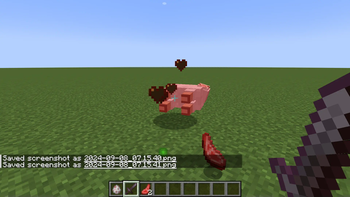
- Sheep only drop wool if you sheer them
- Beds only drop as items if you use silk touch or shears
Bedrooms
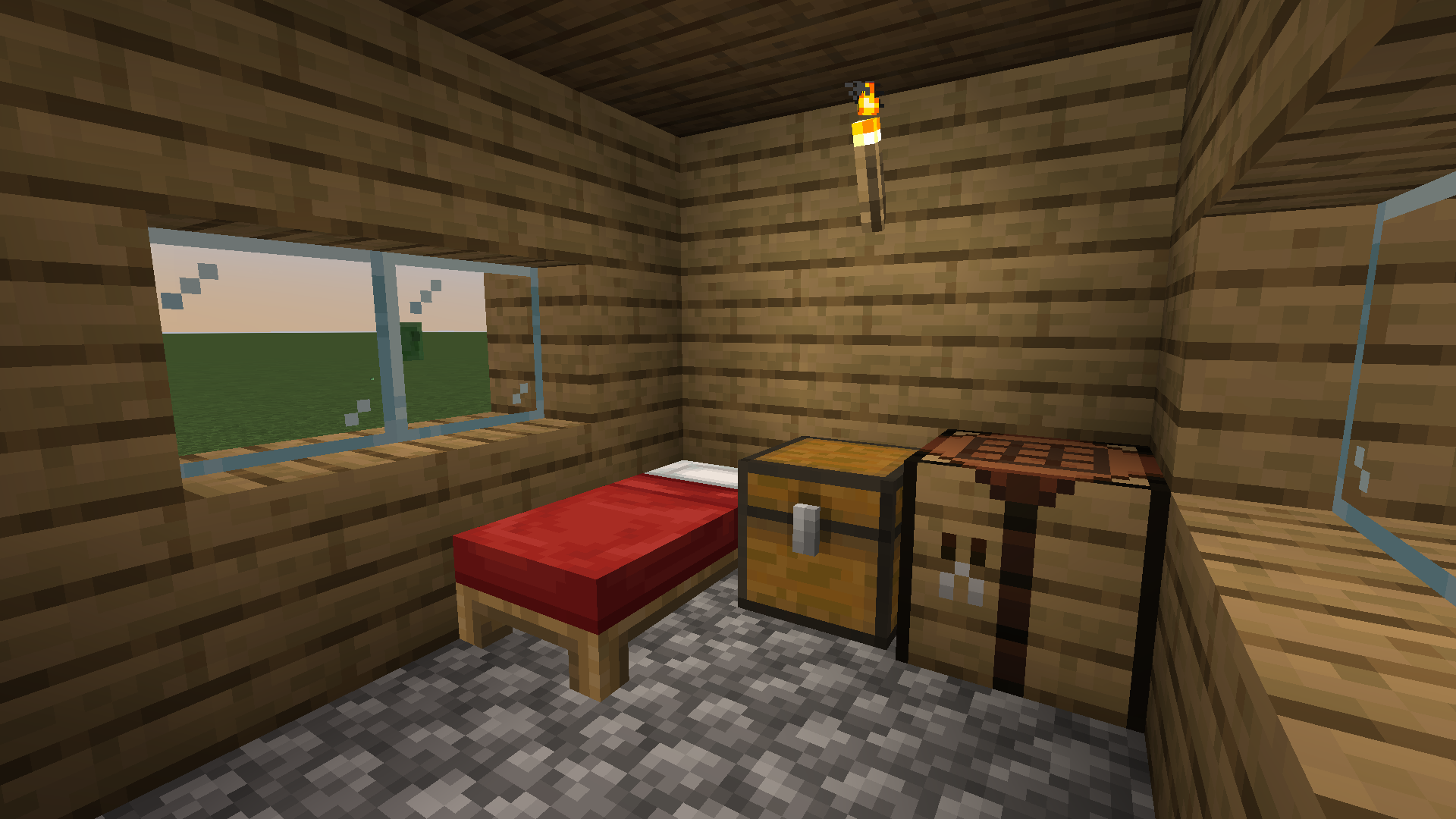
TNT's Harder Beds requires you to build a bedroom before being allowed to sleep or set your spawn. This means you can't just carry a bed around with you and throw it down once the sun starts to set. You also can't just dig a hole or make a dirt hut.
To disable this mechanic, set requireHouse in the config file to false.
Valid and Invalid Blocks
As a rule of thumb, any block that generates naturally, other than logs, cannot be used to construct a house. This means you can't use blocks like dirt, sand, grass, or stone. You can, however, use blocks like cobblestone, planks, or bricks. You cannot use any block that's ignored (see below).
Ignored Blocks
Certain blocks will be ignored when checking if a house is valid. This means you can place a crafting table beside your bed, for example, but you cannot use it to build the walls, floor, or ceiling of your bedroom.
Other blocks that are ignored include chests, torches, and furnaces. As a rule of thumb, non-full and functional blocks will be ignored.
Room Size
By default, your room must have an area between 9 and 81 blocks and a height between 3 and 6 blocks (both inclusive). These values can be changed in the config file. Do not make the maximum values lower than the minimum values.
Light Level
In order to sleep, the light level at the bed's position must be greater than 7 (this can be changed in the config file). This does not include sunlight.
Harder Crafting Recipe
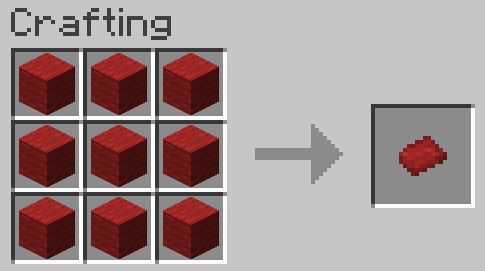
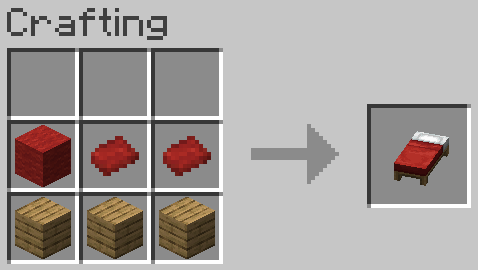
This mod makes the crafting recipe for beds more difficult. You now have to make 2 mattresses before crafting a bed. A mattress can be crafted with 9 wool blocks of the same color. Then, you can combine the mattresses with 1 block of wool of any color and 3 planks. The mattresses must be the same color. This will determine the color of the bed. The block of wool can be any color.
Obtaining Wool
Killing sheep will no longer drop wool. You must use shears. This requires the player to obtain at least 2 iron ingots before progressing to the point where they can craft a bed and sleep. It also incentivizes making a sheep ranch where you can obtain the 19 blocks of wool you now need.
Breaking Bed
Why is that singular? Anyway, beds will not drop as an item unless you break them with shears or a tool with the silk touch enchantment. This means you can't loot beds from a village (or other players) until you obtain 2 iron ingots or the aforementioned enchantment. You can still sleep in those beds, but you won't be able to move them.
Compatability
This mod has been tested with the following mods and is believed to be fully compatible with them:
Testing with Optifine resulted in a crash on startup.
This mod will most likely not be incompatible with any mod that changes how beds function. It is also not recommended to play with mods that have overlapping features, such as changing the recipe for beds.
There's a high possibility that any mod which adds new blocks to the game will be incompatible with the bedroom feature. By default, every block is considered valid. This means you can use it to build the walls, ceiling, and floor of your bedroom and they will not be ignored.
How to Add Support
Adding support for your mod is very easy! It's also possible to create datapacks to add compatibility if the modmaker doesn't.
You'll need to create a new folder in data folder called tnts_harder_beds. Inside of that folder, create another folder called tags, then create another folder inside that one called block. This is where you'll add the necessary json files.
Create 2 new files called invalid_house_blocks.json and house_interior_ignore.json. If you only need one, you don't have to add the other.
Put blocks you want to be invalid for bedrooms in the first file and blocks you want to be ignored in the second. Ignored blocks will also be counted as invalid, so there's no need to add a block to both files.
There's no file for valid blocks, because every block is considered valid by default.
Here is an example of a valid json file:
{
  "values": [
    "mod_id:block_id",
    "mod_id:block_id_2"
  ]
}
Just replace mod_id with the id of the mod and block_id with the ID of the block (you can use f3+H in game to see the ID of items when you hover over them, which is usually the same as the block ID). You can add multiple blocks by separating them with commas.
Note: folder/file names should be lowercase and the underscores are very important, do not replace them with spaces.
Can I add this to a modpack?
Yes! Just make sure to read the section about compatibility first. Some mods may be incompatible or may require you to create a datapack in order to make them compatible.
- Edition: Minecraft Java
- File type: .jar
- Minecraft versions listed: 1.20.1, 1.20.2
- How to install: Install the matching mod loader (Forge, Fabric or NeoForge) for your Minecraft version. → Download the .jar. → Put it in the .minecraft/mods folder and launch that loader profile.
- Where to get it: Opens on Modrinth — not every file is mirrored on our own servers.
Install steps are the general flow for this file type — How to install Minecraft Java mods & modpacks walks through it step by step.
- Ships as tnts_harder_beds-1.20.1-1.0.1.1.jar — drop this file into the mods folder
- Download size: 78 KB
- Download link checked 30 Aug 2026 — working
These come from our own check of the pack file, not from the source page.