
GD mod
Java mod listed for Minecraft 1.20. Downloads from the MC Java Mods app on Android.
⬇ Download on Modrinth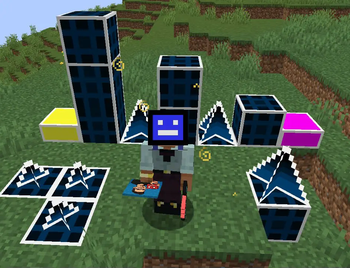
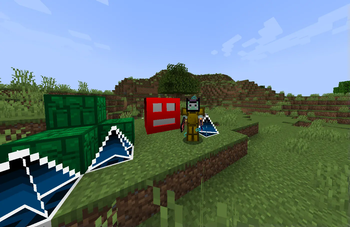
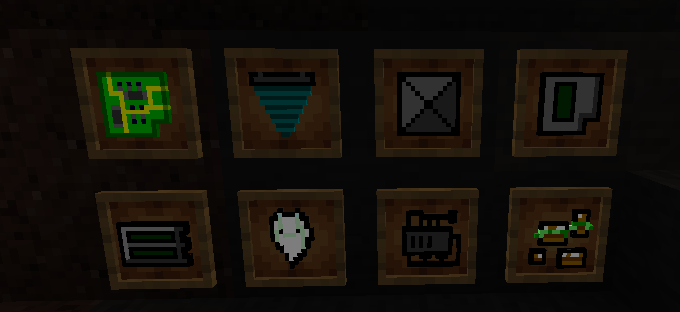
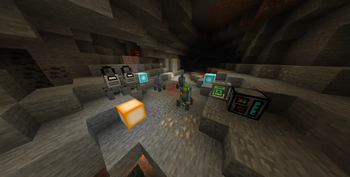
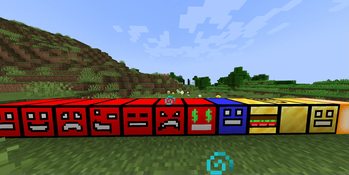
GD mod: A Unique Adventure Awaits!
GD mod is an exciting and expansive Minecraft modification that adds a wealth of fresh content. Whether you're an explorer or a creative builder, this mod offers something special for everyone.
What Does GD mod Add?
Powerful Tools & Equipment
- Drills & Advanced Tools – Mine faster with new pickaxes and get resources from the drills.
- New Ores - Discover 3 new ores to craft new and stronger gear.
- Cubes from geometry dash – Craft unique cubes in cube constructor that provide special abilities (try to collect them all to get flying ability).
Structures, Dungeons & Bosses
- New Structures – Find useful structures like shops that use orbs to buy from them (more on orbs later in description) shops are generating in plains and forests. New structures in the new derd biome that have loot.
- Challenging Dungeons – Explore mysterious dungeons filled with traps, treasures, and dangers.
- New Epic Boss – Test your skills against new boss with unique mechanics.
New Dimensions
Venture beyond the Overworld into two new dimensions, each with its own atmosphere, creatures, and resources to discover (portals made of bedrock and only accessible through the dungeon underground.
Geometry Dash Inspired Blocks
A fun crossover! GD Mod introduces blocks and decorative elements inspired by Geometry Dash, adding a new touch to your builds.
Fun In Multiplayer
With addition of new currency, orbs, you can now pay someone with them (to withdraw them use /sell, to check your balance use /orbs), and diamonds no longer needed to buy something.
Why Should I Try GD mod?
- Endless Exploration – Uncover secrets in dungeons, conquer bosses, and travel to strange new worlds.
- New Blocks – Mix Minecraft’s classic style with Geometry Dash’s blocks for unique designs (try to build your layout).
- Progression & Challenge – Upgrade your gear, master new mechanics, and take on hard boss battle.
GD mod isn’t just another mod about grind—it’s an immersive experience that keeps you engaged with its new things and creativity.
- Edition: Minecraft Java
- File type: .jar
- Minecraft version listed: 1.20.1
- How to install: Install the matching mod loader (Forge, Fabric or NeoForge) for your Minecraft version. → Download the .jar. → Put it in the .minecraft/mods folder and launch that loader profile.
- Where to get it: Opens on Modrinth — not every file is mirrored on our own servers.
Install steps are the general flow for this file type — How to install Minecraft Java mods & modpacks walks through it step by step.
- Ships as derd_mod.jar — drop this file into the mods folder
- Download size: 29.3 MB
- Download link checked 11 Oct 2026 — working
These come from our own check of the pack file, not from the source page.