Triple Inventory
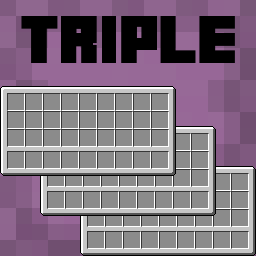
Triple Inventory aims to solve the serious inventory space issues in Minecraft by simply giving you a bigger inventory, along with some quality of life changes.
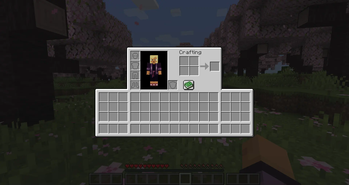
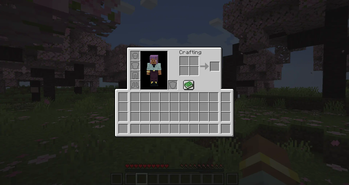
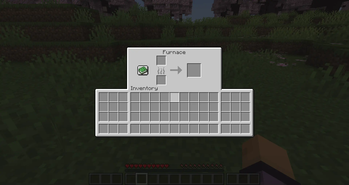
This mod can add up to 72 new inventory slots, including 18 new hotbar slots - these slots are also accessible in containers.
You can access shulker boxes and ender chests from your inventory by right clicking them - including adding and taking items.
There are also options to automatically switch to the best tool in your hotbar when using an item.
Change the number of available slots with the extendedInventorySize gamerule. This determines how many new inventory columns to add either side of the main inventory. (default 3, max 9, set to 0 to disable extended inventory).
Configuration
Config can be edited using Mod Menu or in tripleinventory.json
showExtendedHotbar: Show the extended hotbar on the HUD (default true)
scrollToExtendedHotbar: Access the extended hotbar using the scroll wheel (default true)
showExtendedInventoryWithRecipeBook: Show the extended inventory when the recipe book is open (default true)
autoSelectTools: Automatically select the best tool in the hotbar when mining (default false)
showPreviousSelectedSlotIndicator: Show an indicator on your previously selected slot after automatically selecting a tool (default true)
autoReturnOnUse: Automatically return to the last manually selected slot when using an item (default false)
autoReturnAfterCooldown: Automatically return to the last manually selected slot after a cooldown (default false)
autoReturnCooldown: The number of ticks after which to return to the last selected slot (default 40)
colorShulkerBackground: Change the background colour of the shulker preview to match the shulker box colour (default true)
shulkerPosition: The position of the shulker preview (default BOTTOM, allowed values BOTTOM, TOP, LEFT_TOP, LEFT_BOTTOM, RIGHT_TOP, RIGHT_BOTTOM)
Hotkeys to switch to extended hotbar slots are available in the vanilla controls settings
Important Information
This mod requires Yet Another Config Lib (YACL). It is also recommended to use Mod Menu on the clientside to change settings.
Due to the nature of this mod, there is a small risk of duplication glitches or item loss. Report any issues on the issue tracker. You can post suggestions there too!
This mod is likely to be incompatible with other mods which modify the player's inventory or other vanilla inventories. The extended inventory will not appear in modded inventories. Feel free to report incompatibilities on the issue tracker, but they may not be possible to resolve.
- Edition: Minecraft Java
- File type: .jar
- Minecraft version listed: 1.21.8
- How to install: Install the matching mod loader (Forge, Fabric or NeoForge) for your Minecraft version. → Download the .jar. → Put it in the .minecraft/mods folder and launch that loader profile.
- Where to get it: Opens on Modrinth — not every file is mirrored on our own servers.
Install steps are the general flow for this file type — How to install Minecraft Java mods & modpacks walks through it step by step.
- Ships as tripleinventory-1.3.4.jar — drop this file into the mods folder
- Download size: 321 KB
- Download link checked 30 Aug 2026 — working
These come from our own check of the pack file, not from the source page.